





Amino is a social media platform with a focus on communities and fandom. It's a great place to connect with other fans of your favorite things, and also learn more about the subjects you love. I've been using Amino for a while now, and I think it's a great platform. In this review, I'll go over the features of Amino and what I like and don't like about it.
Features Amino is a mobile app that lets users create and join online communities centered around their interests. It's sort of like a cross between a forum and a social network, and it's a great way to meet people who share your passions. How to use Amino? If you're a fan of anything, Amino is the app for you. It's a social network centered around specific interests, called "communities." There are Amino communities for all sorts of topics, from video games and TV shows to books and music. You can join as many communities as you like, and follow other users who share your interests. Pros & Cons Amino is a social media platform with a focus on communities and fandom. It has a variety of features that make it unique, including the ability to create and join communities, customize your profile, and chat with other members. Amino also has a points system that allows you to unlock rewards as you use the platform.
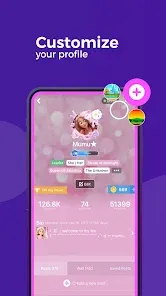
The app is divided into different "communities" based on interests, and each community has its own message board where users can post and chat. There are also polls, blog posts, and other ways to interact with the community. You can even customize your profile page with photos and videos.
One of the best things about Amino is that it's very welcoming to new users. There's no pressure to be popular or to have a lot of friends – you can just dive right in and start exploring the communities that interest you. And if you're feeling shy, you can always use the anonymous mode.
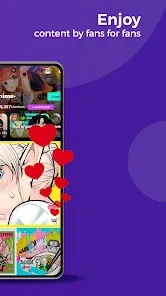
When you first open Amino, you'll be asked to choose some communities to join. You can also search for specific ones that interest you. Once you've joined some communities, your feed will be filled with content from those communities - posts from other users, polls, quizzes, and more. You can like and comment on anything you see in your feed.
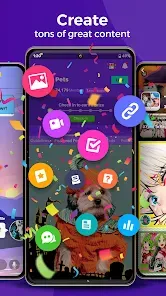
You can also create your own posts in any of the communities you belong to. Got something to say about your favorite game? Want to share a fanfic you wrote? Amino is the perfect place to do it. Just hit the "Create Post" button at the top of your feed and get started.
There are some pros and cons to using Amino. On the plus side, it’s a great way to connect with other people who share your interests, and the customization options let you express yourself in a unique way. The points system is also a fun way to encourage engagement. On the downside, Amino can be overwhelming at times due to the sheer number of communities and users, and it can be difficult to find people who share your specific interests.

 Connect with like-minded individuals who share your interests and passions. Discover and participate in vibrant communities tailored to your favorite fandoms. Share your creative content and receive feedback from enthusiastic fans. Engage in live discussions and events to deepen your fandom experience. Access exclusive content and resources that enhance your community involvement.
 Limited moderation can lead to toxic behavior and harassment. Content discovery is often hindered by poor search functionality. Frequent app crashes can disrupt user experience and engagement.
  Google Play
  App Store
 Yes, Amino: Communities and Fandom collects certain personal data as part of its user registration and interaction process, but it also provides privacy settings to manage what information is shared.
Amino: Communities and Fandom is free to download and use, providing a wide range of features without requiring a subscription, although certain premium features may be available through in-app purchases.
Yes, Amino: Communities and Fandom requires an internet connection to access its features, participate in communities, and engage with other users in real-time.
You can contact support or send feedback by accessing the help section within the app, where you’ll find options to reach the support team or submit your suggestions directly.
You can manage or cancel your Amino: Communities and Fandom subscription through the app store settings on your device, where you can find your subscription details and make adjustments as needed.
Unfortunately, customer numbers cannot be changed after activation. Please contact customer service for any specific inquiries.
To activate your Amino account, follow the link sent to your email after registration and complete the verification process.
You can reach Amino's customer service through the app's settings or their official website for assistance.
To log in on a new device, simply download the Amino app and enter your existing credentials.
You can retrieve your customer number by checking your account settings or contacting customer service for help.