





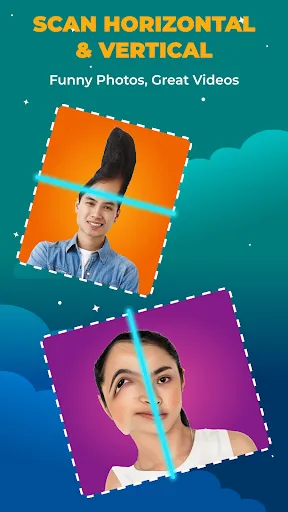


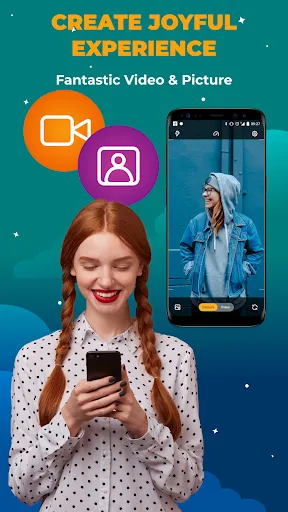



The Time Warp Scan Cam & Face Filter is a unique and innovative tool that allows users to capture photos and videos in a distinctive way. One of its standout features is the ability to create a time-lapse effect by freezing frames as the scan line moves across the screen. This allows users to produce creative visuals that can showcase gradual transformations or movements over time. Another notable feature is the variety of filters that can be applied to enhance the final output. Users can choose from a range of artistic and whimsical filters that add flair to their creations. The app also supports real-time video effects, enabling users to see how they will appear in the final product while recording. Additionally, the Time Warp Scan Cam & Face Filter includes options for adjusting the scan speed and direction, providing greater control over the creative process. This flexibility allows for a wide array of artistic expressions, making it a favorite among content creators and social media enthusiasts. Using the Time Warp Scan Cam & Face Filter is a straightforward process that can be accessed through the app interface. To begin, download and install the app from your device's app store. Once installed, open the app and select the Time Warp Scan feature from the menu. After selecting the feature, position your camera to frame your subject appropriately. You can then adjust the scan line's placement and direction, which will determine how the effect is captured. Once you're ready, press the record button to start capturing your video or image. As the scan line moves, it will freeze frames based on its path, allowing you to create unique and engaging content. Finally, after recording, you can apply various filters and effects to enhance your creation further. Once satisfied with your masterpiece, you can save it or share it directly to your social media platforms, showcasing your creativity to the world. The Time Warp Scan Cam & Face Filter offers several advantages that make it an appealing choice for users interested in creative photography and videography. One of its primary benefits is the ability to create visually captivating effects that stand out on social media platforms. This unique feature can attract attention and encourage engagement from followers. Moreover, the app is user-friendly and accessible, making it easy for individuals of all skill levels to experiment with its features. The variety of filters available also allows for personalization, enabling users to express their artistic style. Additionally, the ability to control the scan speed and direction offers creative flexibility that can lead to diverse outcomes.Features of Time Warp Scan Cam & Face Filter
How to Use Time Warp Scan Cam & Face Filter
Pros & Cons of Time Warp Scan Cam & Face Filter

 Creates stunning visuals by distorting time in unique ways Enhances creativity with playful face filters for fun selfies Easy to use interface for instant results and sharing Perfect for engaging content on social media platforms Encourages artistic expression through innovative photo effects
 Limited to specific angles, restricting creative possibilities May cause distortion in facial features Requires good lighting for optimal results
  Google Play
  App Store
 Yes, users can usually submit suggestions or feedback through the app's support section or via their official website and social media channels.
Yes, the app may collect personal data as outlined in its privacy policy, which typically includes information for improving user experience and providing personalized content.
Some features of the app may be available offline, but full functionality typically requires an internet connection for features like sharing and updates.
You can cancel your subscription through your app store account settings, where you can manage your subscriptions and follow the prompts to cancel.
Subscription costs can vary, but they typically range from a few dollars per month to a discounted rate for annual subscriptions.
Unfortunately, customer numbers cannot be changed. If you have issues, please contact customer service for assistance.
Yes, you can log in using your social media account if you linked it during activation. Just select the option on the login screen.
You can reach our customer service via the app's support section or email us at support
You will need to use your new email to log in. If you can't remember your password, reset it using the app.
To activate your account, click the activation link sent to your registered email after signing up.


















