

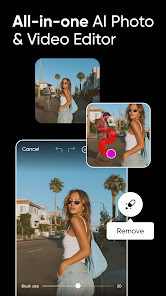
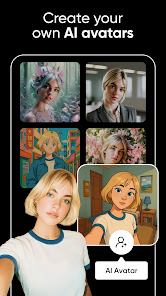
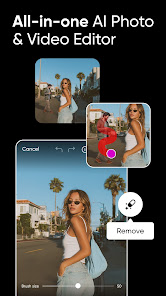
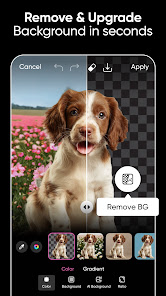
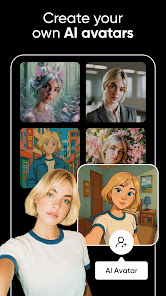

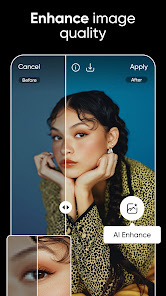

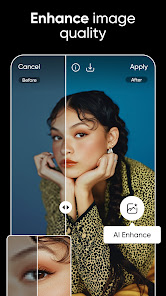


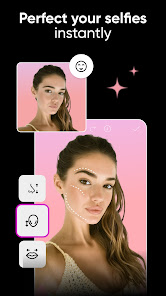
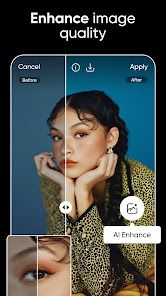
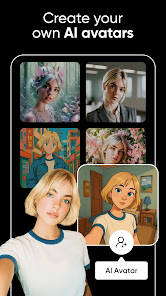

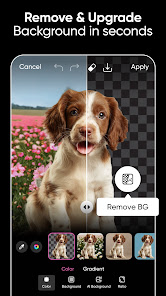

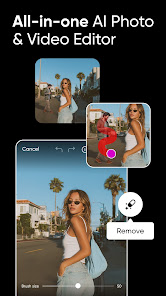

Photos and videos are increasingly becoming a key part of our online presence. Not only do they capture memories and moments, but they can also be used to promote your business or product. But with so many photo editing apps available on the market, which one is the right fit for you? In this blog post, we will explore the features of Picsart Photo & Video Editor App and recommend it as the best choice for anyone looking for an easy-to-use photo editor app.
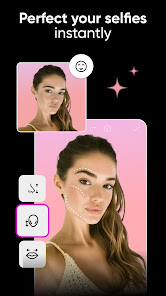
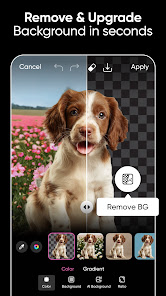
Features Picsart Photo & Video Editor App is perfect for creativity and fun. With a range of features to help you create beautiful photos and videos, Picsart is the perfect app for anyone looking to express themselves through photography or video. From creating simple photo collages to advanced editing tasks, Picsart has everything you need to turn your photos and videos into works of art. The app also features a built-in camera, making it easy to capture stunning images and videos without having to rely on external devices. Picsart also includes tools for adding text, graphics, and music to your photos and videos, giving you the ability to create complex projects with ease. Whether you're looking for a fun way to share your thoughts with friends or want to create professional-quality work, Picsart is the perfect app for you. Tips for Editing Photos and Videos with Picsart With the Picsart photo and video editor app, you can easily edit your photos and videos with just a few taps. Here are some tips for getting the most out of the app: Use the filters to add effects and adjust colors. Add text or stickers to make your videos more interesting. Save your edits as a new photo or video file. Share your photos and videos with friends via email, messaging, or social media platforms. Picsart VS Snapseed PicsArt and Snapseed are both popular photo editing apps that allow users to enhance and manipulate their photos on their mobile devices. While the two apps have many similarities, there are also some key differences between them. One of the main differences between PicsArt and Snapseed is the range of available features and tools. PicsArt has a wider range of features and tools, including a variety of filters, effects, and editing tools such as clone, crop, and resize. In contrast, Snapseed has a more focused set of tools and features, with a particular emphasis on advanced editing tools such as healing, dodge and burn, and perspective. Another difference between the two apps is the user interface. PicsArt has a more complex and cluttered interface, with a wide range of options and settings, while Snapseed has a simpler and more streamlined interface that is easier to navigate. Overall, both PicsArt and Snapseed are powerful photo editing apps that can help you enhance and manipulate your photos. The best app for you will depend on your specific needs and preferences, and whether you prefer a more comprehensive or focused set of features and tools. Pros & Cons Picsart is an app that allows you to edit photos and videos, with a wide range of features. It has a free version, as well as a paid subscription. Some of the pros of Picsart include its wide range of features, ease of use, and ability to share your creations online. However, some cons include the price tag and lack of support for certain file formats.

 Easily enhance photos with powerful AI-driven tools for stunning results. Create engaging videos using intuitive editing features that save time. Access a vast library of templates and effects for creative inspiration. Seamlessly share your creations across social media platforms in one click. Enjoy a user-friendly interface designed for both beginners and pros alike.
 Limited advanced editing features compared to professional software Occasional inaccuracies in AI-generated edits Subscription costs may deter casual users
  Google Play
  App Store
 Yes, users can submit suggestions or feedback through the app's support section, or by contacting customer service via the official Picsart website.
Yes, Picsart AI Photo Editor, Video may collect personal data as outlined in its privacy policy, which typically includes information like usage data and user-generated content.
Picsart AI Photo Editor, Video requires an internet connection for some features, especially those related to AI processing and updates, but it does offer basic editing capabilities offline.
To cancel your Picsart AI Photo Editor, Video subscription, you can go to your account settings within the app or through the app store where the subscription was purchased and follow the cancellation instructions.
The subscription cost for Picsart AI Photo Editor, Video can vary based on the plan chosen, but it generally offers monthly and annual options with a free trial available for new users.
Yes, you can activate your account by entering your customer number during the sign-up process. If you face issues, please contact customer service.
Yes, you can log in using your social media accounts. If you encounter issues, please reach out to customer service for support.
You can reach customer service through the app’s support section or visit our website for contact options.
To update your customer information, log in to your account, go to settings, and edit your profile. For further help, contact customer service.
After signing up, check your email for an activation link. Click the link to activate your account. If you don’t see it, check your spam folder or contact customer service.