
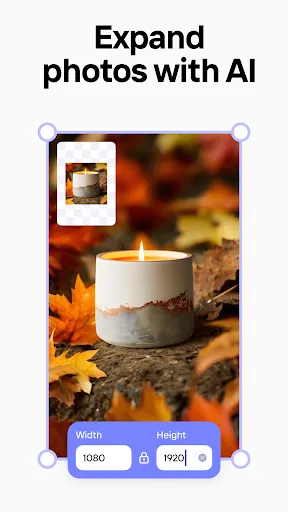
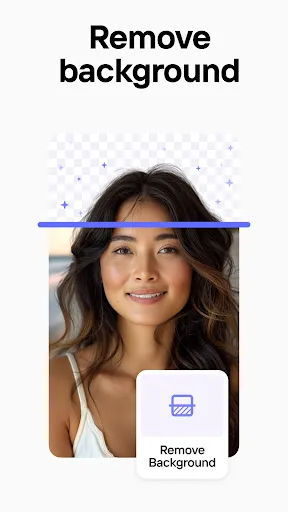





Photoroom AI Photo Editor is a powerful tool designed to enhance and transform images effortlessly. One of its standout features is the automatic background removal, which allows users to isolate subjects in their photos with precision and speed. This feature is particularly beneficial for e-commerce businesses looking to create professional product images without the hassle of manual editing. Another notable feature is the extensive library of templates and design elements, enabling users to create stunning visuals for social media, marketing campaigns, and personal projects. Users can easily add text, graphics, and other design components to their images, making it an all-in-one solution for various creative needs. The app also includes advanced editing tools, such as filters, effects, and color correction options, which give users the flexibility to enhance their images according to their personal style. Additionally, Photoroom offers batch editing capabilities, allowing users to process multiple images simultaneously, saving valuable time and effort. Lastly, the user-friendly interface makes it accessible for both beginners and experienced users alike, ensuring a seamless editing experience. Overall, Photoroom AI Photo Editor combines cutting-edge technology with an intuitive design, making it a go-to choice for anyone looking to elevate their photography. Using Photoroom AI Photo Editor is a straightforward process that can be completed in a few simple steps. First, users need to download and install the app on their device or access the web version. Once logged in, users can upload the image they wish to edit by selecting it from their device or importing it from a cloud storage service. After uploading, the automatic background removal feature will kick in, isolating the main subject of the photo. Users can review the results and make any necessary adjustments using the editing tools provided. This includes refining edges, adding new backgrounds, or applying effects to enhance the overall look of the image. Next, users can explore the library of templates and design elements to customize their image further. They can add text, graphics, or overlays to create a unique composition that suits their needs. Once satisfied with the edits, users can preview the final image and make any last-minute changes before saving or sharing it directly to social media platforms. Finally, Photoroom allows users to download their edited images in various formats and resolutions, making it easy to use them across different platforms. This intuitive process makes Photoroom AI Photo Editor an ideal choice for anyone looking to create professional-quality images quickly and efficiently. Photoroom AI Photo Editor comes with several advantages that make it appealing to users. One significant pro is its automated background removal feature, which saves time and effort compared to manual editing. This is particularly useful for e-commerce businesses that require high-quality product images without investing too much time in the editing process. Another advantage is the user-friendly interface, which caters to both beginners and experienced users. The app provides an extensive library of templates and design elements, allowing for creative customization that enhances the overall visual appeal of images. Additionally, the batch editing capabilities enable users to process multiple images quickly, making it a time-efficient tool. Lastly, while Photoroom offers a free version, access to some premium features may require a subscription, which could be a drawback for users looking for a completely free solution. Overall, Photoroom AI Photo Editor strikes a balance between ease of use and functionality, making it a valuable tool for many users.Features of Photoroom AI Photo Editor
How to Use Photoroom AI Photo Editor?
Pros & Cons of Photoroom AI Photo Editor

 Effortlessly remove backgrounds with a single click for professional results. Enhance image quality with advanced editing tools tailored for all skill levels. Quickly create stunning product images for e-commerce or social media use. Save time with automated features, streamlining your photo editing process. Access a user-friendly interface designed for seamless navigation and creativity.
 Limited features compared to more comprehensive photo editing software Occasional inaccuracies in background removal may require manual adjustments Subscription costs can add up for casual users
  Google Play
  App Store
 Yes, users can submit suggestions or feedback through the app's support section or official website, where the development team welcomes input to enhance user experience.
Yes, Photoroom AI Photo Editor may collect personal data as outlined in its privacy policy, which typically includes information such as usage statistics and user feedback to improve the app.
Photoroom AI Photo Editor primarily requires an internet connection to utilize its AI features, although some basic editing tools may be accessible offline.
To cancel your Photoroom AI Photo Editor subscription, you can go to your account settings within the app or through the app store where you purchased the subscription, following the cancellation instructions provided.
The subscription cost for Photoroom AI Photo Editor varies, with options for monthly or annual plans, providing users with access to additional features and tools.
Yes, you can log in to your Photoroom account from multiple devices using the same email and password.
To activate your account, click the link in the activation email we sent you after registration.
You can contact customer service through the support section on our website or via email for assistance.
If you're having a login issue, please email our customer service team with details of the problem for prompt assistance.
To log in, visit the Photoroom website and enter your email and password in the login section.