

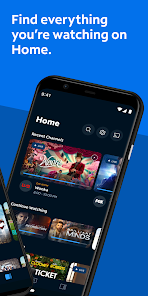
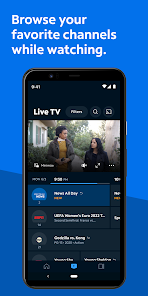
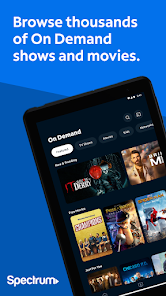
Spectrum TV Mobile App is an app that allows you to watch your favorite shows and movies on the go. With Spectrum TV Mobile App, you can access your content no matter where you are. From your car to the gym, Spectrum TV Mobile App has you covered. The Spectrum TV Mobile App is a great way to stay entertained while on the go. It has all of the latest television shows and movies so you can catch up on your favorite episodes wherever you are. Plus, with its intuitive interface, it's easy to use. If you're a fan of Spectrum TV and want to catch up on your favorite shows and movies on the go, download the Spectrum TV Mobile App today!
Download the Spectrum TV app and get the most out of your Spectrum TV experience at home or on the go. Stream On Demand or live TV anywhere, on any device.
TURN ANY SCREEN INTO A TV
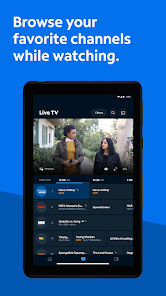
• Stream live TV anywhere you have a connection.
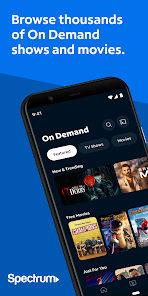
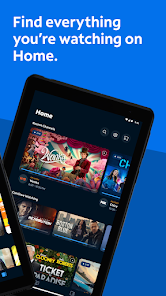
• Enjoy streaming thousands of On Demand shows and movies.
• Cast from your phone or tablet to a compatible TV with Chromecast.
FIND YOUR FAVORITE PROGRAMS
• Create a personalized guide by setting your favorite channels.
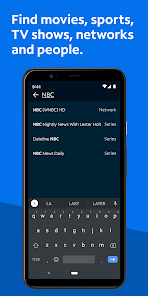
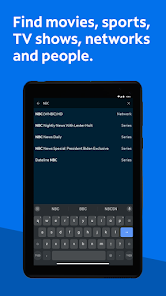
• Search by title, network, actor or sports team anywhere in the app.
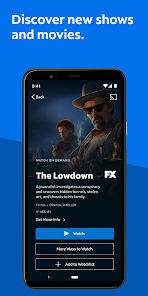
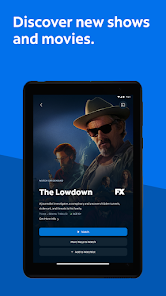
• Add new and exciting Spectrum Originals to your Watchlist.
CONTROL YOUR TV AND DVR
• Change TV channels on your Spectrum Receiver.
• Get showtimes and record your favorite TV shows and movies (with optional DVR services).
• Delete, modify and play DVR recordings on your TV (compatible DVRs only).
SET PARENTAL CONTROLS
Turn on parental controls and set a PIN to block shows by channel or rating. The blocks you set apply across each device in your household.
WHAT YOU NEED TO USE THIS APP
Available programming depends on your Spectrum TV package. Some titles require you to connect to your Spectrum In-Home WiFi. A Spectrum TV subscription, username and password are required to sign in.
Please note: This app features Nielsen’s proprietary measurement software which contributes to market research, like Nielsen’s TV Ratings. Please see https://sites.nielsen.com/priv/browser/us/en/optout.html for more information

 Wide selection of channels for diverse viewing tastes Convenient on-demand access to thousands of shows User-friendly interface for easy navigation and control No contracts required, offering flexible subscription options High-definition picture quality enhances your viewing experience
 High monthly fees can strain budgets Limited channel selection may disappoint viewers Frequent outages disrupt viewing experiences Customer service can be unresponsive at times
 Yes, Spectrum TV collects personal data as part of its service, including viewing habits and account information, but it adheres to privacy policies to protect user data.
Spectrum TV does not typically offer a free trial, but promotional offers may be available for new subscribers. A subscription is required to access the service.
Yes, Spectrum TV requires a stable internet connection to stream content and access live TV features.
You can contact Spectrum TV support through their official website, by calling their customer service number, or using the support feature within the Spectrum TV app.
You can manage or cancel your Spectrum TV subscription through your online account portal or by contacting Spectrum customer service for assistance.
Yes, the Spectrum TV app allows you to watch live TV, as well as on-demand content, if you have an active subscription.
You can reach Spectrum TV customer service at 1-833-267-6094 for assistance with your account or service issues.
Restart your device, ensure you have a stable internet connection, and check for app updates to resolve common issues.
To activate, download the app, log in with your Spectrum credentials, and follow the prompts to complete the activation.
Open the app, enter your Spectrum username and password, and tap "Log In" to access your account.








 Google Play
  App Store