

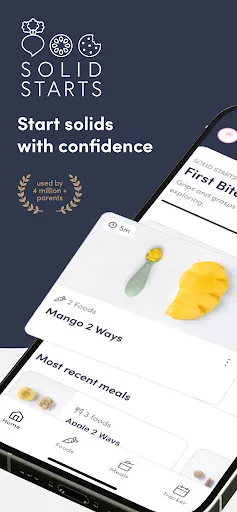
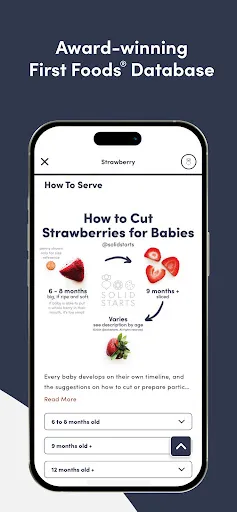
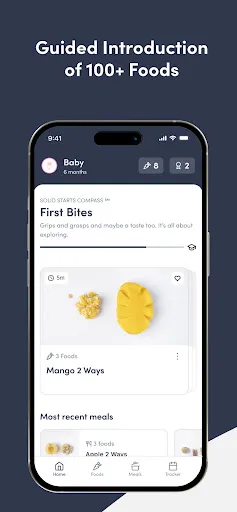
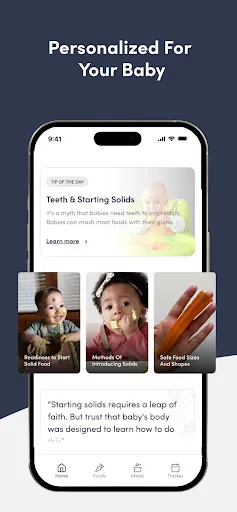
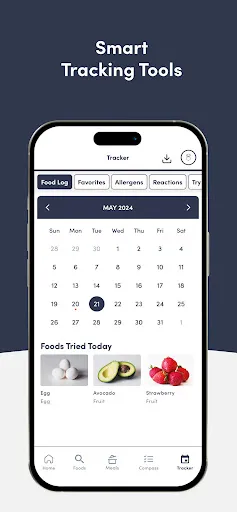
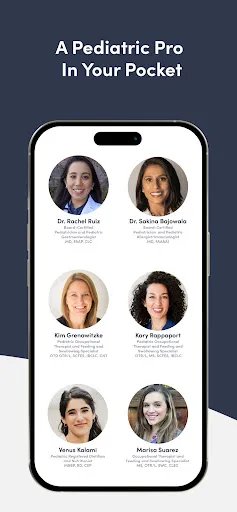
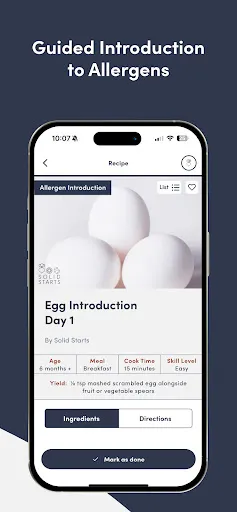
The Solid Starts: Baby Food App is designed to support parents in introducing solid foods to their babies. One of the standout features is its extensive food database, which includes a wide variety of fruits, vegetables, grains, and proteins. Each entry provides detailed information on preparation, recommended ages for introduction, and serving suggestions. The app also offers a unique visual guide that helps parents identify potential allergens and understand the textures appropriate for their baby's developmental stage. Another notable feature is the personalized feeding timeline, allowing parents to track when they introduce new foods and monitor their baby's responses. The app includes a meal planner that helps caregivers organize weekly meals while considering nutritional balance. Additionally, users can access a community forum for sharing experiences, tips, and advice with other parents, creating a supportive environment for those navigating the weaning process. Overall, the Solid Starts app combines educational resources with practical tools, making it a valuable companion for parents embarking on the journey of introducing solids to their little ones. Using the Solid Starts: Baby Food App is straightforward and user-friendly, making it accessible for all parents. First, download the app from the App Store or Google Play and create an account. Once logged in, you can explore the vast food database, where you can search for specific foods or browse by category. Each food entry provides essential information, including age recommendations, preparation methods, and serving sizes. To begin tracking your baby's food journey, navigate to the personalized feeding timeline. Here, you can log each food introduced, note any reactions your baby may have, and monitor their progress over time. The meal planner feature allows you to organize your weekly meals, ensuring a balanced diet for your child while simplifying grocery shopping and meal prep. For additional support, take advantage of the community forums, where you can connect with other parents, share experiences, and seek advice. Utilizing these features can enhance your feeding experience and help you make informed choices as you introduce solid foods to your baby. Like any tool, the Solid Starts: Baby Food App comes with its own set of pros and cons. On the positive side, the app provides a comprehensive food database that is continuously updated with new entries and research. This ensures that parents have access to the latest information on baby nutrition and food safety. The personalized feeding timeline is another significant advantage, allowing parents to track their baby's food introduction journey effectively. Additionally, the app fosters a sense of community through its forums, where parents can share insights and encouragement, creating a supportive atmosphere for new caregivers. The visual guides and meal planning features further enhance the user experience, making it easier to navigate the transition to solids.Features of Solid Starts: Baby Food App
How to Use Solid Starts: Baby Food App
Pros & Cons of Solid Starts: Baby Food App

 Easily discover age-appropriate recipes for your baby's developmental stage. Access a wide variety of nutritious and delicious meal options. Get personalized feeding recommendations tailored to your baby's needs. Learn about allergens and safe food introductions with expert guidance. Track your baby's food journey and preferences effortlessly.
 Limited customization options for individual dietary needs may restrict some users. User interface can be overwhelming for first-time parents navigating baby food choices. Inconsistent updates may lead to outdated information on food safety and recommendations.
  Google Play
  App Store
 Yes, users can submit suggestions or feedback through the app's contact feature or via the official website, and the team appreciates input from parents.
Yes, the app may collect personal data as part of its user account setup and functionality, but it is committed to protecting user privacy in accordance with its privacy policy.
Yes, Solid Starts: Baby Food App allows users to access certain features offline, ensuring that parents can refer to essential information even without internet connectivity.
To cancel your subscription, you can follow the instructions provided in the app settings or through your app store account settings, depending on the platform used.
The subscription cost for Solid Starts: Baby Food App varies based on the plan selected, with options for monthly or annual subscriptions available.
Unfortunately, customer numbers cannot be changed. If you have issues, please contact customer service for assistance.
Yes, you can log in using your Facebook or Google account if you selected that option during registration.
You can reach our customer service team through the app's help section or email support
Account activation typically occurs within a few minutes, but it may take up to 24 hours. Check your email for confirmation.
You can find your customer number in the account settings of the app, or contact customer service for further help.