

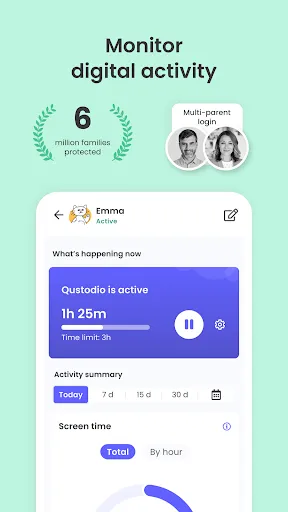
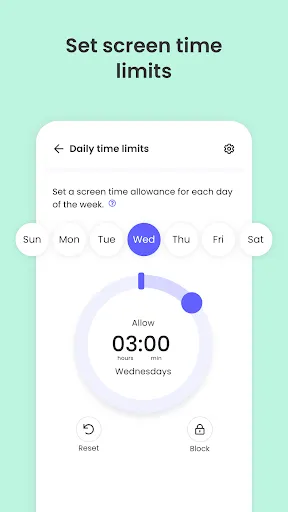
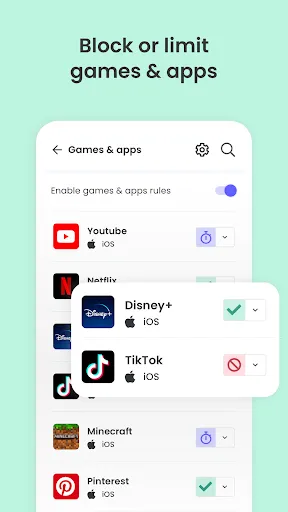
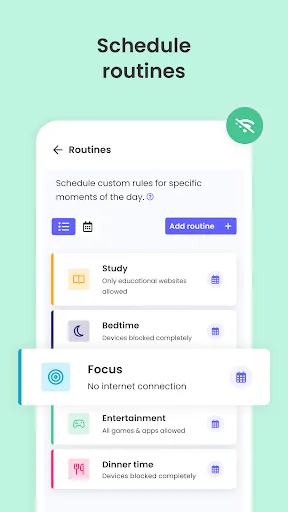
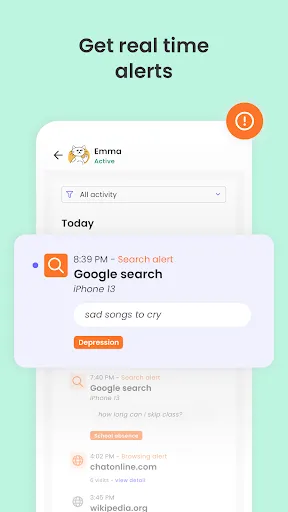
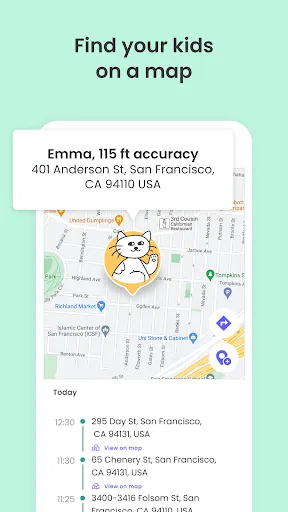
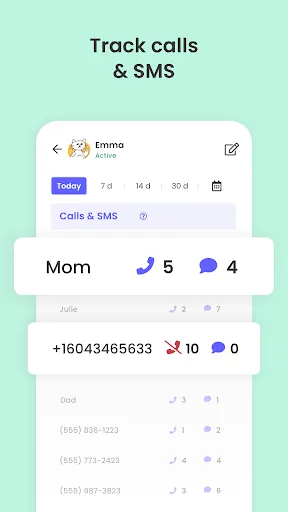
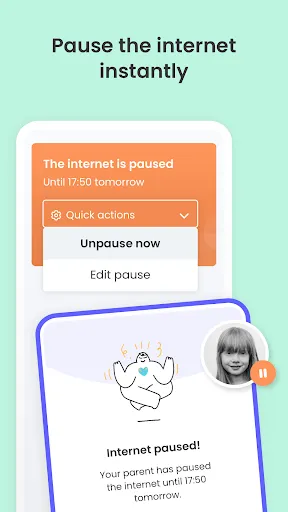
Qustodio Parental Control App offers a comprehensive array of features designed to help parents monitor and manage their children's online activities. One of the standout features is the ability to track and limit screen time across various devices, ensuring that children do not spend excessive hours on their smartphones or tablets. Parents can set specific time limits for device usage, helping to promote a healthy balance between online and offline activities. Another key feature is web filtering, which allows parents to block inappropriate websites and content. This ensures that children have a safer browsing experience. Qustodio also provides real-time monitoring of social media activity, giving parents insights into their children's interactions on platforms like Facebook, Twitter, and Instagram. Additionally, Qustodio includes location tracking, enabling parents to keep tabs on their child's whereabouts. The app sends alerts when children enter or exit designated safe zones. Furthermore, it offers detailed activity reports, providing parents with a clear picture of their child's online behavior, including app usage and search history. Overall, Qustodio combines various tools to empower parents in safeguarding their children from potential online dangers while promoting responsible digital habits. Using the Qustodio Parental Control App is a straightforward process that begins with downloading the application on your device. First, parents need to create an account on the Qustodio website or mobile app. After registration, they can add their child's device by installing the app on it, which is available for iOS, Android, Windows, and Mac operating systems. Once the app is installed on the child's device, parents can configure various settings according to their preferences. This includes setting screen time limits, choosing which applications to block or allow, and establishing web filtering rules. The app allows customization based on the child’s age and maturity, making it flexible for different family needs. After the initial setup, parents can monitor activity through a user-friendly dashboard accessible via their own device. The dashboard displays real-time data on app usage, web activity, and screen time. Parents can also receive alerts and notifications for specific activities, such as attempts to access blocked content. Regularly reviewing the activity reports helps parents understand their child's online behavior and adjust settings as necessary. Overall, Qustodio is designed to be user-friendly, empowering parents to maintain an ongoing dialogue with their children about online safety while providing necessary oversight. Qustodio Parental Control App comes with several advantages that make it a popular choice for parents. One of the main pros is its comprehensive feature set, which includes screen time management, web filtering, social media monitoring, and location tracking. This all-in-one solution simplifies the process of keeping children safe online by offering a variety of tools in a single platform. Another positive aspect is the user-friendly interface, which allows parents to navigate through settings and reports easily. The app also provides detailed activity reports, enabling parents to gain insights into their child's online behavior and make informed decisions regarding their digital interactions. However, there are some drawbacks to consider. One of the primary cons is that the premium version, which unlocks all features, can be relatively expensive compared to other parental control apps on the market. Additionally, some users have reported occasional technical issues, such as difficulties with the app's installation or syncing across devices. Moreover, while Qustodio covers a wide range of features, it may not be as effective for monitoring all apps, particularly new or less popular ones. Lastly, some teenagers may find ways to bypass the controls, emphasizing the importance of open communication about online safety between parents and children.Features of Qustodio Parental Control App
How to Use Qustodio Parental Control App
Pros & Cons of Qustodio Parental Control App

 Monitors online activity for a safer digital environment Limits screen time to promote healthy habits Filters inappropriate content to protect children Tracks location for enhanced safety and peace of mind Provides detailed reports to keep parents informed
 Qustodio can slow down device performance, leading to frustrating user experiences. The app's interface may be confusing for non-tech-savvy parents. Limited support for certain platforms restricts its usability across devices.
  Google Play
  App Store
 Yes, Qustodio encourages users to submit suggestions or feedback through their support channels, helping to improve the app and its features.
Qustodio Parental Control App does collect certain personal data to provide its services, but it adheres to privacy regulations and has measures in place to protect user information.
Yes, Qustodio Parental Control App can provide some monitoring features offline, but certain functionalities may require an internet connection to sync data.
You can cancel your subscription through your account settings on the Qustodio website or app, following the provided instructions for cancellation.
Subscription prices vary depending on the plan chosen, with options for monthly or annual payments, typically starting from a few dollars per month.
Unfortunately, customer numbers cannot be changed. If you have concerns, please contact customer service for further assistance.
Yes, you can log in to your Qustodio account from multiple devices using the same credentials. For any issues, reach out to customer service.
You can reach our customer service team via the support section on our website or by emailing support
To activate your account, log in using your credentials and follow the on-screen instructions. If you encounter any issues, please reach out to customer service.
To activate your account on a new device, download the app, log in with your existing credentials, and follow the prompts. For issues, contact customer service.