

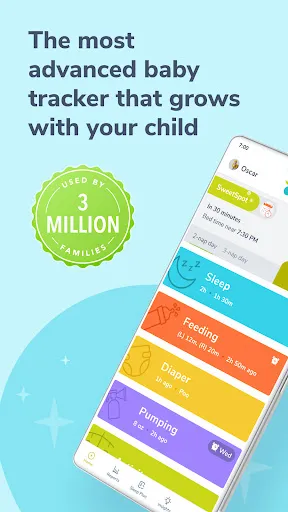
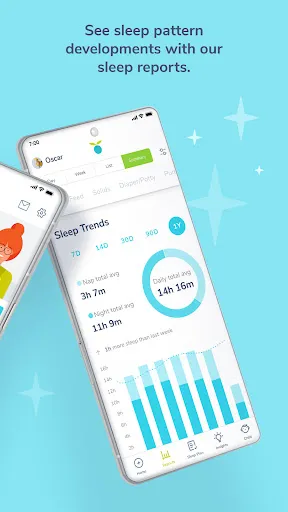
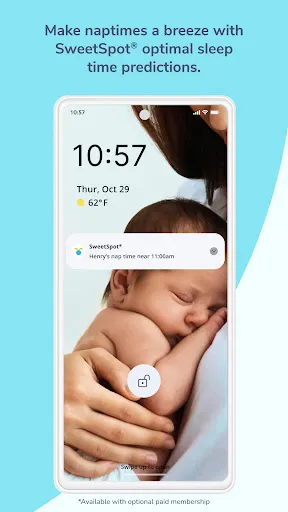
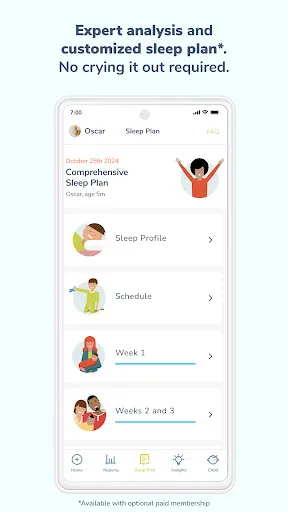
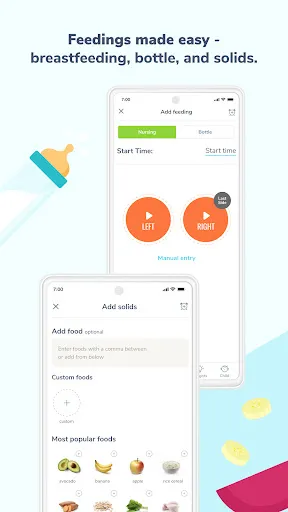
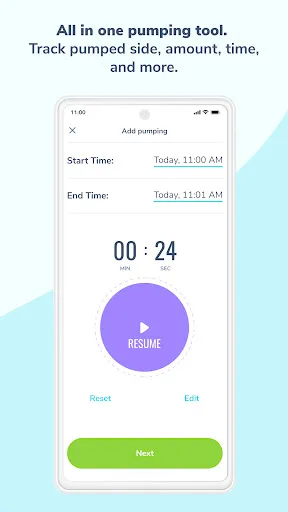
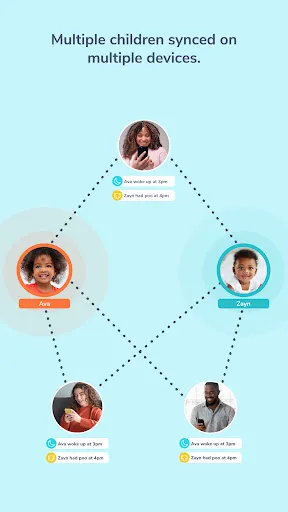
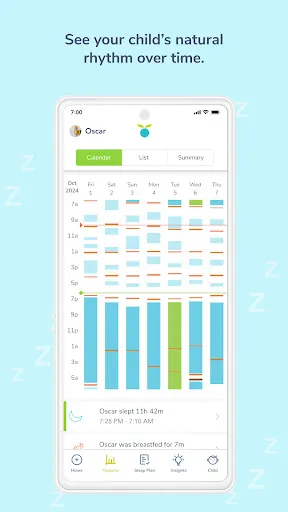
Huckleberry: Baby & Child is a comprehensive application designed to assist parents in managing their child's sleep and daily routines. One of its standout features is the Sleep Advisor, which uses an AI-driven algorithm to suggest personalized sleep schedules based on a child's age and sleep patterns. This helps parents establish a consistent bedtime routine tailored to their child's needs. Additionally, the app includes a sleep tracking feature that allows parents to log their child's sleep patterns, making it easier to identify trends and adjust schedules as necessary. Huckleberry also provides a robust library of resources, including articles and tips for managing various parenting challenges, from sleep training to feeding. The app's user-friendly interface ensures that all features are easily accessible, allowing parents to navigate through the options without any hassle. Furthermore, Huckleberry offers a "Sleep Coach" feature, where parents can receive personalized advice from certified sleep consultants. This one-on-one support can be invaluable for parents who are struggling with sleep issues. Overall, the combination of personalized recommendations, tracking tools, and expert advice makes Huckleberry a powerful tool for modern parenting. Using Huckleberry: Baby & Child is a straightforward process that begins with downloading the app from the App Store or Google Play. After installation, users create an account and input their child's information, including age and current sleep habits. This information allows the app to generate a customized sleep plan that is tailored to the child's specific needs. Once the initial setup is complete, parents can start tracking their child's sleep patterns by logging when the child goes to bed, wakes up, and any nighttime awakenings. The app also allows for the addition of other daily activities, such as naps and feedings, providing a comprehensive view of the child's daily routine. Parents can refer to the Sleep Advisor feature for ongoing tips and adjustments based on the logged data. Additionally, the app's resource library can be explored at any time, offering valuable insights on various parenting topics. For those seeking more personalized help, parents can easily access the "Sleep Coach" service for professional guidance. Overall, Huckleberry is designed to be an intuitive and supportive tool for parents navigating the complexities of child development and sleep. Huckleberry: Baby & Child comes with a range of advantages that make it a popular choice among parents. One of the primary benefits is its personalized approach to sleep management, which is based on data-driven insights tailored to each child's specific needs. This can lead to improved sleep quality for both the child and the parents. The app's intuitive design and easy navigation also enhance the user experience, making it accessible even for those who aren't tech-savvy. However, there are a few drawbacks to consider. Some users have noted that the app may require a subscription for full access to certain features, such as the Sleep Coach service, which can be a barrier for some families. Additionally, while the app provides valuable recommendations, the effectiveness of these suggestions can vary from child to child, and some parents may find that they need to experiment with different approaches to find what works best for their family. Overall, while Huckleberry offers numerous benefits, potential users should weigh these pros and cons carefully. In summary, Huckleberry: Baby & Child is a valuable resource for parents looking to improve their child's sleep and daily routines. Its combination of personalized insights, tracking capabilities, and expert advice can be especially beneficial, although it's important to consider the subscription model and the variability in effectiveness for different families.Features of Huckleberry: Baby & Child
How to Use Huckleberry: Baby & Child
Pros & Cons of Huckleberry: Baby & Child

 Huckleberry offers personalized sleep plans tailored to your child's needs. Enjoy a user-friendly app for easy tracking and management. Access expert advice from pediatric sleep specialists anytime, anywhere. Discover a comprehensive library of resources on child development and wellness. Benefit from community support and shared experiences with other parents.
 Limited product selection may not meet all families' needs Higher price points can strain budgets Shipping delays may disrupt timely deliveries
  Google Play
  App Store
 Yes, users can submit suggestions or feedback through the app's support section or contact the customer service team via email.
Yes, the app collects personal data to provide tailored recommendations and insights, but it complies with privacy regulations to protect user information.
Yes, Huckleberry: Baby & Child allows for some offline functionality, though certain features may require an internet connection for full access.
You can cancel your subscription through your app store account settings or by following the cancellation instructions provided within the app.
A subscription to Huckleberry: Baby & Child varies in price depending on the plan chosen, with options for monthly and annual subscriptions available.
Unfortunately, customer numbers cannot be changed. If you have concerns, please contact customer service for assistance.
Go to your account settings once logged in and update your email under the "Profile" section.
You can reach our customer service at support
After signing up, you will receive an activation email. Click the link in that email to activate your account.
Simply visit our website and click on the "Log In" button at the top right corner. Enter your email and password to access your account.