





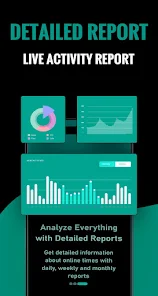
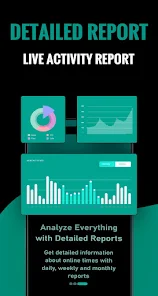
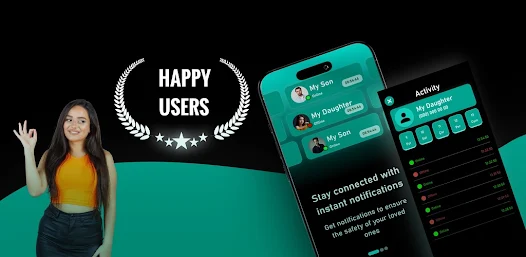
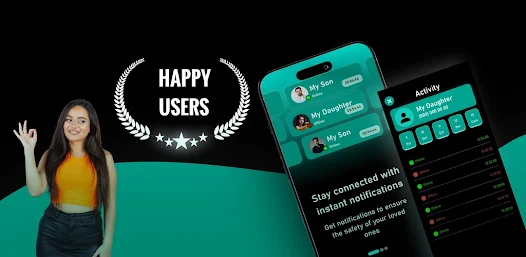
SemLog is a comprehensive semantic logging tool designed to enhance data analysis and management. One of its standout features is its ability to capture and store structured log data, allowing users to easily query and analyze logs in real-time. This structured approach not only improves the efficiency of data retrieval but also facilitates better insights into application performance and user behavior.
Another key feature of SemLog is its integration capabilities with various data visualization tools. This allows users to create dynamic dashboards that present log data in an easily digestible format. Additionally, SemLog supports customizable logging levels, enabling developers to filter logs based on severity, which helps in focusing on critical issues without being overwhelmed by less important information.
Moreover, SemLog offers robust security features, including encryption and access controls, ensuring that sensitive log data is protected from unauthorized access. The tool also provides automated alerting mechanisms, notifying users of anomalies or significant events in real-time, which is crucial for proactive monitoring and incident response.
Using SemLog is straightforward and user-friendly, making it accessible for both novice and experienced developers. To get started, users need to install the SemLog library in their application environment. This can typically be done via package managers like npm or pip, depending on the programming language being used. Once installed, developers can configure SemLog by setting up the logging parameters, such as log levels and output formats.
After configuration, developers can begin logging events by calling the appropriate logging functions provided by SemLog. These functions allow for the inclusion of contextual information, which enriches the log entries and makes them more informative. Users can also leverage the built-in features for filtering and querying logs, enabling them to extract meaningful insights from the data.
To maximize the benefits of SemLog, it is advisable to integrate it with visualization tools. This integration allows for the creation of dashboards that can display real-time log data, making it easier to monitor application performance and detect issues promptly. Regularly reviewing and analyzing the logs will help in identifying trends and improving overall application reliability.
SemLog comes with several advantages that make it a valuable tool for developers and organizations. One of the primary pros is its ability to provide structured logging, which enhances data analysis and retrieval. This structured approach allows for more efficient querying and better insights into application behavior. Additionally, SemLog's integration with various visualization tools enables users to create informative dashboards, making it easier to monitor performance metrics and detect anomalies.
However, SemLog is not without its drawbacks. One potential con is the learning curve associated with its advanced features, which may be challenging for users who are not familiar with semantic logging concepts. Furthermore, while SemLog offers robust security features, the initial setup and configuration can be time-consuming, especially for larger applications. Lastly, some users may find that the cost of implementing SemLog, particularly in enterprise environments, can be a consideration when evaluating its overall value.
In summary, while SemLog provides powerful features for logging and data analysis, users should weigh its benefits against the potential challenges to determine if it aligns with their specific needs and capabilities.

 Unlock insights effortlessly Track your data with ease Visualize trends in real-time Collaborate seamlessly with teams Customize reports to fit needs
 Limited customization options User interface can be cluttered Occasional sync issues reported Steep learning curve for new users
  Google Play
  App Store
 Yes, SemLog allows users to customize the interface according to their preferences. Users can choose themes, adjust layouts, and personalize their workspace to create an environment that suits their style.
Yes, SemLog supports cloud synchronization, allowing users to access their data seamlessly across different devices. This ensures that your notes and tasks are always up-to-date, regardless of the device you are using.
SemLog offers a free version with basic features, allowing users to experience the app's functionality. For advanced features and additional storage, users can opt for a premium subscription.
Currently, SemLog focuses on individual productivity, but it does offer options for sharing notes and tasks with others. This allows users to collaborate on specific projects or share ideas while maintaining their personal workspace.
Users can provide feedback or report issues directly through the app’s support section. SemLog’s team is responsive and values user input to improve the app's functionality and user experience.
You can reach our customer service team through the in-app support feature or by emailing support
Your customer number is available in your account settings under 'Profile'.
Open the app, enter your registered email and password, then tap 'Log In'.
Yes, after registration, check your email for an activation link to confirm your account.