

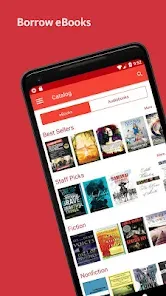
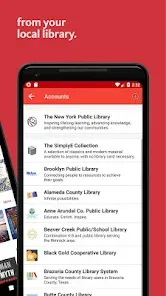
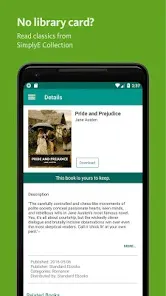
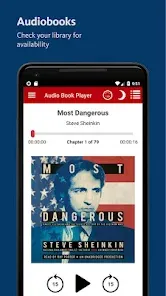
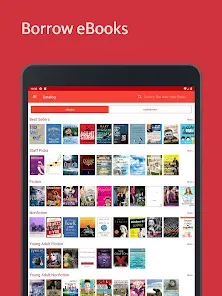
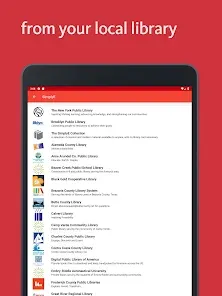
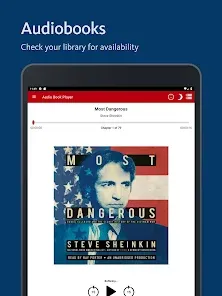
SimplyE is a new and exciting way to read ebooks! With SimplyE, you can easily find and borrow ebooks from your library, all in one app. SimplyE makes reading ebooks on your phone or tablet easy and fun!
SimplyE is a free and open source app that makes it easy to read ebooks from your library on your phone or tablet. The app has a clean, user-friendly interface with simple navigation and features that allow you to customize your reading experience. If you're looking for a new, easy-to-use eReader app, SimplyE is a great option. SimplyE is available for free on iOS and Android devices, and it's compatible with all major eReader formats. Here's a quick guide on how to use SimplyE: There are both pros and cons to the SimplyE app. On the plus side, SimplyE is very user-friendly and easy to navigate. It also provides a great selection of ebooks and audiobooks from major publishers. Another advantage is that it's available for free from the App Store.Features and Functions
You can search for ebooks in the SimplyE catalog and check them out with your library card. Once you have checked out an ebook, it will appear in the "My Ebooks" section of the app. From here, you can download the ebook to read offline or keep reading online.
The app allows you to adjust the font size, line spacing, and background color of the text to create a comfortable reading experience. You can also bookmark pages, highlight passages, and take notes while reading.
If you're looking for an easy way to read ebooks from your library on your mobile device, SimplyE is a great option.How to Use SimplyE
1. Download the app and create an account.
2. Find eBooks that you want to read by searching the built-in library catalog or your local library's website.
3. Check out eBooks from your library using your library card.
4. Start reading! You can adjust font size, background color, and other settings to customize your reading experience.
5. When you're finished reading, return the eBook to your library so someone else can check it out.Pros & Cons
On the downside, some users have reported that SimplyE can be slow to load and sometimes crashes. Additionally, it doesn't currently support all public library systems. So if your local library isn't compatible with SimplyE, you won't be able to use the app to access their collection.

 Access a vast collection of eBooks and audiobooks in one app. User-friendly interface makes browsing and borrowing effortless. Personalized reading lists help you discover new favorites. Seamless integration with library accounts simplifies borrowing. Offline access allows reading without an internet connection.
 Limited availability of titles can hinder user experience. User interface may be less intuitive for some readers. Offline access requires prior downloads, which can be inconvenient.
 Yes, users can submit suggestions or feedback through the app or the official SimplyE website, helping to improve future versions of the app.
SimplyE may collect certain personal data to improve user experience, but it adheres to privacy policies to protect user information.
Yes, SimplyE allows users to download eBooks and audiobooks for offline access, enabling reading or listening without an internet connection.
Since SimplyE does not have a subscription model, there is no need to cancel; users can simply stop using the app or remove it from their devices.
SimplyE does not require a subscription fee, as it primarily allows access to content through library partnerships at no cost to the user.
Yes, you can activate your account by entering your customer number during the setup process in the app.
No, the customer number is used for account activation, while you need your email and password to log in.
You can contact customer service through the app or our website for immediate help with account activation issues.
You can reach our customer service via the support section in the app or by visiting our website for contact details.
To log in, open the app, enter your email and password, and tap 'Log In'.








 Google Play
  App Store