

The cloudLibrary is an important tool that allows users to access a wide range of books and other reading materials. It is a convenient way to keep track of your reading, manage your library, and find new titles to read. The cloudLibrary also makes it easy to share your reading list with others.
cloudLibrary is an app that allows you to borrow and read eBooks and audiobooks from your local public library. It's available for iPhone, iPad, Android, and Kindle Fire. If you're not familiar with cloudLibrary, it's basically a digital library that allows you to borrow eBooks and audiobooks from your local public library. All you need is a valid library card and an internet connection. There are many reasons to consider using the cloudLibrary app, but there are also some potential drawbacks to keep in mind. Here are some of the pros and cons of this app:Features and Functions
Features:
- Borrow eBooks and audiobooks from your local public library
- Available for iPhone, iPad, Android, and Kindle Fire
- synchronization between devices so you can pick up where you left off reading or listening on another deviceHow to Use cloudLibrary
Using cloudLibrary is pretty straightforward. Just head to the website and click on the " sign in" link at the top of the page. From there, you'll be prompted to enter your library card number and PIN. Once you're logged in, you can browse the catalog and checkout titles that you want to read or listen to.
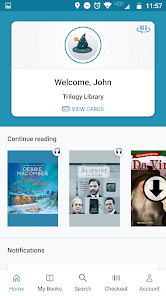
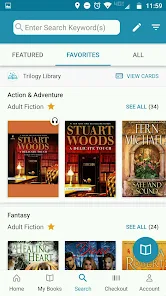
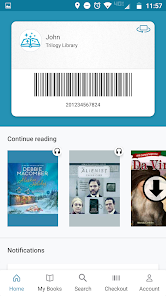
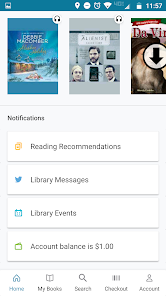
You can also download the cloudLibrary app for iOS or Android if you prefer to use your mobile device. The app makes it even easier to find and checkout titles since everything is organized by genre. Plus, you can keep track of your loans and due dates all in one place.Pros & Cons
Pros:
-The cloudLibrary app makes it easy to borrow and return eBooks and audiobooks from your local library.
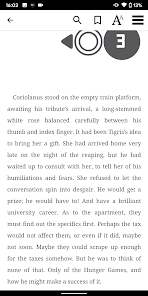
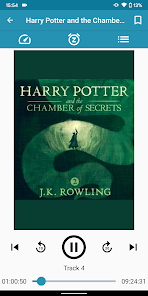
-You can use the app to read or listen to eBooks and audiobooks on your mobile device, even if you're offline.
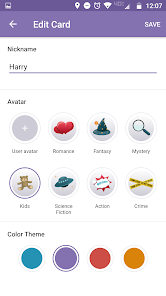
-The app has a user-friendly interface and allows you to customize your reading experience.
-You can also use the app to manage multiple library cards from different libraries.
Cons:
-The cloudLibrary app is only available for use in the United States.
-Some users have reported issues with syncing their books across devices.
-The app may not be compatible with all types of mobile devices.

 Access a vast collection of digital titles anytime. User-friendly interface enhances reading experience effortlessly. Sync across devices for seamless reading transitions. Offline access allows reading without internet connection. Regular updates keep content fresh and engaging.
 Limited availability of titles for borrowing Requires a stable internet connection User interface can be confusing for some Frequent app updates may disrupt usage
 CloudLibrary may collect personal data to provide its services, such as your library card information and usage data, but it adheres to privacy policies to protect your information.
CloudLibrary is free to use for patrons of participating libraries, but you will need a library card from a supported library to access its content.
Yes, CloudLibrary requires an internet connection to borrow titles and download content. However, once downloaded, you can read or listen offline.
You can contact CloudLibrary support through their official website or the help section within the app, where you can find options to submit feedback or request assistance.
Since CloudLibrary is accessed through participating libraries, you do not have a direct subscription to manage or cancel; instead, you can check with your library for any changes to your library membership or access.
To activate your account, follow the link in the welcome email sent by your library after registration.
You can reach customer service by visiting the cloudLibrary support page or calling the customer support number listed on their website.
Open the app, select "Log In," and enter your library card number and PIN.
The customer number for cloudLibrary can be found on their official website under the support section.







 Google Play
  App Store