

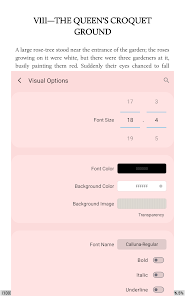
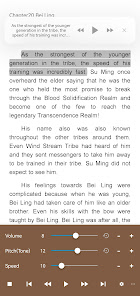
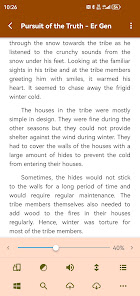
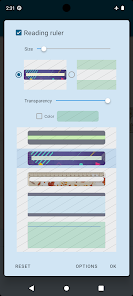
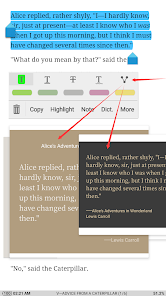

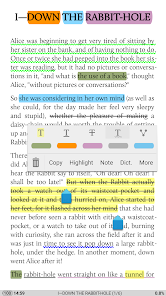
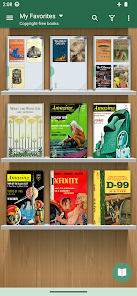
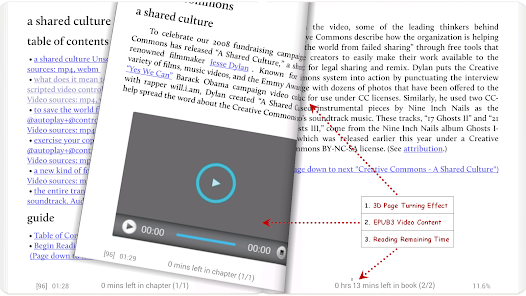
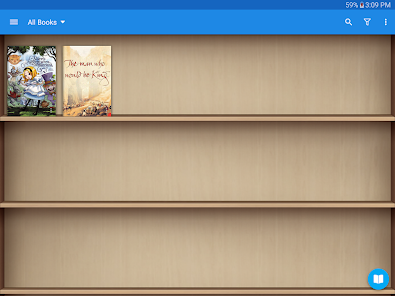
Moon+ Reader Pro is an Android app that provides users with a powerful and feature-rich e-book reader. It supports a wide range of formats, including EPUB, PDF, MOBI, CHM, CBZ, CBR, UMD, FB2, TXT, HTML, RAR, ZIP, and OPDS. It also offers a variety of features, such as text-to-speech, night mode, and a customizable library. Additionally, it has a built-in dictionary, annotation tools, and a powerful search engine.
Moon+ Reader Pro App is an amazing reading app with a lot of features. It has a beautiful user interface and allows you to customize the look and feel of the app. You can also control the font size, line height, margins, and other reading settings. Assuming you have already downloaded and installed the Moon+ Reader Pro app on your device, here is a quick guide on how to use it: Moon+ Reader Pro is one of the most popular ebook reading apps available. It has a wide range of features and supports a variety of formats. However, like all software, it has its pros and cons.Features and Functions
The app also has a night mode that makes it easier to read in low light conditions. Moon+ Reader Pro also supports EPUB, PDF, MOBI, FB2, CBR, CBZ, UMD, DOCX, HTML, and TXT formats.How to Use Moon+ Reader Pro
-Open the app and you will be directed to the main screen where your recently opened books are displayed. Here, you can either tap on a book to continue reading it or press the ‘Menu' button in the top left corner of the screen and select from the following options:
-Library: View all of the PDFs and ebooks stored on your device. You can organize them by categories or authors, or search for a specific book.
-Store: Access online ebook stores such as Amazon Kindle, Nook Press, etc. In order to buy books from these stores, you will need to create an account with them first.
-Network Library: This feature allows you to read ebooks that are stored on remote servers. To use this, you will need to enter the URL of the server into the app.
-When you have found the book you want to read, tap on it and it will open up in the reading interface. Here, you can adjust things like font size, line spacing, brightness, etc. to make reading more comfortable for you. You can also access features such as translation, note-taking, and bookmarking from this interface.Pros & Cons
Pros:
-Wide range of features: Moon+ Reader Pro includes features such as text-to-speech, bookmarks, notes, and a night mode that makes reading in low light easier on the eyes.
-Supports a variety of formats: In addition to the standard EPUB and PDF formats, Moon+ Reader Pro also supports comic book formats like CBZ and CBR.
-Affordable: Moon+ Reader Pro is very reasonably priced at just $4.99.
Cons:
-Limited customization options: While you can change things like the font size and typeface, you can't change the overall look and feel of the app like you can with some other ebook readers.

 Moon+ Reader Pro offers extensive customization options for a personalized reading experience. It supports various file formats, making it versatile for all your eBooks. The built-in dictionary enhances comprehension with instant word lookups while reading. Night mode reduces eye strain, perfect for comfortable reading in low light. Syncing across devices ensures you never lose your reading progress.
 Limited cloud sync options can hinder access across devices. Some users report occasional bugs and crashes. The interface may feel overwhelming for new users.
  Google Play
  App Store
 Moon+ Reader Pro has a privacy policy that outlines data collection practices, primarily focusing on improving user experience while minimizing personal data collection.
Moon+ Reader Pro does not have a free trial, but it offers a basic free version with limited features, allowing users to test the app before purchasing the Pro version.
Moon+ Reader Pro can be used offline, but an internet connection is required for certain features such as downloading eBooks, syncing, and accessing online libraries.
You can contact support or send feedback through the app's settings menu, where you will find options to reach the developer via email or through their official website.
If you have subscribed through the Google Play Store, you can manage or cancel your subscription directly through your Google Play account settings.
Unfortunately, customer numbers cannot be changed once your account is activated. Please contact customer service for more information.
You can reach our customer service by emailing support
After purchase, check your email for an activation link and follow the instructions to activate your account.
To log in, open the app and enter your registered email and password in the login section.
Yes, our customer service team is available to assist with any account-related issues via email or the app.