

Amazon Kindle App is an e-reader app by Amazon that allows users to download and read e-books and articles on their Kindle devices. The app was first released on November 13, 2007, and has since been updated multiple times with new features and improvements. The Kindle App has become extremely popular, with over 100 million users as of January 2017. In this blog post, we will discuss the various features and benefits of the Amazon Kindle App.
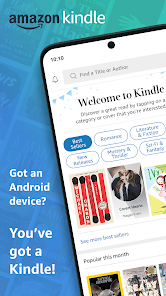
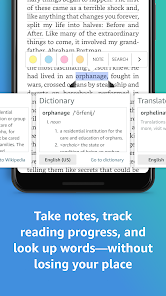
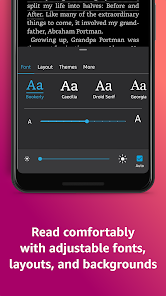
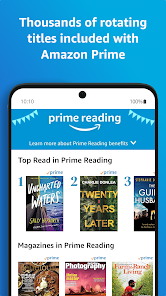
Features The Amazon Kindle app lets you read eBooks on your iPhone, iPad, or iPod touch. The app has a built-in library of eBooks that you can access from within the app. You can also purchase new eBooks from the app's store. The Amazon Kindle app has a number of features that make it an excellent choice for reading eBooks. How to use Amazon Kindle Mobile app To use the Amazon Kindle mobile app, follow these steps: Download the Amazon Kindle app from the App Store or Google Play, depending on your device. Open the app and sign in with your Amazon account. If you don't have an Amazon account, you can create one for free. Once you're signed in, you can browse the Kindle Store to find books to purchase or download. You can also access your existing Kindle library by selecting the "Cloud" tab at the bottom of the screen. To read a book, simply tap on its cover to open it. The app will automatically save your progress, so you can pick up where you left off when you return to the book. While reading, you can use the app's built-in features to customize your reading experience. For example, you can adjust the font size, background color, and margins to make the text more comfortable to read. You can also use the app's highlighting and note-taking tools to mark important passages or take notes while you read. These notes will be saved in the app and can be accessed at any time. Overall, the Amazon Kindle app is a great way to access and read your Kindle books on your mobile device. It's easy to use and offers a range of features to help you customize your reading experience. Pros & Cons Pros: Reading books on the go has never been easier! Kindle is perfect for reading anytime, anywhere. You can read books on your computer, iPhone, iPad or Android devices. If you have a Kindle Fire tablet, you can also read books on it. You don't have to spend money to buy books. You can borrow them from the Kindle Library or download them for free. Cons: Reading books on the Kindle app can be battery intensive if you are using the built in light.
First, the app has a well-designed user interface that makes it easy to navigate.
Second, the app supports zoom and panning so you can easily move around inside an eBook.
Third, the app has pause and resume functions so you can quickly pick up where you left off in an eBook.
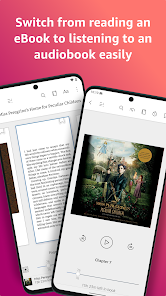
Fourth, the Amazon Kindle app supports text-to-speech so you can listen to novels without having to read them aloud.
Finally, the Amazon Kindle app allows you to save books into your library so you can access them later.
Overall, the Amazon Kindle app is an excellent choice for reading eBooks on your iPhone, iPad, or iPod touch. The app is available in English, Italian, German, Spanish, French, Brazilian Portuguese, Turkish, Japanese and Chinese.

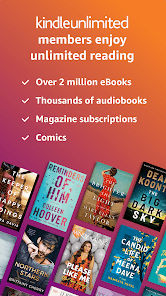
 Portable library with thousands of books available Adjustable font sizes for comfortable reading Built-in dictionary for quick definitions and insights Long battery life for uninterrupted reading sessions Access to free eBooks and Kindle Unlimited options
 Limited compatibility with non-Amazon formats No physical book experience Battery life can be insufficient for heavy use Restricted access to library lending services
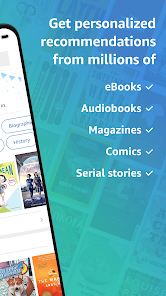
 Yes, Amazon Kindle collects certain personal data to enhance user experience and provide personalized recommendations. This may include reading habits, preferences, and account information, which are governed by Amazon's privacy policy.
Amazon Kindle does not offer a free version of the app, but it often provides a free trial for its subscription service, Kindle Unlimited, allowing users to explore a wide selection of eBooks without charge for a limited time.
While an internet connection is required to initially download books and access the Kindle Store, you can read downloaded content offline without needing to be connected to the internet.
You can contact Amazon Kindle support through the Help & Customer Service section on the Amazon website or app. Additionally, you can provide feedback through the app by using the "Feedback" option found in the settings menu.
You can manage or cancel your Amazon Kindle subscription through your Amazon account settings. Simply log in, navigate to the "Your Memberships and Subscriptions" section, and follow the prompts to manage your subscription preferences.
No, you need an Amazon account to use the Kindle app for accessing content and syncing your library.
Your Kindle account number is typically your Amazon account email; log in to your account for details.
Download the Kindle app, open it, and sign in with your Amazon account to activate it on the new device.
Open the app, tap on the menu icon, then select "Settings" to customize your preferences.
You can reach Amazon Kindle customer service through the Help section in the app, or by visiting the Amazon website and selecting "Contact Us."







 Google Play
  App Store