


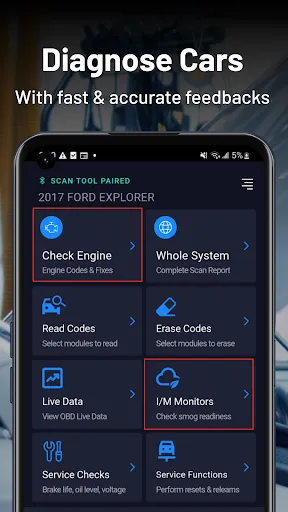
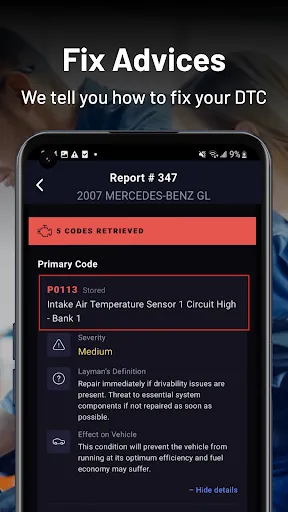
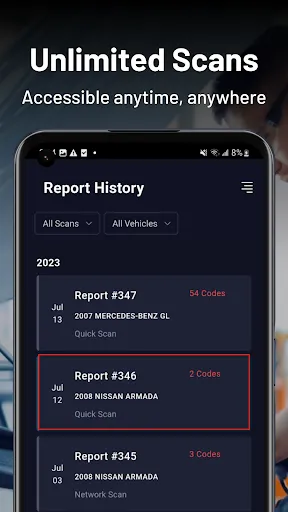
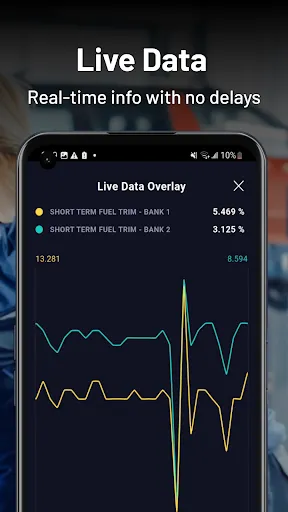
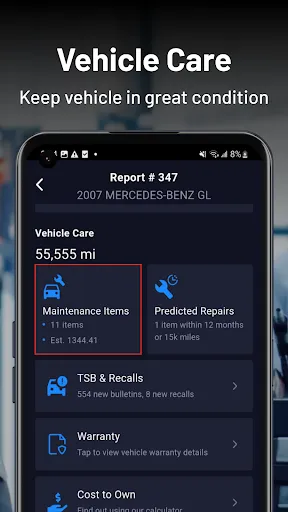
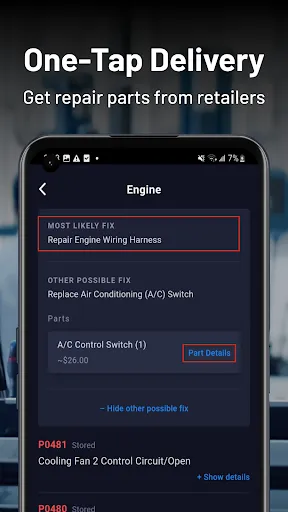
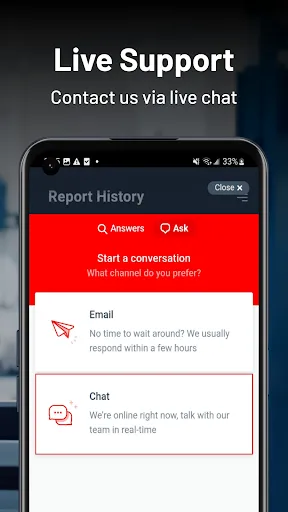
RepairSolutions2 is an advanced automotive diagnostic tool designed to provide a comprehensive range of features aimed at both professional mechanics and DIY enthusiasts. One of its standout features is its extensive database, which contains millions of repair articles, technical service bulletins, and wiring diagrams. This vast repository ensures that users have access to the most accurate and up-to-date information for a wide variety of vehicles. Another significant feature is its vehicle-specific diagnostic capabilities. RepairSolutions2 can perform detailed diagnostics on a multitude of vehicle makes and models, allowing users to pinpoint issues quickly and effectively. Additionally, the tool offers guided diagnostic workflows, which help users follow step-by-step procedures for troubleshooting common problems. Furthermore, users benefit from interactive features such as videos and illustrations, which enhance understanding and execution of repairs. Lastly, RepairSolutions2 is known for its user-friendly interface, making it accessible for users of all experience levels. Whether you're a seasoned professional or a novice, the intuitive layout facilitates efficient navigation through the tool's features, saving valuable time during the diagnostic process. Using RepairSolutions2 is a straightforward process that allows users to quickly diagnose and repair automotive issues. First, users need to create an account or log in to their existing one to access the platform. Once logged in, users can search for their vehicle by entering the year, make, and model, which helps narrow down the specific information relevant to their vehicle. After selecting the vehicle, users can explore various diagnostic options, including troubleshooting guides, repair articles, and technical service bulletins. The guided workflows help users understand the steps needed to diagnose the issue effectively. Users can also utilize the extensive database of wiring diagrams and other visual aids to assist in the repair process. Additionally, RepairSolutions2 allows users to save their previous searches and create a list of frequently accessed vehicles, streamlining future diagnostic sessions. The platform also provides users with the option to print or download repair instructions for offline use. This combination of features makes RepairSolutions2 an invaluable tool for anyone looking to tackle automotive repairs with confidence. Like any tool, RepairSolutions2 comes with its own set of advantages and disadvantages. One of the primary pros is its comprehensive database, which offers an extensive range of resources for vehicle diagnostics and repairs. This can save users a considerable amount of time and effort when troubleshooting issues. Additionally, the user-friendly interface enhances accessibility, enabling users of varying skill levels to navigate the tool efficiently. Another significant advantage is its vehicle-specific diagnostic capabilities, which provide tailored solutions based on the user’s specific vehicle make and model. This level of customization can greatly improve the accuracy and effectiveness of repairs. Furthermore, the inclusion of multimedia resources, such as videos and diagrams, can enhance understanding and execution of complex repair tasks.Features of RepairSolutions2
How to Use RepairSolutions2
Pros & Cons of RepairSolutions2

 Access a vast database of repair solutions and guides. Enjoy user-friendly navigation for quick information retrieval. Receive real-time updates on manufacturer recalls and bulletins. Benefit from detailed step-by-step repair instructions. Enhance technician productivity with time-saving resources.
 Limited availability of repair information can hinder quick troubleshooting. High subscription costs may not justify the benefits for occasional users. User interface can be confusing, leading to a steep learning curve.
  Google Play
  App Store
 Yes, users are encouraged to submit suggestions or feedback directly through the app or via the official website, where the development team values user input for future improvements.
RepairSolutions2 may collect some personal data to enhance user experience and improve services, but it adheres to privacy policies to protect user information.
Yes, RepairSolutions2 allows users to download certain information for offline access, enabling them to utilize the app even without an internet connection.
Users can cancel their subscription through their account settings within the app or through the app store where they purchased the subscription. Detailed instructions are provided in the app's help section.
Subscription costs for RepairSolutions2 may vary based on the plan selected, typically ranging from monthly to annual options. Users should check the app for current pricing details.
Unfortunately, customer numbers cannot be updated. If you have concerns, please contact customer service for further guidance.
You can reach customer service via our website’s support page or by calling the dedicated support line for immediate assistance with activation issues.
You can contact our customer service team via the support section on our website or by calling the provided phone number. We're here to help!
To activate your account, follow the link in the activation email sent to you after registration. If you didn't receive it, check your spam folder or contact customer service.
Account activation is typically instant, but it may take a few minutes. If you haven’t received an activation email, check your spam folder or contact customer service.