


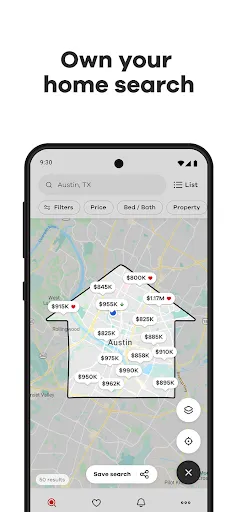
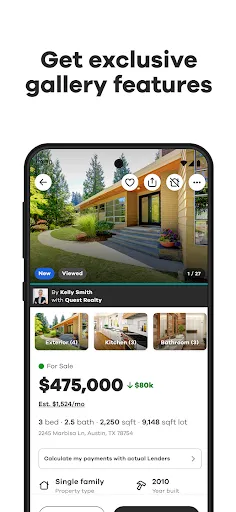

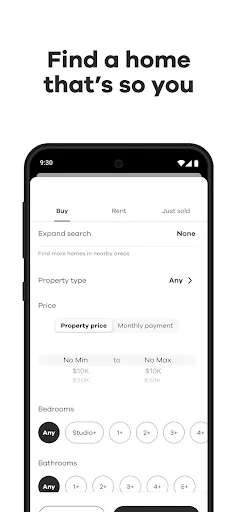
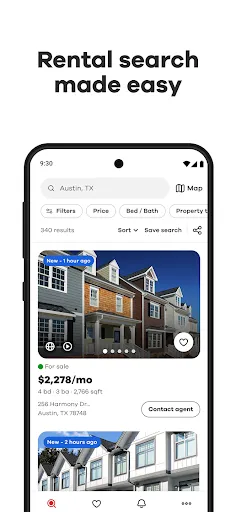
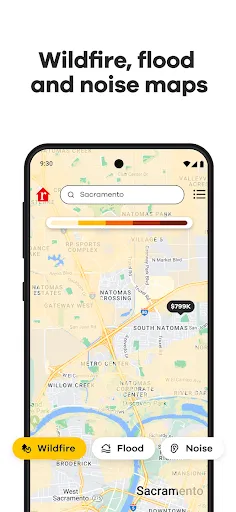
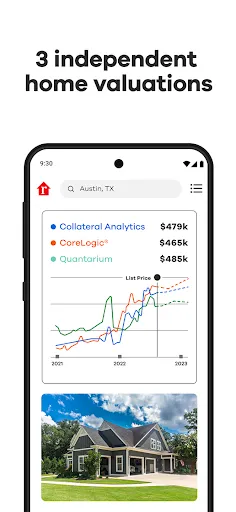
Realtor.com Real Estate & Rent offers a comprehensive platform for users looking to buy, sell, or rent properties. One of its standout features is the extensive listing database, which includes millions of homes for sale and rent across the United States. Users can filter their searches based on various criteria such as price, location, number of bedrooms, and more. This allows for a tailored search experience that can meet individual needs. In addition to property listings, Realtor.com provides interactive maps that help users visualize the areas they are considering. These maps include data on school districts, neighborhood demographics, and local amenities. The site also features valuable market insights, including price trends and comparative market analysis, which can aid buyers and sellers in making informed decisions. Furthermore, the mobile app offers convenience on-the-go, allowing users to browse listings, save favorite properties, and receive notifications for new listings. Using Realtor.com Real Estate & Rent is straightforward and user-friendly. First, users can visit the website or download the mobile app to start their property search. The homepage features a search bar where users can input their desired location, whether it's a city, neighborhood, or ZIP code. Once a location is entered, users can refine their search by applying filters such as price range, number of bedrooms, and property type. After generating a list of available properties, users can click on individual listings to view detailed information. Each listing typically includes high-quality images, descriptions, and essential details such as square footage and year built. If users find properties they are interested in, they can save them to their favorites for easy access later. Additionally, Realtor.com offers tools for contacting agents directly through the site, making it easy to schedule viewings or ask questions about specific listings. Realtor.com Real Estate & Rent comes with several advantages. One of its primary benefits is the vast database of listings, which is updated frequently to provide users with the latest property options. The platform is also known for its user-friendly interface, making it accessible for both novice and experienced users. Moreover, the detailed neighborhood information and market insights foster informed decision-making for buyers and sellers alike. However, there are also some drawbacks to consider. While Realtor.com generally provides comprehensive listings, it may not always have the most up-to-date information, leading to discrepancies in availability. Furthermore, users may encounter ads or promoted listings that can clutter the search experience. Lastly, while the platform offers numerous resources, some users may find that it lacks certain features available on competing real estate apps, such as virtual tours or augmented reality options for property viewing.Features of Realtor.com Real Estate & Rent
How to Use Realtor.com Real Estate & Rent
Pros & Cons of Realtor.com Real Estate & Rent

 Find comprehensive listings for homes and rentals nationwide Access detailed property information and photos for informed decisions Utilize advanced search filters to narrow down your options easily Receive real-time updates on new listings and price changes Connect with local real estate agents for expert guidance and support
 Limited property listings can restrict options for buyers and renters. User interface may feel cluttered and overwhelming for some users. Inaccurate listing information can lead to confusion and wasted time.
  Google Play
  App Store
 Yes, users can submit suggestions or feedback through the app’s support or contact feature, allowing them to communicate their ideas for improvements or report any issues.
Yes, the app may collect personal data such as your contact information and location to enhance user experience and provide tailored services, though users can review privacy settings and data-sharing options.
Yes, Realtor.com Real Estate & Rent allows users to save property listings for offline access, enabling them to browse saved listings even without an internet connection.
To cancel your subscription, you can go to your account settings within the app or through the app store settings on your device, where you can manage your subscriptions.
The subscription costs may vary based on the features offered, so it’s best to check the app for the most current pricing and subscription options.
Yes, you can use the live chat feature on our website to get real-time assistance from Customer Service.
Yes, you can activate your account using your email. If you encounter issues, contact Customer Service for support.
You can contact Customer Service via the help section on the website or call the provided customer number for immediate assistance.
Please contact Customer Service directly, and they will assist you in updating your customer number promptly.
Use the "Forgot Password" link on the log in page to reset it. If you need further assistance, reach out to Customer Service.