




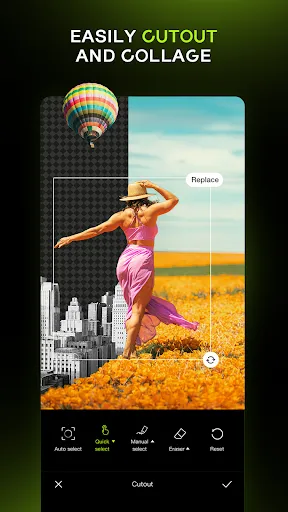
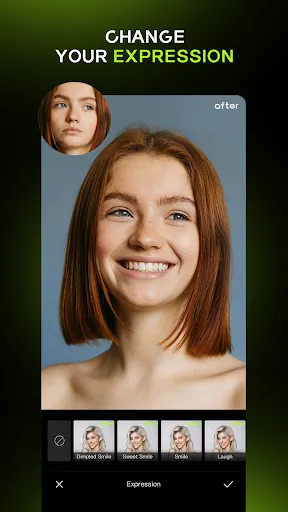
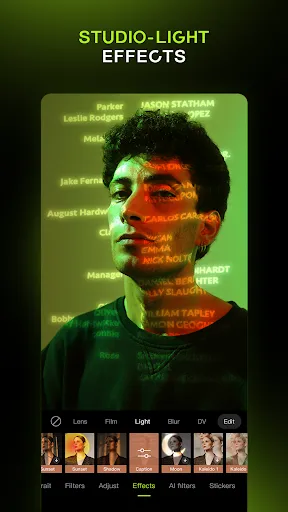
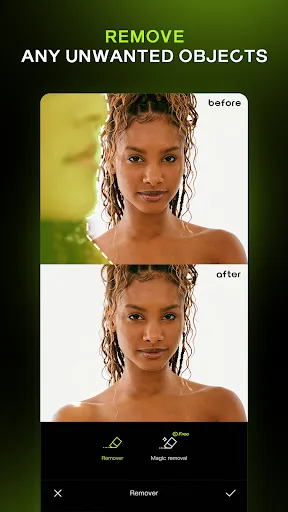


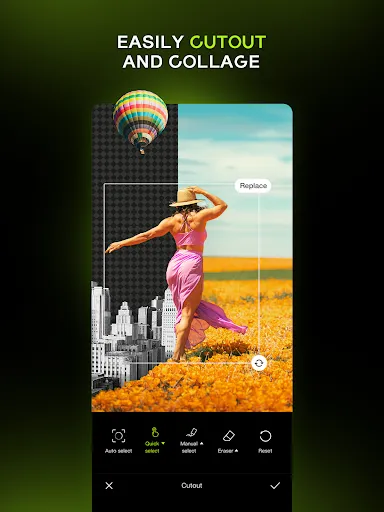
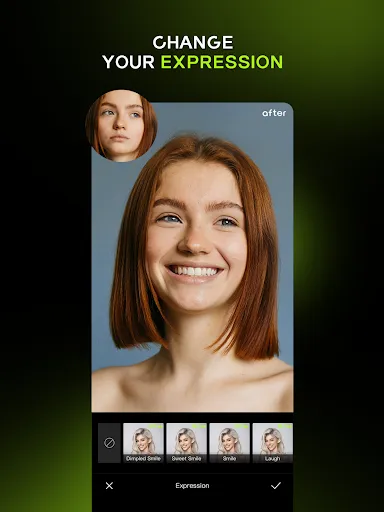
Hypic - Photo Editor & AI Art is a versatile application that combines traditional photo editing capabilities with advanced artificial intelligence features. One of its standout features is the AI-driven enhancement tools that automatically adjust brightness, contrast, and saturation to elevate the quality of your images. Users can explore a wide range of filters and effects, all designed to give photos a unique artistic flair. Another notable feature is the intuitive user interface, which simplifies the editing process for both beginners and experienced users. The app allows for easy layering of images and graphics, enabling users to create complex compositions effortlessly. Additionally, it supports high-resolution exports, ensuring that your edited photos retain their quality when shared or printed. Hypic also includes a collection of customizable templates and stickers, making it easy to add a personal touch to any image. The AI art generator is another exciting aspect, enabling users to transform their photos into stunning artworks reminiscent of famous painting styles. Overall, Hypic offers a comprehensive suite of tools for anyone looking to enhance their photography or unleash their creativity through digital art. Using Hypic - Photo Editor & AI Art is a straightforward process that makes photo editing accessible to everyone. To get started, first download and install the app from your device's app store. Once installed, open the app and create an account or log in to access your saved projects. Next, select the photo you wish to edit by either importing it from your gallery or taking a new one directly through the app. After selecting your image, you can explore various editing tools available on the interface. Use the AI enhancement features for automatic adjustments or manually tweak the settings like brightness, contrast, and saturation to suit your preference. For artistic transformations, navigate to the AI art generator and choose from various styles. You can also experiment with filters, add stickers, or overlay text to personalize your creation further. Once satisfied with your edits, simply save the image to your device or share it directly to social media platforms. With Hypic, the possibilities for creative expression are endless, making it an enjoyable experience for all users. Hypic - Photo Editor & AI Art has several advantages that make it a popular choice among photo editing enthusiasts. One of the main pros is its user-friendly interface, which allows individuals of all skill levels to navigate the app easily. The AI-enhancement features are another significant benefit, as they save time by automatically optimizing photos, making them look professional with minimal effort. Additionally, the app boasts a rich library of filters and artistic styles, providing users with a wide range of creative options. The ability to create high-resolution outputs is also a plus, ensuring that photos maintain their quality regardless of how they are shared or printed. Furthermore, the inclusion of templates and stickers adds a fun element to the editing process.Features of Hypic - Photo Editor & AI Art
How to Use Hypic - Photo Editor & AI Art?
Pros & Cons of Hypic - Photo Editor & AI Art

 Hypic enhances photos with stunning filters and effects for creative expression. AI-driven art generation transforms ideas into unique visuals effortlessly. User-friendly interface makes editing accessible for everyone, regardless of skill level. Quick sharing options facilitate seamless social media integration for instant connectivity. Regular updates ensure fresh features and improvements for an evolving editing experience.
 Limited features compared to more established photo editing apps User interface may feel cluttered and confusing Occasional AI-generated images lack quality and detail
  Google Play
  App Store
 Yes, Hypic encourages users to submit their suggestions and feedback, which can typically be done through the app's support section or official website. Users’ input is valuable for future updates and improvements.
Hypic does collect some user data to enhance the app experience, but it is committed to user privacy and follows strict data protection regulations. Users are encouraged to review the privacy policy for detailed information.
Yes, Hypic allows users to access certain features offline, although some advanced functionalities, particularly those reliant on AI processing, may require an internet connection.
Users can cancel their subscription through their app store account settings or directly within the app, following the provided instructions for managing subscriptions.
Subscription costs for Hypic vary based on the plan selected, typically offering monthly and yearly options that provide access to premium features and tools.
Unfortunately, customer numbers are unique and cannot be changed once assigned. For any specific concerns, please contact customer service.
Yes, you can log in using your Facebook or Google account. Just select the respective option on the login page.
You can reach our customer service via the "Support" section in the app or email us at support
You can reset your password by clicking "Forgot Password?" on the login page and following the instructions sent to your email.
To activate your account, follow the activation link sent to your email after registration. If you didn't receive it, check your spam folder or contact us.


















