




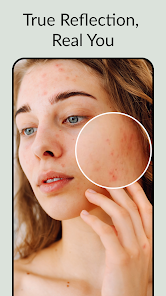
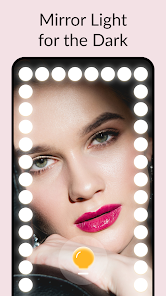
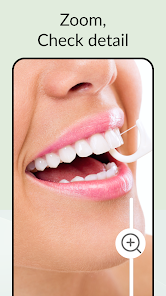
The "Mirror App - Beauty Mirror" offers a variety of features designed to enhance the user experience. One of its primary functions is to provide a high-quality mirror reflection, allowing users to check their appearance with clarity. The app includes adjustable brightness settings, enabling users to customize the lighting according to their preferences and surroundings. Additionally, it features a zoom function, which allows for detailed examination of specific areas, such as makeup application or grooming.
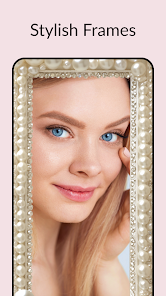
Another notable feature is the built-in beauty filters that can enhance the user's appearance in real-time. These filters can smooth skin, brighten complexions, and even add virtual makeup, making it a fun tool for those who enjoy experimenting with their looks. The app also supports a full-screen mode, maximizing the reflection area for a better experience. Furthermore, it is user-friendly, with an intuitive interface that makes navigation seamless for users of all ages.
Using the "Mirror App - Beauty Mirror" is straightforward and user-friendly. First, download and install the app from your device's app store. Once installed, open the app, and you will be greeted with a mirror interface. To begin, simply position your device in front of you, ensuring the camera is facing you for the best reflection.
Next, you can adjust the brightness settings to suit your environment, allowing for optimal visibility. If you wish to zoom in on specific areas, use the zoom feature to get a closer look. You can also explore the various beauty filters available; simply tap on the filter icon to apply your desired effect. Once you are satisfied with your appearance, you can use the app for grooming, makeup application, or just to check your look before heading out. The app is designed to be intuitive, making it easy for anyone to use.
The "Mirror App - Beauty Mirror" comes with several advantages that make it appealing to users. One of the main pros is its high-quality reflection, which mimics a real mirror, providing clarity and detail. The adjustable brightness and zoom features enhance usability, allowing for a personalized experience. Additionally, the beauty filters add a fun element, enabling users to experiment with their looks without the need for actual makeup.
However, there are some drawbacks to consider. One potential con is that the app may consume a significant amount of battery life, especially when using the camera for extended periods. Some users may also find the beauty filters to be overly artificial, which could detract from the app's purpose of providing a realistic reflection. Furthermore, the app may not function optimally on older devices, leading to performance issues. Overall, while the app has many benefits, users should weigh these pros and cons before deciding to use it regularly.

 Discover your best look! Real-time beauty enhancements! Easy-to-use interface for all! Share your stunning selfies easily! Customizable filters and effects!
 Limited features for editing Occasional ads interrupt usage Inconsistent performance issues Requires internet for full access
  Google Play
  App Store
 The Mirror App usually offers a selection of filters that can be applied to your reflection. While you may not be able to create custom filters, the app allows you to choose from a variety of presets to enhance your look.
While the primary function of the Mirror App is to provide a virtual mirror experience, it may not support video calls directly. However, you can use it alongside video call applications by positioning your device accordingly.
Yes, the Mirror App is designed to work in various lighting conditions, including low light. It may have features to adjust brightness and contrast to ensure you can see your reflection clearly, regardless of ambient light.
The Mirror App is compatible with most smartphones that run on recent versions of iOS or Android. However, it’s recommended to check the app's requirements in the store to ensure your device supports it.
You can download the Mirror App - Beauty Mirror app from the Apple App Store or Google Play Store, depending on your device. Simply search for "Mirror App - Beauty Mirror" and follow the prompts to install it on your smartphone or tablet.
You can contact customer service through the app's support section or by visiting the official website's contact page.
To activate premium features, purchase a subscription through the app's settings and follow the prompts for payment.
Your customer number can typically be found in your account settings or profile within the app.
Open the app, enter your registered email and password, then tap 'Log In' to access your account.
Activation is not usually required; simply download the app and log in to start using it.