

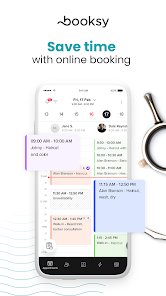
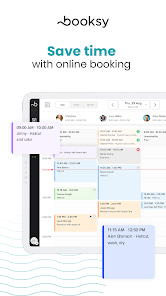
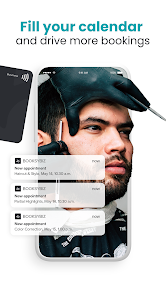
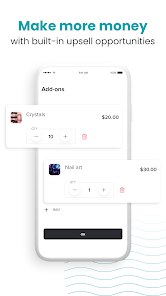
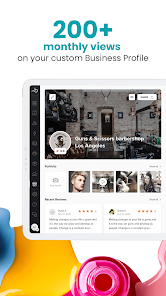
Calendar, clients, staff members, marketing tools, and more. Booksy Biz delivers all the tools you need to manage your day-to-day, engage with customers, and grow your business.
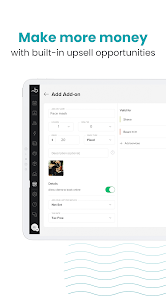
Download Booksy Biz on your mobile for a simple solution to managing your business. You’ll have access to core business functions while you’re flying from one appointment to the next. If you need the full power of Booksy from your front desk, download Booksy Biz Pro on your tablet or login via the web. Along with core features, with Booksy Biz Pro you’ll get access to Shifts, Inventory, Reporting, Packages & Memberships, and our complete point-of-sale experience.
No matter which path you choose we’re here to help with all of the extra.
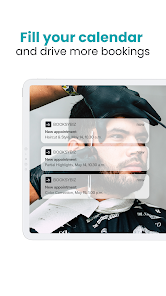
➜ Self-service bookings: Booksy works for you behind the scenes, empowering clients to view your calendar and book online 24/7 — without you lifting a finger.
➜ Business management: We help you keep track of all of the moving pieces — your people, your appointments, your clients, and all of your documentation.
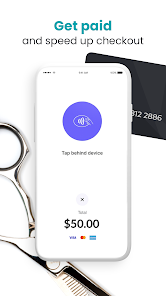
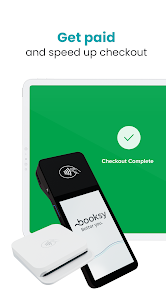
➜ Payment processing: Streamline the checkout experience, process payments directly from the app, and offer your clients flexible options.
➜ Built-in marketing: Everything you need to stay busy and increase loyalty. Grow your community, market your skills on social media, message your clients, offer promotions, and collect reviews.
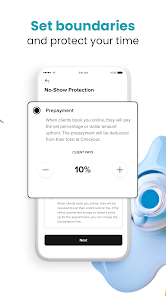
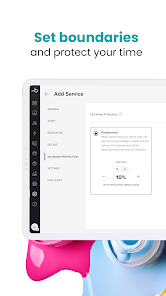
➜ Bottom line protection: Every hour that you put in? Let’s make sure it counts. Reduce no-shows, fill your calendar using Boost, and make informed decisions using performance snapshots.
➜ Responsive solutions: The future doesn’t wait up. We’re here to help your business adapt and thrive with tailored solutions for teams of any size, Health & Safety features, and the ability to offer your services online, or even on the go.
Ready to run your business, your way? Make the leap and here’s a glimpse into what your Booksy journey will look like.
➜ Choose your experience: Booksy Biz offers auto-renewable monthly subscriptions based on the number of Staff Members associated with your account. You can also switch to Booksy Biz Pro on tablet anytime you need more.
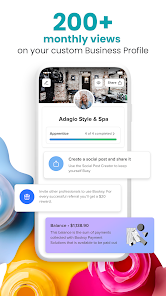
➜ Establish Your Brand: Leverage your Booksy profile to tell the world what you’re all about. Upload photos, link to social media accounts, and collect reviews.
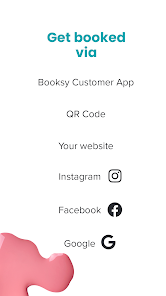
➜ Invite clients: Invite loyal clients to use the Booksy Customer App and share your Booksy profile link so that new clients can book you, wherever they find you.
➜ Get them talking: Use Message Blasts and Social Posts to keep your customers engaged so that your skills are always top of mind.
➜ Grow with Booksy: You decide how fast and how far. We’ll help you get there. Booksy adapts to the needs of your business so that you can continue to make plans.
Together let’s do more. Better.

 Streamline appointment scheduling to save time and reduce no-shows. Enhance customer engagement with automated reminders and notifications. Access detailed analytics to track performance and improve services. Easily manage payments and invoicing for a seamless transaction experience. Customize your online presence to attract more clients and boost visibility.
 Limited customization options may not fit all business needs Higher transaction fees can impact profits Customer support response times may be slower than expected
  Google Play
  App Store
 Yes, users can submit suggestions or feedback through the app’s support feature or by contacting customer service, as the company values user input for improvements.
Yes, Booksy Biz: For Businesses collects personal data to provide its services, but it is committed to protecting user privacy and complies with applicable data protection regulations.
Yes, Booksy Biz: For Businesses allows some offline functionality, enabling users to manage appointments even without an internet connection, with data syncing once connectivity is restored.
You can cancel your Booksy Biz: For Businesses subscription through your account settings in the app, or by contacting customer support for assistance.
Subscription costs for Booksy Biz: For Businesses vary depending on the chosen plan and features, with options typically ranging from monthly to annual billing.
No, your customer number is unique and cannot be changed. If you have concerns, please contact customer service for help.
To ensure your account is activated, confirm you've clicked the activation link in your email. If you have questions, customer service can help.
Once logged in, go to the settings section of your account to update your business information. Save changes, and they will be reflected immediately.
To activate your account, click the link sent to your email during registration. If you didn't receive it, check your spam folder or contact customer service.
You can reach customer service through the help section in your account or by emailing support