




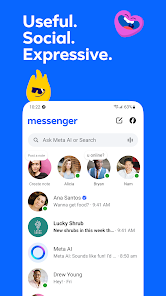
Messenger App has come a long way since it first launched in 2009. Today, it's one of the most popular messaging apps on the market, used by over 2 billion people worldwide. What is Messenger App? Simply put, it's a mobile app that allows users to communicate with each other via text, voice and video. It's perfect for Keeping in Touch with Friends and Family, Organizing Meetings and Communication across Multiple Teams. And like many other mobile apps, Messenger App also has a variety of features that can be used for Marketing Purposes. In this blog post, we will discuss some of the ways you can use Messenger App for Marketing Purposes.
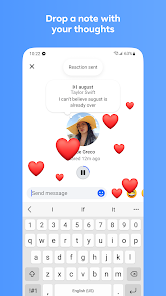
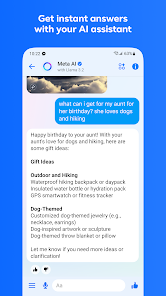
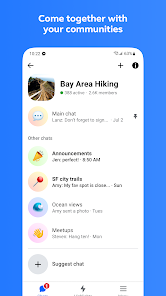
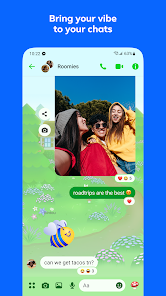
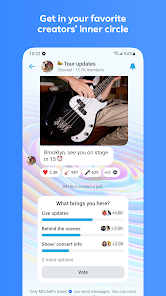
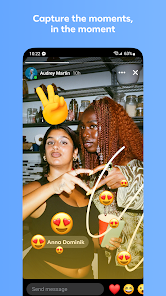
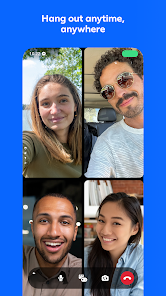
Features of Messenger Instant Messaging: Messenger allows users to send and receive text messages in real-time, enabling one-on-one conversations or group chats with friends, family, or colleagues. Voice and Video Calls: Users can make high-quality voice and video calls to their contacts, either one-on-one or in groups. Messenger supports both individual and group video calls with up to 50 participants. Multimedia Sharing: Messenger supports sharing various types of media, including photos, videos, voice messages, and documents. Users can easily send and receive multimedia files within conversations. Stickers and Emoji: Messenger provides a vast collection of stickers and emoji to express emotions and add fun to conversations. Users can choose from a wide variety of stickers and emoji to personalize their messages. Reactions and Mentions: Users can react to messages using various emojis to express their feelings or show appreciation. Additionally, you can mention specific users in a group conversation by typing "@" followed by their name, notifying them directly. Games and Activities: Messenger offers a selection of built-in games and activities that users can play within the app. This feature allows for friendly competition and entertainment during conversations. Payments: Messenger provides a feature called "Messenger Payments," allowing users to send and receive money securely within the app. This feature is available in select regions and supports peer-to-peer payments. Chatbots: Messenger supports chatbots, which are automated programs that can interact with users. Businesses and organizations utilize chatbots to provide customer support, answer queries, or deliver specific services within Messenger. Message Reactions: Users can react to specific messages in a conversation by long-pressing on them and selecting from a range of available reactions. This feature helps express emotions or acknowledge a particular message without replying directly. Using the Messenger app is a great way to stay connected with your friends and family. Here are some tips on how to use the app: Using the Messenger app is a great way to stay connected with your friends and family. With these tips, you can easily get started and start using the app to its full potential. Messenger apps are a great way to stay connected with friends and family, but they also come with some drawbacks. Here are some of the pros and cons of using a messenger app: • Messenger apps are convenient and easy to use. They allow you to quickly send messages, photos, and videos to your contacts. You can also use them to make voice and video calls. • Messenger apps are usually free to use, so you don’t have to worry about paying for a subscription or any other fees. • Messenger apps are secure and private. They use end-to-end encryption to protect your messages and calls from being intercepted by third parties. • Messenger apps can be distracting. It’s easy to get caught up in conversations and lose track of time. • Messenger apps can be a source of cyberbullying and other negative behavior. It’s important to be aware of the risks and take steps to protect yourself. • Messenger apps can be used to spread false information and malicious content. It’s important to be aware of the sources of the information you receive and verify it before sharing it with others. How to Use Messenger App
Pros & Cons of Messenger App

 Instant communication with friends and family anytime. Free voice and video calls for seamless connections. Easy sharing of photos, videos, and documents. Group chats for organizing events and staying connected. Cross-platform access on mobile and desktop devices.
 Limited privacy controls can compromise user data. Frequent ads disrupt user experience and engagement. Dependence on internet connection hinders accessibility. Cluttered interface can overwhelm new users.
 Yes, Messenger collects personal data such as your name, contact information, and usage data to improve its services and provide a personalized experience.
Messenger is completely free to use, with no trial period required. You can access its features without any subscription fees.
Yes, Messenger requires an active internet connection to send messages and make calls, either through Wi-Fi or mobile data.
You can contact Messenger support through the app's help center or website, where you can report issues or provide feedback through designated forms.
Since Messenger is a free app without subscription plans, there is no need to manage or cancel a subscription. You can simply stop using the app at any time.
You can contact Messenger customer service through the app's Help Center or by visiting the Facebook support page online.
Download the Messenger app, open it, and follow the prompts to enter your phone number or Facebook account details to activate.
Messenger does not have a dedicated customer service number; support is primarily provided through the app and Facebook's online resources.
To log in, open the Messenger app, enter your phone number or email, and your password. Tap "Log In" to access your account.












 Google Play
  App Store




