





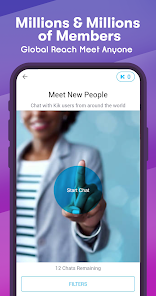


If you're looking for a messaging app with a bit more personality than your standard fare, Kik is definitely worth checking out. With its wide variety of emoji and other fun features, Kik lets you chat with friends in a way that's both fun and personal. Plus, since it's a cross-platform app, you can use it on just about any device.
Kik is a messaging app with a difference. Unlike other messaging apps, Kik allows you to chat without having to give out your phone number. This means that you can remain anonymous if you wish, which is perfect for those who value their privacy. Kik is a messaging app for iOS and Android devices, and you can use it to chat with your friends for free. You can also use Kik to send messages to groups of people, or to find new friends who share your interests. Here's how to get started with Kik. Kik is a messaging and chat app for iPhone and Android that lets you connect with friends, family, co-workers, or anyone else you know. It's similar to other popular messaging apps like WhatsApp or Facebook Messenger. Kik offers some features that other chat apps don't, like the ability to share GIFs, photos, videos, and more. You can also use Kik to play games with friends, join group chats, and make new friends.Features and Functions
Kik also has some great features that make it stand out from the crowd. These include:
-A user-friendly interface that is easy to use and navigate
-The ability to send and receive messages without having to give out your phone number
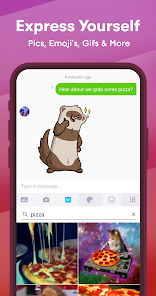
-A wide range of emoticons and stickers to add some fun to your conversations
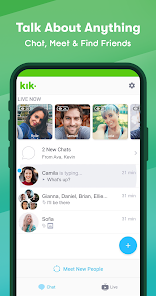
-The option to create group chats so you can stay in touch with friends and family members
-A built-in web browser that makes it easy to share websites and other content with others
-Push notifications so you never miss a message, even if you're not currently using the appHow to Use Kik — Messaging & Chat App
1. Download the Kik app from the App Store or Google Play.
2. Create a Kik account by entering your email address and choosing a username and password.
3. Find your friends on Kik by their username, or by scanning their Kik Code (a QR code that appears in the app).
4. Start chatting with your friends on Kik! You can send them text messages, photos, videos, and more.
5. To chat with a group of people on Kik, tap the + button at the top of the screen, then select "Create a Group." Enter the names or usernames of the people you want to add to the group, then tap "Create."
6. To find new friends on Kik, tap the People tab at the bottom of the screen, then select "Find People." You can search for people by their username, or browse through suggested users based on your interests.Pros & Cons
There are some advantages and disadvantages to using Kik. Some people love the app for its features and ease of use, while others find it lacking in certain areas. Here are some pros and cons of Kik to help you decide if it's the right chat app for you:
Pros:
-Kik is easy to use and has a clean interface.
-You can share photos, videos, GIFs, and more with friends on Kik.
-Kik lets you play games with friends and join group chats.
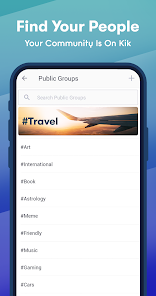
-You can make new friends on Kik through public groups or by searching for people with similar interests.
Cons:
-Kik does not offer end-to-end encryption for your messages, which means your conversations could be intercepted by third parties.
-Kik has been linked to several child exploitation cases due to its anonymity features.
-The app requires access to your phone's Contacts list in order to find

 User-friendly interface makes chatting effortless. Supports multimedia sharing for richer conversations. Group chats foster community and connection easily. Anonymity options enhance privacy and security. Customizable features let you personalize your experience.
 Lacks end-to-end encryption for messages Limited user verification increases risks of anonymity Inconsistent moderation can lead to inappropriate content User data privacy concerns due to ads and tracking
 Kik collects certain personal data, such as your username and chat content, but it emphasizes user privacy and does not require a phone number for registration.
Kik is free to download and use, providing access to its core messaging features without any trial or subscription fees.
Yes, Kik requires an internet connection, either through Wi-Fi or mobile data, to send and receive messages.
You can contact Kik support through the app's help section or visit their official website to submit feedback or request assistance.
Since Kik does not have subscription plans, there is no need to manage or cancel a subscription; simply uninstalling the app will suffice if you wish to stop using it.
You can reach Kik's customer service through their app by navigating to the settings and selecting "Help," or visit their support page online.
Download the Kik app, enter your desired username, email, and password, then follow the prompts to verify your email address to activate your account.
Open the Kik app, enter your username or email and password, then tap "Log In." If you forgot your password, use the "Forgot Password?" link.
Kik does not provide a direct customer service number; they primarily offer support through their app and website.













 Google Play
  App Store




