




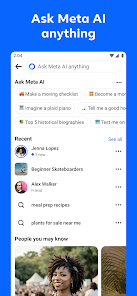

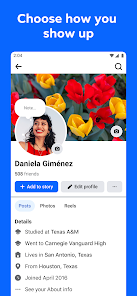

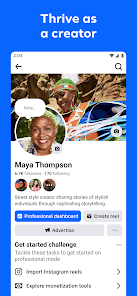
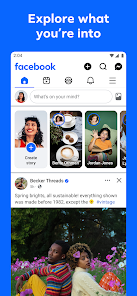


Facebook is a social networking platform with more than 2.96 billion active users as of 2022. It's one of the most popular sites on the internet and has become a staple in many people's lives. But what many people don't know is that Facebook also has a dedicated mobile app for iOS and Android devices. In this article, we will explore what the Facebook mobile app offers users and how you can use it to your advantage.
Features Facebook has released a new mobile app for both Android and iOS devices. The app allows users to connect with friends, post updates and photos, and join groups. The app also includes features such as live streaming, which lets people share what they're doing in real time. Differences between Facebook and Twitter Facebook and Twitter are both social media platforms, but there are some key differences between the two. One of the main differences is the way that users interact with the platforms. Facebook is a more personal and intimate platform, where users can share detailed updates and connect with friends and family. Twitter, on the other hand, is a more public platform where users can share short messages, called tweets, with a wider audience. Another key difference is the way that content is displayed on the platforms. Facebook has a news feed that shows updates from friends and pages that a user has liked, while Twitter has a timeline that shows tweets from users that a person follows. Facebook also has a wider range of features, including the ability to create events, groups, and pages, while Twitter is focused more on real-time updates and engagement through the use of hashtags and @ mentions. Overall, while both platforms can be used for social networking and communication, they serve different purposes and have distinct features. Tips of using Facebook Here are some tips for using Facebook: Protect your privacy: Go to your privacy settings and choose who can see your posts and personal information. You can also adjust your settings for individual posts by using the audience selector tool. Be selective about what you post: Think before you post, and consider whether a post could be offensive or hurtful to others. Be cautious about friend requests: Be careful about accepting friend requests from people you don't know, as they could be impersonating someone else. Avoid sharing sensitive information: Don't post sensitive information, such as your home address or financial information, on your profile. Use Facebook's reporting tools: If you see something on Facebook that you think is spam or inappropriate, you can use the "Report" link to alert the site's moderators. Overall, it's important to use Facebook responsibly and to be mindful of how your actions on the site can affect others. Pros & Cons There are many pros and cons to using Facebook on your mobile device. Here are the benefits of using Facebook on your phone: Pros: You can stay connected with your friends even when you're not at home or in front of a computer. You can access your favorite posts and pages without having to leave the app. You don't have to worry about missing any important updates from your friends because they will be automatically pushed to your Facebook news feed. You can use Facebook on the go without having to worry about data limits or bandwidth restrictions. Cons: You may not be able to see as much information as you would if you were viewing it on a computer. Your phone's battery may not last as long if you're constantly using Facebook.

 Connect with friends and family easily Discover local events and activities quickly Share and express thoughts through various media Join communities with shared interests and hobbies Access news and updates from around the world
 Privacy concerns persist with data sharing. Misinformation spreads rapidly on the platform. Addiction can lead to decreased productivity. Cyberbullying remains a serious issue for users.
 Yes, Facebook collects personal data from users, including information provided during account creation and data generated through user interactions on the platform.
Facebook is free to use, and there is no paid subscription required to access its basic features.
Yes, Facebook requires an internet connection to access its features and services, as it is an online platform.
You can contact Facebook support through the Help Center on their website or app, where you can find answers to common issues or submit feedback directly.
To manage or cancel any subscriptions related to Facebook, you can go to your account settings and navigate to the "Payments" section where you can view and modify your subscriptions.
If you’re setting up a new account, follow the sign-up prompts and verify your email or phone number. If reactivating, log in with your credentials.
You can reach Facebook customer service through the Help Center on their website or by using the "Report a Problem" feature within the app.
Facebook does not provide a customer number; instead, you can access support through their Help Center or by reporting issues directly.
Open the Facebook app, enter your email or phone number, and your password, then tap "Log In."













 Google Play
  App Store




