


This site uses cookies to enhance your user experience. By clicking any link on this site you are giving your consent to our cookie policy. Read more
Reject
Accept All
Facebook App

Facebook App

4.6
Advertisement(PageType: detail | Position: pre3 )

Information

  • Category: Social Networking
  • Price: free
  • Age Rating: Teen
  • Rating:
    4.6
  • Developer: Meta Platforms, Inc.
  • Version:
Advertisement(PageType: detail | Position: pre4 )
Screenshot 1
Screenshot 2
Screenshot 3
Screenshot 4
Screenshot 5
Screenshot 6
Screenshot 7
Screenshot 8
Screenshot 9
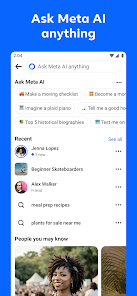
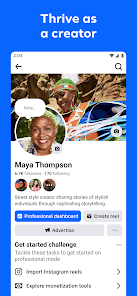
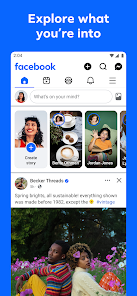
Welcome to the Facebook app, your gateway to a vibrant online community! Connect with friends and family, share life’s moments, and discover new interests—all in one place. With a user-friendly interface, the Facebook app keeps you updated with real-time notifications and personalized news feeds tailored just for you. Explore diverse groups, follow your favorite pages, and engage with content that matters to you. Whether you’re sharing photos, joining events, or finding local businesses, the Facebook app enhances your social experience, making it easier than ever to stay connected and informed. Join millions around the world and start your journey today!

Features

  • Connect with friends and family.Stay connected by sending messages, sharing updates, and tagging loved ones in posts, creating a vibrant social network.
  • News Feed.Discover personalized content from friends, pages, and groups, keeping you updated with the latest trends and stories.
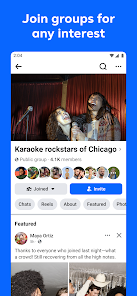
  • Groups.Join communities of shared interests, where you can discuss topics, share resources, and connect with like-minded individuals.
  • Marketplace.Buy and sell items locally, making it easy to find great deals or declutter your home with a user-friendly interface.
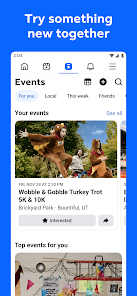
  • Events.Create, discover, and RSVP to events, helping you stay engaged with activities in your area and coordinate with friends.
  • Reactions and Comments.Express your feelings through various reactions and engage in conversations, enhancing interactions on posts.
  • Live Streaming.Broadcast live video to friends or followers, allowing real-time engagement and interaction during special moments.
  • Stories.Share ephemeral content that disappears after 24 hours, providing a fun way to update followers on your daily life.
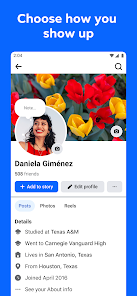
  • Privacy Settings.Control your visibility and manage who sees your content, giving you peace of mind about your online presence.
  • Notifications.Stay informed with alerts for likes, comments, and messages, ensuring you never miss important updates from friends.

0

Pros
  • Connect with friends and family easily
  • Discover local events and activities quickly
  • Share and express thoughts through various media
  • Join communities with shared interests and hobbies
  • Access news and updates from around the world
Cons
  • Privacy concerns persist with data sharing.
  • Misinformation spreads rapidly on the platform.
  • Addiction can lead to decreased productivity.
  • Cyberbullying remains a serious issue for users.
Advertisement(PageType: detail | Position: pre5 )

FAQ

Does Facebook collect my personal data?

Yes, Facebook collects personal data from users, including information provided during account creation and data generated through user interactions on the platform.

Does Facebook offer a free trial or free version?

Facebook is free to use, and there is no paid subscription required to access its basic features.

Does Facebook require an internet connection?

Yes, Facebook requires an internet connection to access its features and services, as it is an online platform.

How can I contact support or send feedback for Facebook?

You can contact Facebook support through the Help Center on their website or app, where you can find answers to common issues or submit feedback directly.

How do I manage or cancel my Facebook subscription?

To manage or cancel any subscriptions related to Facebook, you can go to your account settings and navigate to the "Payments" section where you can view and modify your subscriptions.

How to use Facebook App

How do I activate my Facebook account?

If you’re setting up a new account, follow the sign-up prompts and verify your email or phone number. If reactivating, log in with your credentials.

How do I contact Facebook customer service?

You can reach Facebook customer service through the Help Center on their website or by using the "Report a Problem" feature within the app.

How do I find my Facebook customer number?

Facebook does not provide a customer number; instead, you can access support through their Help Center or by reporting issues directly.

How do I log in to my Facebook account?

Open the Facebook app, enter your email or phone number, and your password, then tap "Log In."