

Dropbox is a cloud storage app that allows users to securely store, share, and access their files from anywhere. It's available on multiple platforms including iOS, Android, Windows, and Mac. Dropbox has been around since 2008 and has over 500 million registered users. It's one of the most popular cloud storage apps available. So, what makes Dropbox so popular and why should you use it? Read on to find out.
With Dropbox Cloud Drive, upload & transfer photos, documents, and files to the cloud. Backup and sync photos, docs, and other files to the cloud storage drive and access them from any device, anywhere. With advanced sharing, easily share photos & documents to send anywhere with Dropbox’s cloud & photo drive.
Features:
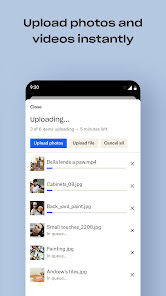
• Automatically upload photos and pictures from your camera roll to cloud photo storage for easy photo sharing ready to send anywhere.
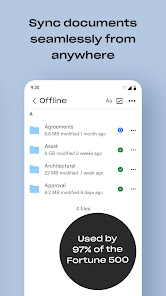
• Access any file in your account—even offline—and preview over 175 different file types with no special software required.
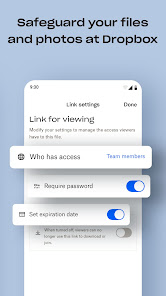
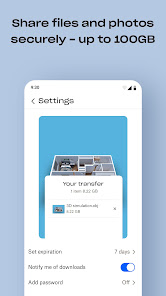
• Easily send large files by sharing a link with anyone, even if they don’t have a Dropbox account.
• Photo transfer app: easily save photos to the cloud or transfer photos from your cloud storage app.
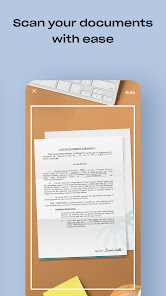
• Scan documents, receipts, IDs, photos, and more using your mobile device and transform them into high-quality PDFs, so you can view and send them anywhere.
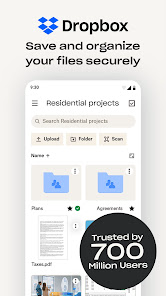
• Sync folders on your PC or Mac to Dropbox with computer backup, and recover older versions or restore deleted files with version history and file recovery.
Cloud storage & drive photo storage gives you extra space to backup, upload, share, and scan & we transfer photos or files to the cloud for you! An easy backup and data vault with safe access to your private or shared files. Today you can easily manage and share family albums, video albums, and more.
Sign up now for your free Dropbox Plus trial. Get 2 TB (2,000 GB) of storage space!
New features on the Plus plan:
Dropbox Passwords: store and sync passwords across all your devices
Dropbox Vault: secure your most sensitive documents and photos
Dropbox Rewind: roll back any file, folder, or your entire account, for up to 30 days
Upgrade to Dropbox Professional- get 3 TB (3,000GB) of storage space! You can store all of your photos and files with space to spare. You and your clients can comment on files without leaving Dropbox. Protect your work with a watermark, add shared link controls or rewind your account for up to 180 days.
Before completing payment, you’ll see the plan price. This amount will be charged to your Google Play account and will vary by plan and country. Dropbox subscriptions purchased in-app renew monthly or yearly, depending on your plan. To avoid auto-renewal, turn it off at least 24 hours before your subscription renews. You can turn off auto-renewal anytime from your Google Play account settings.
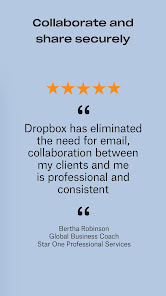
Dropbox is a secure cloud & drive solution leader trusted by Fortune 500 companies for their most sensitive data. Over 14 million paid users choose Dropbox because they know they can count on a company that’s also dedicated to their security and privacy—no matter what they do or where they are. Let Dropbox be your all-in-one file storage, file organizer, file transfer, and file sharing solution for all your devices.
Dropbox is not affiliated with Google, Amazon, Apple, Samsung, iCloud or Microsoft OneDrive.
We’d love to hear from you! Join the Dropbox community: https://www.dropboxforum.com
Terms of Service: https://www.dropbox.com/terms
Privacy Policy: https://www.dropbox.com/privacy

 Access files from anywhere, anytime. Seamless collaboration with team members. Automatic backup for peace of mind. User-friendly interface for easy navigation. Robust security features protect your data.
 Limited free storage space available for users Subscription costs can be high for larger plans Syncing issues may occur with large files Privacy concerns due to data scanning policies
 Yes, Dropbox: Secure Cloud Storage collects personal data such as your name, email address, and usage information to enhance the user experience and provide necessary services, but it adheres to strict privacy policies.
Dropbox: Secure Cloud Storage offers a free version with limited storage space, allowing users to explore its features, while a free trial may be available for certain premium plans.
While Dropbox: Secure Cloud Storage primarily requires an internet connection for uploading and syncing files, it also offers offline access to files that have been previously downloaded to your device.
You can contact support for Dropbox: Secure Cloud Storage through their Help Center, where you can find resources, submit a support request, or provide feedback on your experience with the app.
You can manage or cancel your Dropbox: Secure Cloud Storage subscription through your account settings on the Dropbox website or app, where you can view your billing information and make changes as needed.
You can activate your Dropbox account by clicking the verification link sent to your email upon sign-up. If you didn't receive it, check your spam folder or request a new link.
You can contact Dropbox customer service through their Help Center or by submitting a request via the Dropbox website. Live chat and email support options are available.
To log in, visit the Dropbox website or open the app, enter your email and password, and click "Log in." You can also log in using Google or Apple ID.
Dropbox does not have a direct customer service phone number. Support is primarily provided through online resources and the Help Center.









 Google Play
  App Store