

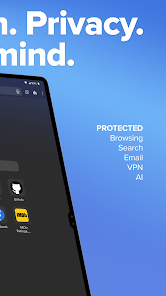
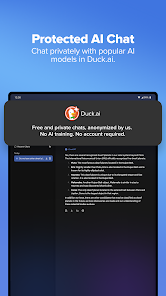

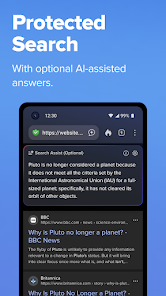
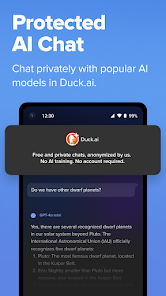
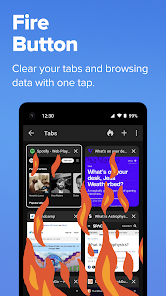
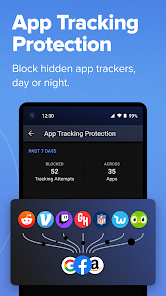
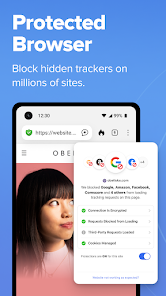
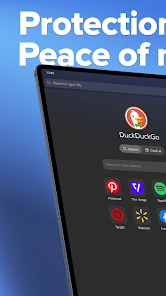

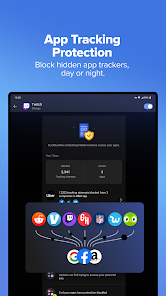
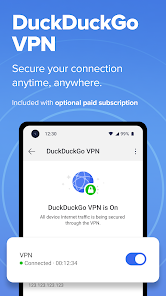
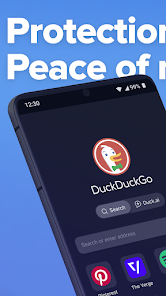
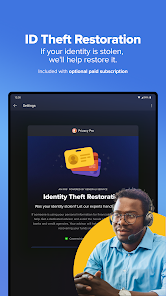
DuckDuckGo.com is a search engine that says they will not track you while you are using their service, as well as emphasize a focus on user privacy. It's based on the principle that if you can't see it, it doesn't exist. DuckDuckGo has a simple interface and offers many features not found in other search engines. DuckDuckGo is anonymous, so if you're privacy-conscious, it may be the perfect search engine for you.
Features DuckDuckGo is a search engine that emphasizes privacy and user-friendly design. It offers users the ability to customize their search experience with filters, including options to find specific types of information, like ratings and reviews. In addition, DuckDuckGo offers an "Opinionated Searches" feature that displays results ranked by the trustworthiness of the site providing them. The app is available for both iPhone and Android devices. How does Duckduckgo work? DuckDuckGo is a search engine that allows users to search the internet for information and web pages. Unlike other search engines, such as Google and Bing, DuckDuckGo does not collect or share personal information about its users, and it does not use tracking cookies or other methods to track users' online activities. To use DuckDuckGo, you can go to the DuckDuckGo website and type your search query in the search box at the top of the screen. You can also use the DuckDuckGo app on your mobile device. Once you have entered your search query, DuckDuckGo will use its algorithms and index to search the internet for relevant information and web pages. The search results will be displayed on the screen, and you can click on the links to access the web pages or other information that you are looking for. DuckDuckGo offers many features and tools that can help you refine and customize your search, such as filters, tools, and settings. You can use these features to find the information you need more quickly and efficiently. Duckduckgo VS Edge DuckDuckGo and Microsoft Edge are two different types of internet tools. DuckDuckGo is a search engine, which means it is a website or app that allows users to search the internet for information and web pages. Microsoft Edge, on the other hand, is a web browser, which means it is a software application that allows users to access and view web pages on the internet. In other words, DuckDuckGo is a tool that helps users find information on the internet, while Microsoft Edge is a tool that helps users access and view the information they have found. The two tools are often used together, as users may use DuckDuckGo to search for information and then use Microsoft Edge to view the web pages that contain the information. However, there are some key differences between the two tools. DuckDuckGo is known for its privacy-focused approach, as it does not collect or share personal information about its users, and it does not use tracking cookies or other methods to track users' online activities. Microsoft Edge, on the other hand, is a more general-purpose web browser that may offer more features and capabilities, but it may also collect and share more information about its users. Overall, the choice between DuckDuckGo and Microsoft Edge will depend on your individual needs and preferences. If you value privacy and want to avoid being tracked online, you may prefer to use DuckDuckGo as your search engine and Microsoft Edge as your web browser. If you want more features and capabilities, you may prefer to use Microsoft Edge for both tasks. Pros & Cons Pros: Very fast search results. No personal information required. No tracking of your online activity. Can be used on any device. Built in privacy settings. Cons: Limited information available about DuckDuckGo app's partners and their track record.
The Duck Duck Go app is an easy way to find information about the things you're curious about. Just type in a search term and we'll show you results from our global database of over 6 million items. You can also explore topics by topic or featured collection, or get recommendations based on what you've searched before.

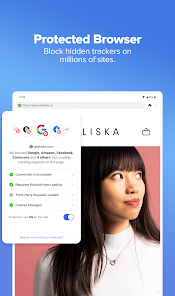
 Enjoy enhanced privacy with no tracking or data collection. Browse without personalized ads cluttering your experience. Access instant search results without compromising your data security. Benefit from built-in encryption for safer browsing connections. Experience a user-friendly interface designed for seamless navigation.
 Limited search results compared to larger search engines. Some websites may not load properly or function fully. Lacks advanced features found in more established browsers.
 Yes, users can submit suggestions or feedback through the app or the official DuckDuckGo website to help improve the service.
DuckDuckGo Private Browser does not collect personal data or track users' browsing history, maintaining a strong commitment to user privacy.
DuckDuckGo Private Browser does not support offline use as it is designed primarily for online browsing with privacy features.
Since there is no subscription required for DuckDuckGo Private Browser, there is no need for a cancellation process.
DuckDuckGo Private Browser does not require a subscription, as it is a free app with no associated costs.
Yes, you can log in to your DuckDuckGo account from multiple devices without any issues.
DuckDuckGo does not support social media logins; you'll need to use your registered email and password to log in.
You can reach DuckDuckGo Customer Service via their support page or email them directly for assistance.
To log in, visit the DuckDuckGo homepage and click on the login option, then enter your credentials.
You can reach Customer Service through the help section on the DuckDuckGo website or by sending an email with your concern.







 Google Play
  App Store