

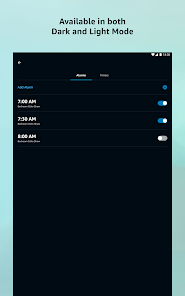
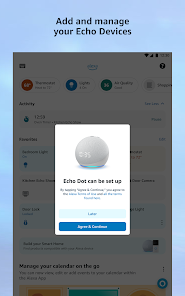
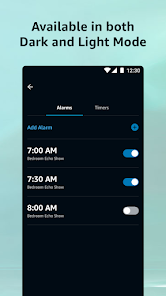
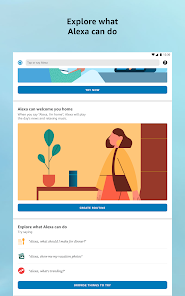
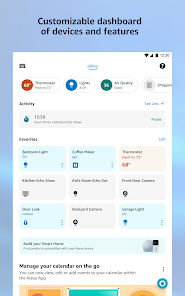
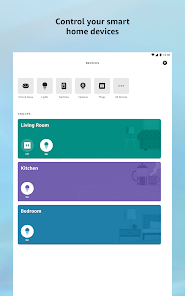
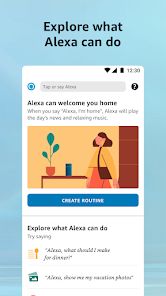
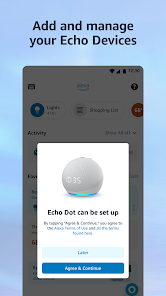
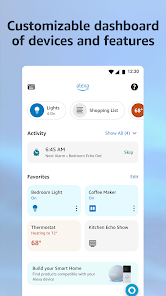
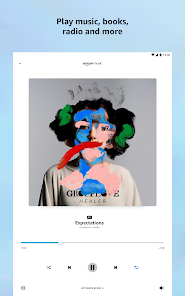

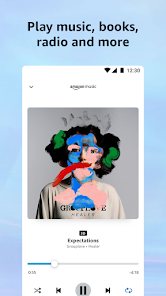

Amazon Alexa is an AI assistant app that gives you access to a variety of features on Amazon Echo devices. These features can include controlling smart home devices, getting information from Amazon Web Services, and more. If you are looking to get started with Amazon Alexa, or want to find out more about the app, read on! In this article, we will walk you through the basics of how to use the app and some of its more useful features.
Features Amazon Alexa app is the official voice assistant app from Amazon. It allows you to control your smart home devices and other tasks using your voice. This app is available on Android and iOS devices. Here are some features of this app: Tips for making the most of Amazon Alexa Mobile App To make the most of the Amazon Alexa mobile app, you can follow these tips: Set up and manage your Alexa devices: The Amazon Alexa app allows you to set up and manage your Alexa devices, so you can get the most out of them. Use the app to set up new devices, customize their settings and preferences, and keep them up to date with the latest software. Control your Alexa devices: The Amazon Alexa app allows you to control your Alexa devices using voice commands or the app's built-in controls. Use the app to issue voice commands, change the volume, and access Alexa's various features, such as music playback and smart home control. Discover and enable new Alexa skills: The Amazon Alexa app allows you to discover and enable new Alexa skills, which are third-party apps that extend Alexa's capabilities. Use the app to browse the available skills, read reviews and ratings, and enable the ones that you find most useful. Use the app on the go: The Amazon Alexa app is available on both iOS and Android, so you can use it on the go. Use the app to control your Alexa devices when you're away from home, or to access Alexa's features and skills when you don't have an Alexa device nearby. Stay up to date: The Amazon Alexa app is updated regularly with new features and improvements, so you can stay up to date with the latest developments. Use the app to check for updates and to make sure you're always using the latest version. Overall, by following these tips, you can make the most of the Amazon Alexa mobile app and get the most out of your Alexa devices. The app is a valuable companion to any Alexa device, and it offers a range of features and tools to help you control and customize your Alexa experience. Pros & Cons There are many pros to using the Amazon Alexa app, such as the fact that it is easy to find and use. Additionally, it can be customized to fit your needs. However, there are also some cons to using the app. First, it may be difficult to find information on specific topics if you don't know what to look for. Additionally, the app may not be compatible with all devices or networks.
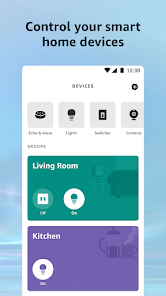
1) You can control your smart home devices using Alexa app. This includes lights, fans, switches, and thermostats.
2) You can also ask Alexa to play music, read the news, or set a timer.
3) You can use Alexa to control apps on your phone such as Uber or Lyft.
4) You can set up voice commands for specific activities or events, so you don’t have to remember them all.

 Voice-activated convenience for hands-free control Smart home integration for seamless automation Access to a vast music library and playlists Instant answers to questions and information requests Customizable skills for personalized experiences
 Privacy concerns with data collection and usage Limited compatibility with some smart devices Dependence on stable internet connection for functionality Voice recognition may struggle with accents or background noise
 Yes, Amazon Alexa collects data to improve its services and provide personalized experiences, but users can manage their privacy settings and review their data.
Yes, Amazon Alexa is free to download and use, and there are no required subscription fees for basic functionalities, although some premium features may require a subscription.
Yes, Amazon Alexa requires an internet connection to function, as it processes voice commands in the cloud and accesses online services.
You can contact Amazon Alexa support through the Alexa app or the Amazon website, where you can find help articles, chat options, and ways to send feedback.
You can manage or cancel your Amazon Alexa subscription through the Alexa app or your Amazon account settings, where you can view and modify your subscriptions.
You can contact Amazon Alexa customer service by visiting the Amazon website, navigating to 'Help', and selecting 'Contact Us'. You can also reach them via the Alexa app under 'Help' and 'Contact Us'.
Open the Alexa app, tap on 'More', select 'Skills & Games', and browse or search for skills. Tap on the skill you want to enable and follow the instructions.
Open the Alexa app, go to 'Settings', tap on 'Alexa Privacy', and manage your voice recordings and privacy options from there.
To activate your Alexa device, plug it in and follow the on-screen instructions in the Alexa app. Make sure your device is connected to Wi-Fi during the setup process.
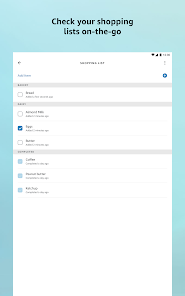
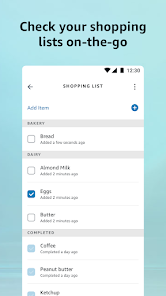
Open the Alexa app, tap on 'Lists', and select 'Shopping List' to view, add, or manage items on your list.








 Google Play
  App Store