




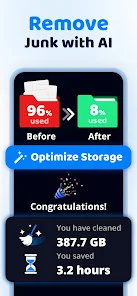
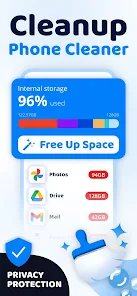
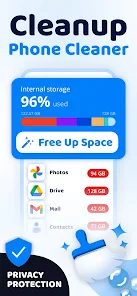
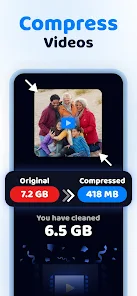
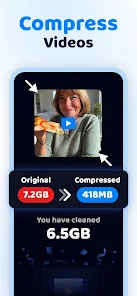
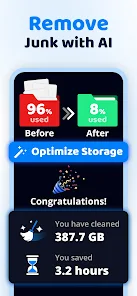

"Cleanup: Phone Storage Cleaner" is designed to optimize your device's storage and enhance its performance. One of its standout features is the ability to identify and remove junk files, such as cache data, temporary files, and residual files left by uninstalled apps. This helps free up valuable space on your device, allowing for smoother operation.
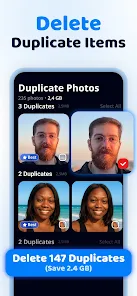
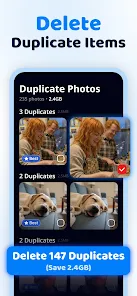
Another notable feature is the duplicate file finder, which scans your storage for identical images, videos, and documents. By eliminating these duplicates, users can reclaim significant storage space. The app also offers a user-friendly interface that makes navigation simple, even for those who may not be tech-savvy.
Additionally, "Cleanup" provides a photo management tool that helps users organize their images by identifying blurry or low-quality photos. This feature ensures that your gallery remains clutter-free. Lastly, the app includes a storage analysis tool that gives users insights into their storage usage, helping them make informed decisions about what to keep or delete.
Using "Cleanup: Phone Storage Cleaner" is straightforward and user-friendly. To get started, download and install the app from your device's app store. Once installed, open the app, and it will automatically begin scanning your device for junk files and storage-hogging items.
After the scan is complete, the app will present a summary of the files it has identified for cleanup. You can review these files and select which ones you wish to delete. The app allows you to choose specific categories, such as cache files, duplicate images, and large files, making it easy to customize your cleanup process.
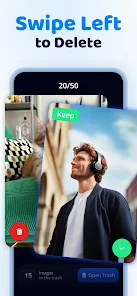
Once you’ve made your selections, simply tap the "Clean" button to remove the unwanted files. The app may also prompt you to review your photos and suggest deletions for low-quality images. Regularly using the app can help maintain your device's performance and ensure you have ample storage space for new apps and media.
Like any application, "Cleanup: Phone Storage Cleaner" has its advantages and disadvantages. One of the primary pros is its effectiveness in freeing up storage space by removing junk files and duplicates. Users often report noticeable improvements in device performance after using the app. Additionally, its intuitive interface makes it accessible for users of all skill levels, ensuring that anyone can navigate its features with ease.
However, there are some cons to consider. Some users have noted that the app may occasionally flag files that they wish to keep, leading to potential data loss if not carefully reviewed. Furthermore, while the app is free to download, certain features may require in-app purchases or subscriptions, which could deter some users. Lastly, the app's performance can vary depending on the device, with some users experiencing slower scan times on older models.
In summary, while "Cleanup: Phone Storage Cleaner" offers valuable features for managing storage, users should be cautious and review files before deletion to avoid losing important data.

 Optimize your phone's storage Easily delete unwanted files Boost device performance quickly User-friendly interface design Schedule regular cleanups easily
 Limited free features available Aggressive ads can be intrusive May slow down older devices Inaccurate file detection issues
  Google Play
  App Store
 No, Cleanup does not have the capability to recover deleted files. It is primarily focused on identifying and removing unnecessary files to optimize storage.
Yes, by freeing up storage space and removing unnecessary files, Cleanup can potentially improve app loading times and overall device responsiveness.
While Cleanup primarily focuses on storage optimization, indirectly, by removing unnecessary files, it may help improve battery life by allowing the device to operate more efficiently.
Yes, Cleanup includes features that allow it to scan for and identify duplicate files, giving users the option to delete them and free up additional space.
Yes, Cleanup allows users to customize their cleaning preferences by selecting specific file types or categories they want to include or exclude from the cleaning process.
You can reach customer service via the app's support section or email support
After installing, open the app and follow the on-screen prompts to create an account or log in to activate it.
Open the app and tap "Log In" on the home screen, then enter your registered email and password.
Currently, there is no customer service number; please use the email support option for inquiries.



















