




"Cleaner Launcher for Android" is designed to enhance the user experience by providing a streamlined interface and efficient performance. One of its standout features is the customizable home screen, allowing users to personalize their layout with widgets, shortcuts, and themes. This flexibility ensures that users can tailor their device to meet their specific needs and preferences.
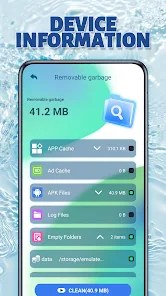
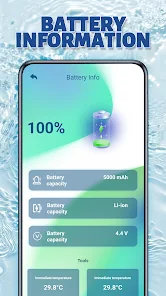
Another significant feature is the built-in cleaning tools that help optimize device performance. The app can quickly identify and remove junk files, cache data, and unnecessary applications, freeing up valuable storage space. Additionally, it offers a battery-saving mode that extends battery life by managing background processes and reducing power consumption.
Moreover, "Cleaner Launcher" includes a user-friendly app drawer that organizes applications efficiently, making it easier to find and access apps. The launcher also provides quick access to essential settings and features, enhancing overall usability. With its focus on speed and efficiency, this launcher is an excellent choice for users looking to improve their Android experience.
Using "Cleaner Launcher for Android" is straightforward and user-friendly. After downloading and installing the app from the Google Play Store, users can set it as their default launcher. Upon launching the app for the first time, users are greeted with a clean and intuitive interface that guides them through the setup process.
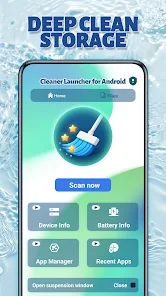
To customize the home screen, users can long-press on empty spaces to access options for adding widgets, changing wallpapers, or rearranging app icons. The app drawer can be accessed by swiping up, where users can find all installed applications organized neatly. For cleaning purposes, users can tap on the cleaning tool icon to initiate a scan for junk files and cache data, allowing for quick optimization of device performance.
Additionally, users can explore the settings menu to adjust preferences such as theme selection, icon size, and notification settings. The battery-saving feature can be activated with a simple toggle, ensuring that users can manage their device's power consumption effectively. Overall, "Cleaner Launcher" is designed to be intuitive, making it easy for users to enhance their Android experience.
Like any application, "Cleaner Launcher for Android" has its advantages and disadvantages. One of the primary pros is its ability to significantly improve device performance by cleaning up unnecessary files and optimizing storage. Users often appreciate the customizable interface, which allows for a personalized experience tailored to individual preferences. The battery-saving feature is another highlight, helping users extend their device's battery life, which is particularly beneficial for those who rely heavily on their smartphones throughout the day.
However, there are some cons to consider. Some users have reported that the app can occasionally be slow to respond, especially on older devices. Additionally, while the cleaning features are useful, they may not be as comprehensive as dedicated cleaning apps, leading some users to seek additional tools for thorough optimization. Furthermore, the app may include ads, which can detract from the overall user experience. Balancing these pros and cons is essential for users to determine if "Cleaner Launcher" meets their needs effectively.

 Cleaner Launcher enhances your Android experience with its user-friendly interface. Enjoy faster app access with customizable shortcuts. Optimize device performance with built-in cleaning tools. Personalize your home screen with stylish themes. Save battery life with smart management features. Enhance security with app lock options.
 Limited customization options Frequent ads disrupt usage May slow down older devices Lacks advanced features
  Google Play
  App Store
 Yes, Cleaner Launcher includes app management features that allow you to uninstall unwanted apps, move apps to the SD card, and identify resource-hogging applications, making it easier to keep your device organized and efficient.
Absolutely! Cleaner Launcher allows users to customize their home screen with various themes, icon packs, and widgets, making it easy to create a personalized and aesthetically pleasing interface.
Yes, you can use Cleaner Launcher alongside other optimization apps. However, it’s recommended to avoid using multiple cleaning apps simultaneously to prevent potential conflicts or redundancy in features.
Yes, Cleaner Launcher is compatible with a wide range of Android devices, including older models. It is optimized to work efficiently even on devices with limited resources.
Cleaner Launcher is designed to be lightweight and efficient, ensuring minimal battery consumption while running in the background. However, like any app, prolonged use of certain features may impact battery life.
You can reach our Customer Service via the app's support section or email us at support
Activation isn't necessary; just install the app from the Google Play Store and start using it right away.
Open the app and tap on the "Log In" button. Enter your registered email and password to access your account.
No activation is required to use Cleaner Launcher. Simply download the app and start using it immediately.
Our customer support number is 1-800-555-0199. We are available from 9 AM to 6 PM, Monday to Friday.


















