




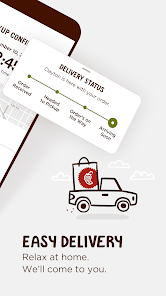
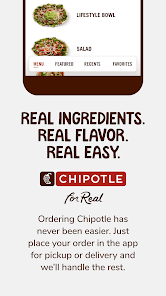
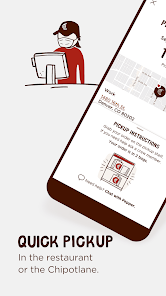
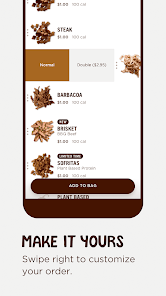
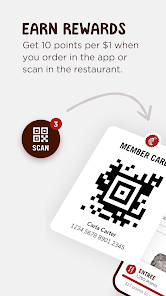
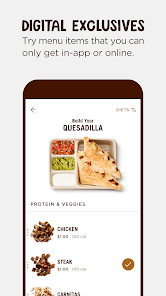
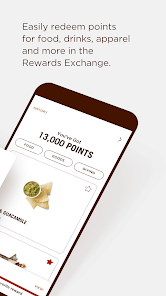
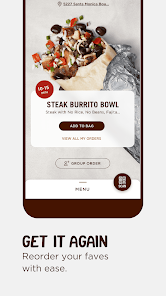
The Chipotle - Fresh Food Fast mobile app is a smartphone application developed by Chipotle Mexican Grill, a popular fast food restaurant chain. The app allows customers to place orders for pick-up or delivery, track their food as it's prepared, and access exclusive offers and promotions. The Chipotle app also integrates with the restaurant's loyalty program, Chipotle Rewards, which allows customers to earn points for purchases that can be redeemed for free menu items.
Chipotle's app is designed to make your experience with the restaurant as smooth and fast as possible. ordering ahead for pickup, finding the nearest location, and accessing your account to view past orders and saved items are all possible from the app. Payment is also made easy, with the ability to store multiple methods of payment in your account for quick and easy checkout. The Chipotle - Fresh Food Fast app is a great way to order your food when you're on the go. And it's not just for burritos – you can order anything on the menu. When it comes to Chipotle, there are definitely more pros than cons. First and foremost, the food is absolutely amazing. It's always fresh and flavorful, and there's a huge variety of options to choose from. Plus, the service is always super fast - you can be in and out within minutes if you need to be.Features
Additionally, Chipotle has integrated their loyalty program into the app so that you can easily earn and redeem rewards. And if you're ever unhappy with your order, the app makes it simple to get in touch with customer service. Overall, the app is well-designed and makes it easy to enjoy Chipotle's delicious food without any hassle.How to use Chipotle - Fresh Food Fast app?
Here's how to use it:
1. Download the app and create an account. You'll need to provide your name, email address, and phone number.
2. Find a Chipotle location near you. The app will use your current location or you can enter an address.
3. Browse the menu and add items to your cart. You can customize your order exactly how you want it.
4. When you're ready to checkout, review your order and make any changes if needed. Then enter your payment information and submit your order.
5. You'll receive a confirmation email and push notification when your order is ready for pickup. Head to the store, grab your food, and enjoy!Pros & Cons
However, there are a few downsides. First of all, it can be pretty pricey - especially if you're feeding a family. Additionally, because the food is so fresh, it doesn't tend to travel well. So if you're planning on taking your Chipotle to-go, be prepared for it to get cold pretty quickly.

 Fresh, high-quality ingredients enhance flavor and nutrition. Customizable menu allows for personal preferences. Fast service ensures a quick and satisfying meal. Commitment to sustainability supports ethical sourcing practices. Vibrant atmosphere creates an enjoyable dining experience.
 Long wait times during peak hours can deter customers. High prices may not suit everyone’s budget. Limited menu options can restrict meal variety.
  Google Play
  App Store
 Yes, users can submit suggestions or feedback through the app or by contacting customer support via the Chipotle website.
Yes, Chipotle collects personal data such as your name, email address, payment information, and order history to enhance user experience and provide personalized services.
Yes, the Chipotle app allows users to browse the menu and customize orders offline, but certain features like placing an order may require an internet connection.
Since there is no subscription model for the Chipotle app, there is no need to cancel a subscription; users simply pay for their orders as they choose.
Chipotle does not require a subscription; the app is free, and users only pay for the food they order.
Yes, you can log in to your account and update your information in the account settings section.
Yes, once you log in, go to your account settings to update your email address.
You can reach Chipotle customer service by calling their customer number, which is available on their website.
To activate your account, check your email for a confirmation link after signing up and click on it to complete the process.
If your account is locked, contact customer service using the customer number for assistance in regaining access.


















