

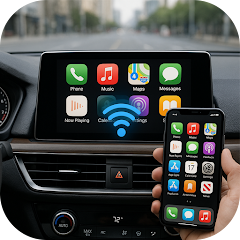


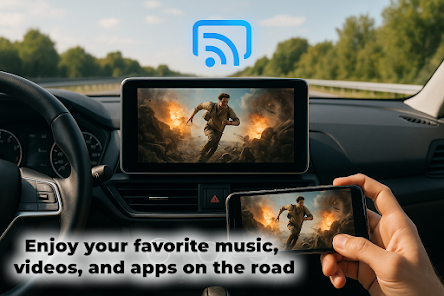
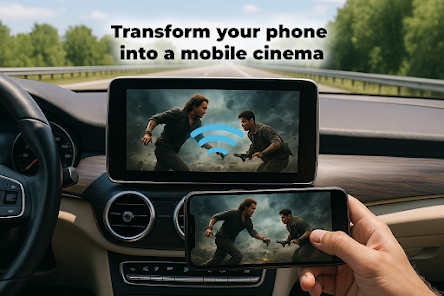
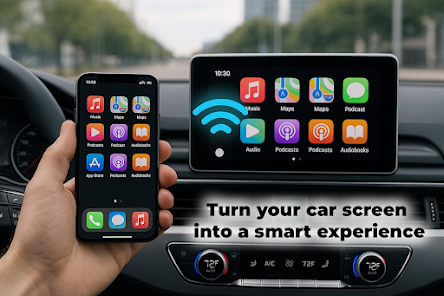
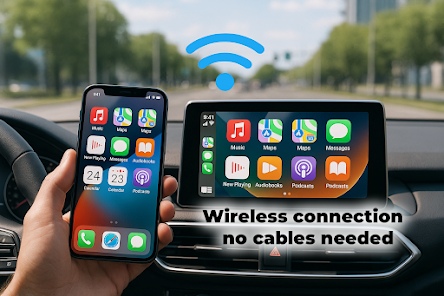
"Car Play Link" is designed to enhance the driving experience by seamlessly integrating your smartphone with your vehicle's infotainment system. One of its standout features is the ability to access navigation apps, allowing drivers to receive real-time directions and traffic updates directly on their car's display. This ensures that users can navigate without the need to glance at their phones, promoting safer driving.
Another key feature is the hands-free functionality, which enables voice commands for making calls, sending messages, and controlling music playback. This minimizes distractions and keeps the driver's focus on the road. Additionally, "Car Play Link" supports a variety of third-party applications, providing users with access to their favorite apps for music, podcasts, and more, all from the car's interface.
Moreover, the interface is user-friendly, featuring large icons and straightforward navigation, making it easy for drivers to find what they need quickly. Compatibility with both iOS and Android devices ensures that a wide range of users can benefit from its features. Overall, "Car Play Link" enhances connectivity and convenience, making it a valuable tool for modern drivers.
Using "Car Play Link" is a straightforward process that begins with connecting your smartphone to your vehicle. First, ensure that your car's infotainment system is compatible with "Car Play Link." Once confirmed, use a USB cable or Bluetooth to establish a connection between your phone and the car. For USB connections, simply plug your phone into the designated port, while for Bluetooth, follow the pairing instructions on both devices.
After connecting, the "Car Play Link" interface will appear on your car's display. You can then navigate through the various apps available, such as navigation, music, and messaging. To use voice commands, simply press the voice control button on your steering wheel or the infotainment system, and speak your request. This allows for hands-free operation, ensuring that you can stay focused on driving while accessing your phone's features.
Additionally, you can customize the layout of the apps on the screen to suit your preferences. Regularly updating your smartphone and the car's software will ensure optimal performance and access to the latest features. By following these steps, you can easily enjoy the benefits of "Car Play Link" and enhance your driving experience.
Like any technology, "Car Play Link" comes with its own set of advantages and disadvantages. One of the primary pros is the enhanced safety it offers. By allowing hands-free access to essential apps, it minimizes distractions, enabling drivers to keep their eyes on the road. Additionally, the integration of navigation and communication features into the car's display makes it easier to manage tasks without fumbling with a smartphone.
Another significant advantage is the user-friendly interface, which is designed for quick access and ease of use. The compatibility with a wide range of apps also adds to its appeal, allowing users to personalize their experience based on their preferences. However, there are some cons to consider. For instance, not all vehicles support "Car Play Link," which can limit its accessibility for some users.
Moreover, reliance on a stable internet connection can be a drawback, as some features may not function optimally in areas with poor connectivity. Additionally, while the app is designed to be intuitive, some users may still find the learning curve challenging, especially if they are not tech-savvy. Weighing these pros and cons can help potential users determine if "Car Play Link" is the right choice for their driving needs.

 Experience seamless connectivity Access your favorite apps easily Enjoy hands-free navigation options Stay focused with voice commands Personalize your driving experience
 Limited app compatibility Dependency on phone connection Potential lag in response time Not all features are accessible
  Google Play
  App Store
 Yes, users can customize the interface of the Car Play Link app to some extent, including rearranging app icons and changing settings to suit their preferences. This allows for a more personalized driving experience.
The Car Play Link app may require a data connection for certain features, such as navigation and streaming services. However, some features may work offline if they are pre-loaded on your device. It's recommended to check the app's functionalities for offline usage.
Yes, the Car Play Link app supports voice commands, allowing users to control functions like navigation, music playback, and messaging hands-free. This feature enhances safety by reducing the need to manually interact with the app while driving.
To install the Car Play Link app, go to the App Store (for iOS) or Google Play Store (for Android) on your smartphone. Search for "Car Play Link," download the app, and follow the on-screen instructions to set it up and connect it to your car.
If you encounter issues with the Car Play Link app, try restarting your smartphone and car's infotainment system, ensuring that both are updated to the latest software versions. If problems persist, check the app's support page or contact customer service for assistance.
You can reach customer service by calling the support number provided in the app's settings or on the official website.
Open the app, enter your registered email and password, then tap 'Log In.'
Yes, to activate, follow the instructions provided in the app after installation, usually involving a verification code sent to your email.
The customer service number can be found in the app's help section or on the website.
























