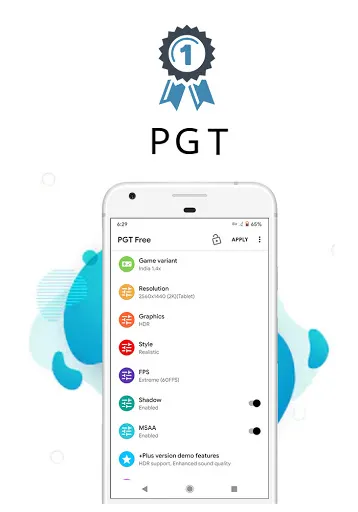
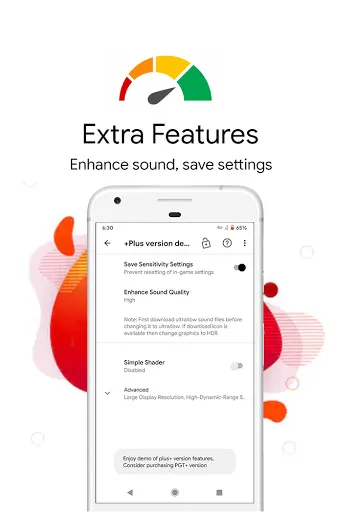
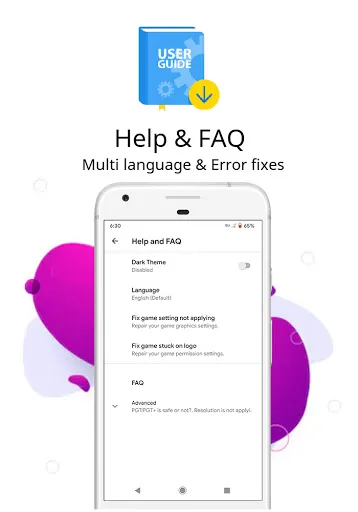
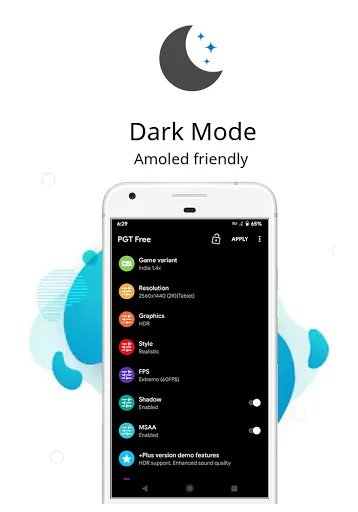
PGT: GFX, Launcher & Optimizer is a comprehensive application designed to enhance the gaming experience on mobile devices. One of its standout features is the GFX Tool, which allows users to adjust graphics settings for various games, providing options to improve frame rates and overall visual quality. This tool is particularly beneficial for gamers who wish to optimize performance without compromising on visuals. Another key feature is the Launcher, which offers a user-friendly interface to launch games quickly and efficiently. It integrates seamlessly with the device, enabling users to access their favorite games from a single location. The Launcher also includes a customizable theme, allowing users to personalize their gaming environment. Additionally, the Optimizer feature helps manage device resources, freeing up RAM and CPU for a smoother gaming experience. This ensures that users can enjoy their games without lag or interruptions, making it an essential tool for competitive gamers. Using PGT: GFX, Launcher & Optimizer is straightforward and intuitive. First, download and install the app from a reliable source. Once installed, open the application to access its main interface. From here, users can navigate to the GFX Tool section, where they can select the game they want to optimize. This section allows adjustments to resolution, frame rates, and graphic quality settings. After configuring the desired settings, simply save the changes and launch the game directly from the app. The Launcher provides a convenient way to access all your games in one place, eliminating the need to search through multiple app icons. You can also customize the Launcher’s appearance according to your preferences, making it visually appealing. Lastly, the Optimizer feature can be activated to clear background processes and free up system resources. This will enhance performance while gaming, ensuring a more enjoyable experience. Remember to regularly revisit the app to adjust settings based on game updates or personal preferences. PGT: GFX, Launcher & Optimizer comes with several advantages that make it appealing to gamers. One of the primary pros is its ability to significantly enhance game graphics and performance. Users can tailor settings to suit their device capabilities, ensuring an optimal gaming experience. The Launcher feature simplifies access to multiple games, which is particularly useful for avid gamers who frequently switch between titles. Moreover, the Optimizer helps in managing system resources effectively, reducing lag and boosting responsiveness during gameplay. The user interface is also designed to be intuitive, making it accessible even for those who may not be tech-savvy. However, there are some cons to consider. Some users may experience compatibility issues with certain games, leading to unexpected crashes or glitches. Additionally, while the app can enhance performance, it may not work equally well on all devices, especially older models with limited hardware capabilities. Lastly, excessive customization can sometimes lead to confusion, particularly for new users who may not fully understand the technical aspects of graphic settings.Features of PGT: GFX, Launcher & Optimizer
How to Use PGT: GFX, Launcher & Optimizer?
Pros & Cons of PGT: GFX, Launcher & Optimizer

 Enhances gaming performance with optimized graphics settings for smoother gameplay. Streamlines app launching for faster access to your favorite games. Reduces lag and latency, ensuring a seamless gaming experience. Customizes device settings for improved battery life during extended play. User-friendly interface simplifies navigation and enhances overall usability.
 Limited customization options may frustrate advanced users seeking tailored experiences. Frequent ads can disrupt user experience and hinder smooth performance. Potential compatibility issues with certain devices might limit functionality and access.
  Google Play
  App Store
 Yes, users can submit suggestions or feedback through the app’s support or feedback section, which is often available in the settings menu. The developers appreciate user input for future improvements.
PGT: GFX, Launcher & Optimizer has a privacy policy in place, and it does not collect personal data unless explicitly permitted by the user for certain features.
Yes, PGT: GFX, Launcher & Optimizer can be used offline, allowing users to apply optimizations and customizations without needing an internet connection.
To cancel your subscription, you can go to the subscription management section of your device's app store and follow the prompts to cancel your subscription to PGT: GFX, Launcher & Optimizer.
The subscription cost for PGT: GFX, Launcher & Optimizer can vary based on the plan chosen, with options for monthly or yearly subscriptions available. Users should check the app for the most current pricing.
Unfortunately, customer numbers cannot be changed. If you have concerns, please reach out to customer service for further assistance.
You can contact customer service through the app or our website. They are available to assist you with activation issues.
To activate your account, follow the link in the activation email you received after registration. If you need help, contact customer service.
You can reach customer service via the support section in the app or by visiting our website for contact details.
Open the PGT Launcher and enter your customer number and password. If you have trouble, contact customer service for help.