


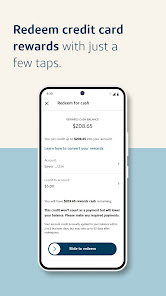
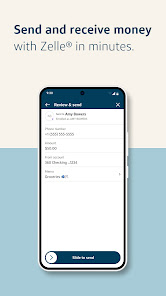
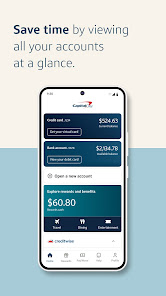
The Capital One Mobile app should be an important addition to your app collection if you are a Capital One customer. With streamlined access and user-friendly features, this new and improved version, especially for Android users, transforms the way you do banking, giving you instant access to core banking features, credit card accounts, balances, transfer management, and more.
The Capital One Mobile app is a free app that allows you to manage your Capital One accounts on the go. With the app, you can check your account balances, view transactions, transfer money, and more. Assuming you have a compatible device, downloading the Capital One Mobile App is easy. Simply go to the App Store for iOS devices or Google Play for Android devices and search “Capital One” or “Capital One 360.” Select the app with our familiar red “C” and install it like you would any other app. There are many reasons to use the Capital One Mobile App. Here are some of the pros: Features and Functions
Here are some of the features of the Capital One Mobile app:
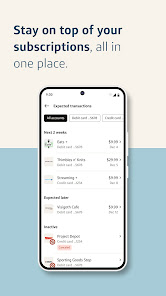
-View your account balances and transactions
-Transfer money between your accounts
-Pay bills
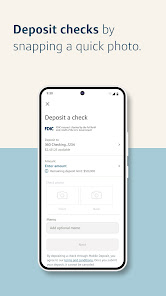
-Deposit checks
-Find ATMs and branchesHow to Use Capital One Mobile
Once you have the app, open it and sign in using your Username and Password. If you don't have an online account yet, no problem – just select “Create an Account” on the login screen and follow the instructions. You can also enroll in Touch ID or Fingerprint Sign-In if your device supports it. This will make logging into the app quicker and more convenient in the future.
Now that you're signed in, you can view your accounts, check your balance, deposit checks, pay bills, transfer money, and more. To get started, just tap on an account from the main screen of the app. From there, you can view transactions, account details including your current balance and available credit (if applicable), as well as pay bills or deposit checks directly from the app.
For more detailed instructions on how to use all of the features of our mobile app, please refer to our Online Help Center at https://help360.capitalone360.com/m/4152/l/425759-capital-one-mobile-app-faqsPros & Cons
-The app is free to download and use.
-You can use the app to check your account balance, view transactions, pay bills, and transfer money.
-The app is available for both iPhone and Android devices.
-The app has a 4.5 star rating on the App Store and a 4 star rating on Google Play.
However, there are also some cons to consider:
-Some users have reported that the app crashes or freezes occasionally.
-The app does not yet support Touch ID or Face ID for security purposes.
-Some features, such as adding a new bill payee, are only available through the website and not the mobile app.

 Easily track your spending in real-time for better budgeting. Access your accounts securely with advanced encryption technology. Quickly deposit checks using your mobile device's camera. Receive personalized alerts for important account activity and offers. Enjoy seamless integration with digital wallets for easy payments.
 Limited customer support options can lead to frustrating experiences. App performance may suffer during high traffic times. Some features may not work seamlessly with all devices.
  Google Play
  App Store
 Yes, users can submit suggestions or feedback through the app's support section or by contacting Capital One customer service directly.
Yes, Capital One Mobile collects personal data to enhance user experience, improve services, and ensure security, but it adheres to privacy policies to protect your information.
Capital One Mobile requires an internet connection to access most features, but certain information may be viewable offline if previously downloaded.
Since Capital One Mobile does not have a subscription model, there is no need to cancel; you can simply uninstall the app if you no longer wish to use it.
There is no subscription cost associated with Capital One Mobile, as it is free to use for all Capital One account holders.
Yes, you can access Customer Service through the app by selecting the "Help" or "Support" section for assistance.
Yes, you can activate your account by selecting the "Activate Account" option on the app's login screen.
You’ll need to contact Customer Service for help in updating your Customer Number. They can guide you through the process.
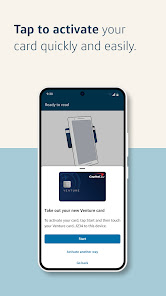
To activate your debit card, log in to the app, select "Activate Card" from the menu, and follow the instructions provided.
You can reach Customer Service by calling the number on the back of your card or through the app’s support section.