







Spades - Classic Card Game App is a digital version of the classic card game, Spades. It is a trick-taking game that is played with two teams of two players each. The game is played with a standard deck of 52 cards, with each team trying to take the most tricks. The game is won by the team that takes the most tricks. The app features a variety of game modes, including single-player, two-player, and four-player games. It also includes a variety of customization options, such as the ability to choose the number of tricks to be taken, the number of cards dealt, and the number of jokers in the deck. The app also includes a leaderboard, allowing players to compare their scores with other players. Spades - Classic Card Game App is a great way to enjoy the classic card game with friends and family.
Features of Spades - Classic Card Game App
The Spades - Classic Card Game App offers a variety of engaging features that enhance the gaming experience for both new and seasoned players. One of its standout features is the intuitive user interface, which makes navigation seamless and enjoyable. Players can easily access game modes, tutorials, and settings, ensuring a smooth gameplay experience.
The app supports both single-player and multiplayer modes, allowing users to compete against AI or challenge friends and other players online. This adds a social element to the game, making it a perfect choice for those who enjoy playing with others. Additionally, the app includes customizable game rules, enabling players to tailor the game to their preferences.
Another notable feature is the leaderboard system, which tracks players' scores and rankings, offering a competitive edge. The app also includes various themes and card designs, allowing users to personalize their gaming experience. Regular updates ensure that new features and improvements are consistently introduced, keeping the game fresh and engaging.
How to Use Spades - Classic Card Game App?
Using the Spades - Classic Card Game App is straightforward and user-friendly. Upon launching the app, players are greeted with a welcoming interface that provides options for single-player or multiplayer modes. To begin, users can select their preferred mode and adjust the game settings according to their preferences, such as the number of players and the rules they wish to follow.
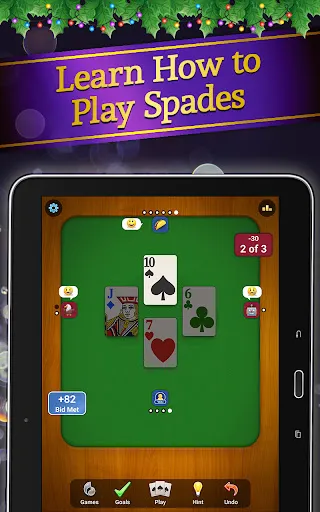
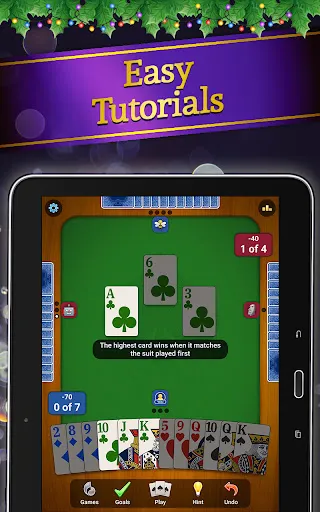
For single-player mode, players can choose to play against AI opponents at varying difficulty levels, while multiplayer mode allows them to invite friends or join online matches. Once the game starts, players take turns playing cards, aiming to win tricks and fulfill their bids. The app includes helpful tutorials that guide new players through the rules and gameplay mechanics, ensuring that everyone can enjoy the experience.
After each game, users can view their scores and statistics, which can be useful for tracking progress and improving skills. The app also allows players to customize their avatars and game environment, adding a personal touch to each session. Overall, the Spades - Classic Card Game App is designed to be accessible and enjoyable for players of all skill levels.
Pros & Cons of the App
Like any app, the Spades - Classic Card Game App comes with its own set of advantages and disadvantages. Among the pros, the app stands out for its user-friendly interface, making it easy for players to navigate and enjoy the game. The inclusion of both single-player and multiplayer modes caters to a wide audience, allowing users to play at their convenience or compete with others.
Additionally, the customizable game rules and themes enhance the overall experience, giving players the freedom to tailor the game to their liking. The leaderboard feature adds a competitive element, encouraging players to improve their skills and aim for higher rankings. Regular updates also ensure that the app remains engaging and up-to-date with new features.

 Enjoy a timeless classic that offers endless entertainment for all ages. Engage in strategic gameplay that sharpens critical thinking skills. Play with friends or family for a fun social experience. Access a user-friendly interface for seamless gameplay enjoyment. Challenge yourself with various difficulty levels to enhance your skills.
 Limited player interaction can lead to a monotonous experience. The game can be overly reliant on luck rather than skill. Complex rules may deter casual players from joining.
  Google Play
  App Store
 Yes, users can submit suggestions or feedback through the app's support or feedback section, allowing the developers to consider user input for future updates.
The app may collect personal data in accordance with its privacy policy, primarily for account management and enhancing user experience. Users are encouraged to review the privacy policy for detailed information.
Yes, Spades: Classic Card Games allows users to play offline against AI opponents, making it convenient for players without an internet connection.
To cancel your subscription, you can go to your device's settings, navigate to the subscription management section, and follow the prompts to cancel your subscription to Spades: Classic Card Games.
The subscription cost for Spades: Classic Card Games may vary based on the plan selected, and users can check the app for the most current pricing information.
Unfortunately, you cannot change your Customer Number. If you need assistance, please reach out to Customer Service.
To log in, open the app, enter your username and password, then click the 'Log In' button.
To activate your account, click the activation link sent to your email after registration.
You can reach Customer Service through the in-game help section or by emailing support
If you've lost your Customer Number, please check your account settings or contact Customer Service for assistance.