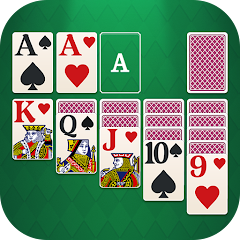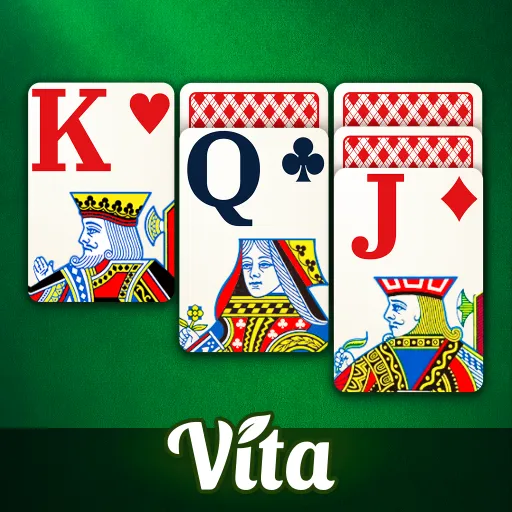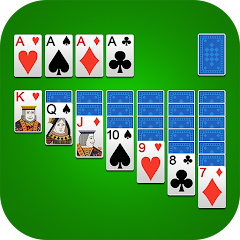


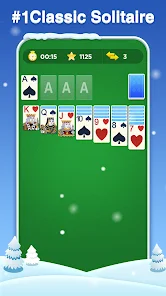







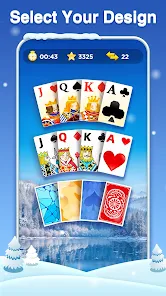

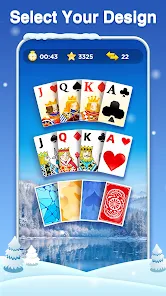

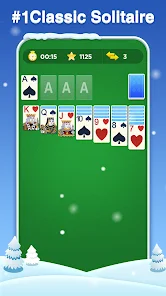
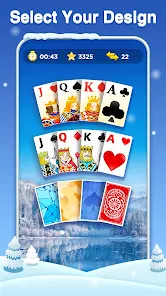



"Classic Solitaire" is a timeless card game that offers a variety of features designed to enhance the gaming experience. One of its primary features is the traditional layout, which consists of seven tableau piles, a stock pile, and a foundation area. Players aim to build four foundation piles, each representing a suit, in ascending order from Ace to King. The game also includes a user-friendly interface, allowing players to easily drag and drop cards, making gameplay smooth and intuitive.
Another notable feature is the option for different difficulty levels, catering to both beginners and seasoned players. The game often includes hints and undo options, which can assist players in strategizing their moves. Additionally, "Classic Solitaire" may offer customizable themes and card designs, allowing players to personalize their gaming experience. The game is typically available in both single-player and multiplayer modes, providing opportunities for competition or casual play. Overall, these features contribute to the enduring popularity of "Classic Solitaire" as a go-to card game for relaxation and mental challenge.
Using "Classic Solitaire" is straightforward, making it accessible for players of all ages. To begin, players need to set up the game by arranging the cards in the traditional tableau format. This involves placing seven piles of cards, with the first pile containing one card, the second pile two cards, and so on, with only the top card facing up. The remaining cards form the stock pile, which players will draw from during the game.
Once the setup is complete, players can start moving cards between the tableau piles, following the rules of alternating colors and descending order. The objective is to build the foundation piles by moving cards from the tableau to the foundation, starting with Aces and progressing to Kings. Players can draw cards from the stock pile when they are unable to make any moves. Utilizing hints and the undo feature can help players strategize their gameplay. The game continues until all cards are successfully moved to the foundation or no more moves are available. With practice, players can improve their skills and enjoy the challenge of "Classic Solitaire."
The "Classic Solitaire" app comes with several advantages that enhance the overall gaming experience. One of the primary pros is its accessibility; players can enjoy the game on various devices, including smartphones and tablets, making it easy to play on the go. The app often features a clean and intuitive interface, allowing for seamless navigation and gameplay. Additionally, the inclusion of hints and undo options can help players learn strategies and improve their skills. Many versions of the app also offer customizable themes and card designs, adding a personal touch to the game.

 Experience endless fun Play anytime, anywhere Intuitive and easy controls Engaging graphics and sound Track your progress easily Challenge your friends online
 Limited gameplay variety No multiplayer options available Repetitive game mechanics Lack of customization features
  Google Play
  App Store
 Yes, most Classic Solitaire apps include a hint feature that can suggest possible moves when you find yourself stuck. Look for a hint button, usually marked with a lightbulb icon, to receive assistance.
Yes, Classic Solitaire can typically be played offline, as it does not require an internet connection to function. You can enjoy the game anytime, anywhere, even without data or Wi-Fi access.
While Classic Solitaire is primarily a single-player game, some apps offer multiplayer modes or online leaderboards where you can compare scores with friends or other players. Check the app features for social options.
Yes, most Classic Solitaire apps include an "Undo" feature, allowing you to reverse your last move. Look for the undo button, usually represented by an arrow pointing backward, to restore your previous game state.
To start a new game, simply open the app and tap on the "New Game" button or icon, typically located on the main screen. The game will shuffle the cards and set up the tableau automatically, allowing you to begin playing immediately.
You can contact customer service through the app's settings menu or visit our website for support options.
If applicable, go to the subscription settings in the app and follow the prompts to activate your subscription.
Open the app and select the login option; enter your email and password to access your account.
No activation is required; simply download and start playing immediately.
The customer support number is available in the app's help section or on our official website.