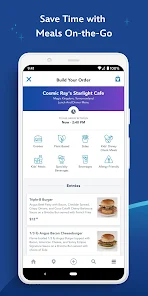
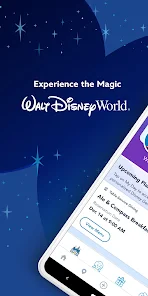
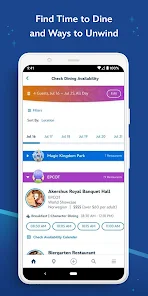
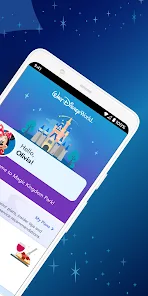
Using My Disney Experience, you can plan your Walt Disney World vacation to the fullest. You can use this to book Advance Dining Reservations, choose Park Passes, use Mobile Order, see theme park hours, view attraction wait times, use online check-in, and much more.
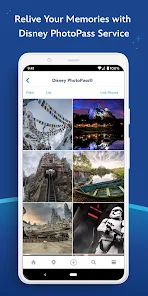
The My Disney Experience App is a free mobile app that allows you to plan and manage your Disney vacation on the go. With the app, you can view your itinerary, make and modify restaurant reservations, check wait times for attractions, see FASTPASS+ return times, find out where Characters are appearing, and more. Plus, you can use the app to link your Disney PhotoPass photos to your account so you can view and share them online. My Disney Experience is a mobile app for iPhone, iPad and Android phones that lets you plan your vacation, view wait times for attractions, make FastPass+ selections and reservations, see where you are on a map in the parks, check bus schedules and more. There are many things to love about the My Disney Experience App. Perhaps the best part is that it allows you to easily view and book your FastPass+ selections, as well as see wait times for attractions. You can also use the app to view maps of the parks, find character greetings, and more. Basically, if there is something you want to do or find at Walt Disney World, chances are good that the My Disney Experience App can help you out.Features
How do I Use My Disney Experience App?
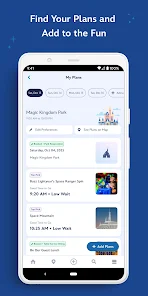
To use the app, you'll need to create a free account and have an active internet connection. Once you're logged in, you can start adding plans to your account. For example, you can add the parks you'd like to visit, make dining reservations and FastPass+ selections.
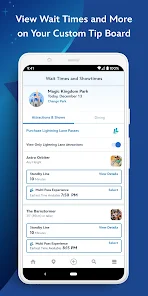
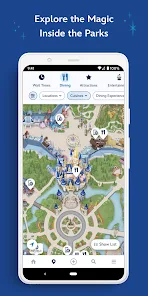
You can also use the app to view attraction wait times in real time, so you know when it's the best time to visit certain rides and shows. Plus, if you have location services turned on while using the app in the parks, you can see yourself on a map of the area. This is helpful if you want to know how to get from one place to another or find specific attractions.
The My Disney Experience app is a great way to help plan and organize your Disney vacation. Be sure to download it before your next trip!Pros & Cons
However, there are also a few drawbacks to using the app. One complaint is that it can be difficult to navigate, particularly if you're trying to do something specific. Additionally, some people have found that the app drains their phone battery quickly. And finally, some guests have reported issues with the app crashing or freezing. Overall, though, the pros outweigh the cons when it comes to using the My Disney Experience App.

 Plan and manage your Disney trip conveniently from your mobile device. Access real-time wait times for attractions to optimize your park experience. Make and modify dining reservations effortlessly for your favorite restaurants. Enjoy personalized itineraries tailored to your interests and preferences. Share plans and experiences with family and friends seamlessly in-app.
 Limited functionality can lead to frustration for users seeking a seamless experience. Frequent app glitches disrupt planning and can cause missed reservations. Navigation can be confusing, making it hard to find essential features quickly.
 Yes, users can submit suggestions or feedback through the app's support section or contact Disney customer service for assistance.
Yes, My Disney Experience collects personal data, including user profiles, preferences, and location information, to provide personalized experiences and services.
While some features can be accessed offline, such as viewing park maps and previously loaded information, an internet connection is required for real-time updates and most functionalities.
Since My Disney Experience does not have a subscription model, there is no need to cancel; users can simply stop using the app whenever they wish.
There is no subscription fee for using My Disney Experience; it is completely free to use, but users may incur charges for park tickets and other services.
Yes, you can email customer service through the contact form on the My Disney Experience website for assistance.
Yes, the My Disney Experience app offers customer service support through the "Help" section for quick assistance.
To activate your account, visit the My Disney Experience website and follow the prompts to enter your details.
To change your login information, log into your My Disney Experience account and go to the account settings to update your email or password.
You can reach customer service by calling the number provided on the My Disney Experience website or through the app's help section.












 Google Play
  App Store