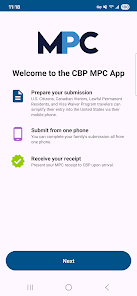
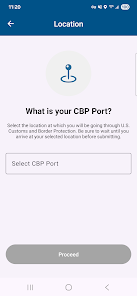
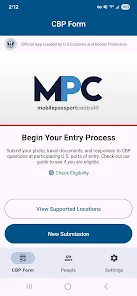
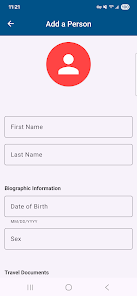
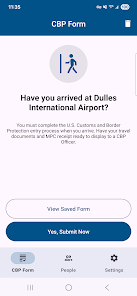
Mobile Passport Control is a mobile app developed by U.S. Customs and Border Protection (CBP) that allows travelers to submit their passport information and customs declaration form via their smartphone or tablet prior to arriving at the airport. The app is designed to expedite the traveler
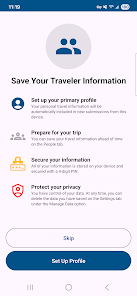
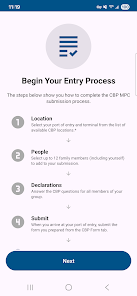
1. Mobile Passport Control (MPC) is a free app that allows travelers to submit their passport information and answer Customs and Border Protection (CBP) inspection-related questions prior to arriving at the airport. 2. MPC allows travelers to create a profile with their passport information and answer CBP inspection-related questions. 3. Once the profile is created, travelers can use the app to generate a Mobile Passport Control (MPC) barcode. 4. The MPC barcode can be scanned at designated CBP kiosks, allowing travelers to bypass the regular line and proceed directly to the CBP officer for inspection. 5. The app also allows travelers to save their trip information, such as flight details, for future use. 6. MPC is available for both iOS and Android devices. 1. Download the Mobile Passport Control app from the App Store or Google Play. 2. Create a profile with your passport information. 3. When you arrive at the airport, open the app and select the “New Trip” option. 4. Answer the questions about your trip and submit your information. 5. When you arrive at the Customs and Border Protection (CBP) area, look for the Mobile Passport Control sign. 6. Follow the instructions on the sign to scan your passport and submit your information. 7. An officer will review your information and may ask you additional questions. 8. Once your information is approved, you will receive a receipt with an expiration time. 9. Present your receipt to the CBP officer and proceed to the exit. Pros: 1. Increased convenience: Mobile Passport Control allows travelers to submit their passport information and customs declaration form electronically, eliminating the need to fill out paperwork at the airport. 2. Faster processing: Mobile Passport Control allows travelers to bypass the regular passport control line and proceed directly to the Mobile Passport Control line, which is typically shorter and faster. 3. Increased security: Mobile Passport Control uses advanced encryption technology to protect travelers’ personal information. Cons: 1. Limited availability: Mobile Passport Control is only available at certain airports in the United States. 2. Limited to certain travelers: Mobile Passport Control is only available to U.S. citizens and Canadian visitors. 3. Potential technical issues: Mobile Passport Control relies on a smartphone app, which can be prone to technical issues.Features
How to use Mobile Passport Control Mobile App?
Pros & Cons

 Expedited entry through customs and immigration checkpoints Reduces wait times for travelers at airports User-friendly app for easy processing Secure and efficient data submission process Available for U.S. citizens and Canadian visitors
 Limited to specific airports only May encounter technical issues Requires a smartphone or app Not all travelers eligible
 Mobile Passport Control does collect personal data necessary for processing your entry into the U.S., such as your name, passport information, and travel details, but it is designed to protect your privacy and data security.
Mobile Passport Control is free to download and use, with no subscription fees or trials required, making it accessible to all eligible travelers.
Yes, an internet connection is required to submit your information through the Mobile Passport Control app, although you can access the app and fill out your information offline before connecting to the internet to submit.
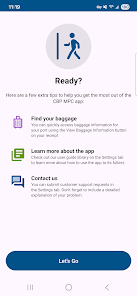
You can contact support or send feedback for Mobile Passport Control through the app itself, typically found in the settings or help section, or by visiting the official CBP website for additional resources and contact information.
Since Mobile Passport Control does not have a subscription model, there is no need to manage or cancel a subscription; the app is free to use without ongoing commitments.
You can reach customer service via the app's help section or by visiting the official website for contact options.
Simply download the app from the App Store or Google Play, and follow the prompts to set up your profile. No activation code is required.
Open the app, enter your email and password, and tap 'Log In' to access your account.
The Mobile Passport Control app does not have a customer number; support is primarily provided through their website and app.













 Google Play
  App Store