


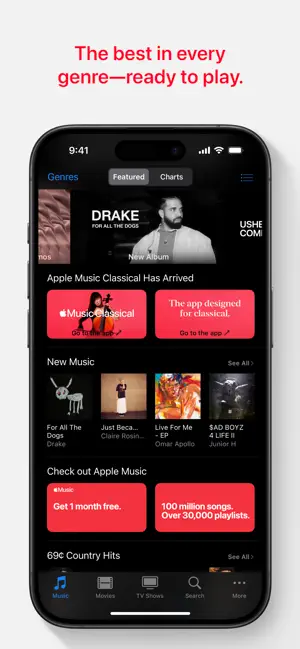


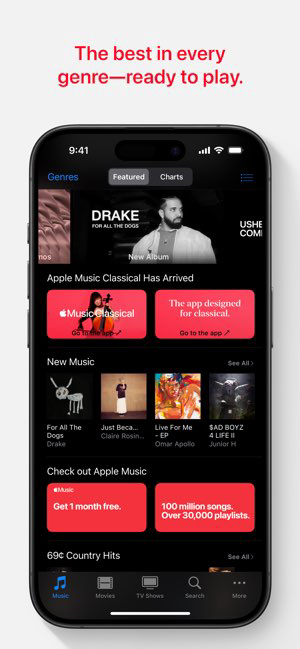


The iTunes Store is a digital media store that was launched on April 28, 2003. It is operated by Apple Inc. and offers music, movies, television shows, podcasts, and audiobooks. The iTunes Store also sells iOS apps and games for the iPhone, iPad, and iPod Touch. As of January 2017, the iTunes Store had over 700 million active users and generated over $8 billion in annual revenue.
The iTunes Store was originally available only in the United States but has since expanded to over 150 countries. In 2008, the iTunes Store was the largest music vendor in the United States, with a market share of 28%. In 2013, it was estimated that the iTunes Store accounted for 66-75% of all legal digital music downloads in the United States.
The iTunes Store has been praised for its ease of use and large selection of songs and albums. However, it has also been criticized for its high prices, lack of customer support, and DRM-protected files.
Features of iTunes Store App
The iTunes Store App is a comprehensive platform that offers a wide array of features designed to enhance the user experience. One of its primary features is the vast library of music, movies, TV shows, and podcasts, allowing users to access a diverse range of entertainment. Users can purchase or download content directly to their devices, making it convenient to enjoy media anytime, anywhere.
Another noteworthy feature is the curated playlists and recommendations tailored to individual preferences, helping users discover new artists and genres. The app also supports the ability to create and share playlists, fostering a sense of community among users. Furthermore, the iTunes Store App integrates seamlessly with Apple Music, enabling subscribers to stream millions of songs without the need for downloads.
Additionally, the app offers a user-friendly interface with easy navigation, making it simple for users to find their desired content. Regular updates ensure that the app remains current with the latest releases and features, enhancing overall functionality and user satisfaction. Overall, the iTunes Store App provides a robust platform for entertainment consumption, catering to a wide range of preferences.
How to Use iTunes Store App
Using the iTunes Store App is a straightforward process that begins with downloading the app from the App Store on your Apple device. Once installed, open the app and sign in with your Apple ID to access your purchased content and make new purchases. The home screen will showcase different categories, including music, movies, and TV shows, along with featured content and top charts.
To search for a specific item, use the search bar located at the top of the screen. You can browse by genre, artist, or title. Once you find the content you want, tap on it to view more details, including previews, ratings, and pricing. If you decide to purchase or download an item, simply tap the corresponding button and follow the prompts to complete the transaction.
Additionally, you can manage your account settings and payment information through the app, ensuring a smooth purchasing experience. The iTunes Store App also allows users to download past purchases and access their library anytime. Overall, navigating the app is user-friendly, making it easy to explore and enjoy a vast array of entertainment options.
Pros & Cons of iTunes Store App
The iTunes Store App comes with several advantages that enhance its appeal to users. One of the most significant pros is the extensive library of content available for purchase or download, ensuring users have access to a wide variety of music, movies, and shows. The app's integration with Apple Music allows subscribers to enjoy streaming services alongside their purchases, creating a holistic entertainment experience.
Another benefit is the ease of use, as the app features a clean, intuitive interface that makes navigation simple. Users appreciate the personalized recommendations and curated playlists, which help them discover new content based on their listening habits. Additionally, regular updates keep the app fresh and relevant, introducing new features and content.

 Extensive library of music and media available. User-friendly interface for easy navigation. Curated playlists enhance discovery of new favorites. Seamless integration with Apple devices and services. Regular updates keep content fresh and relevant.
 Limited music selection compared to other services High prices for individual songs and albums Complicated interface for new users Frequent software updates can disrupt usability
 Yes, iTunes Store collects personal data such as your Apple ID, payment information, purchase history, and usage data to enhance your experience and for account management purposes.
iTunes Store does not offer a free version, but it may provide free trials for certain subscription services like Apple Music or Apple TV+.
Yes, an internet connection is required to browse, purchase, and download content from iTunes Store, as well as to stream media.
You can contact support or send feedback for iTunes Store through the Apple Support website, by using the Feedback Assistant app, or by reaching out directly through the iTunes Store app.
You can manage or cancel your iTunes Store subscription through your Apple ID settings on your device or by accessing your account on the iTunes Store or Apple Music app.
You can contact iTunes Store customer service through the Apple Support website, by calling their support number, or using the Apple Support app.
Your customer number is typically your Apple ID email address. You can find it by logging into your Apple ID account page.
Open the iTunes Store app, tap on the "Account" icon, and enter your Apple ID and password to log in.
The iTunes Store app does not require activation; simply log in with your Apple ID to access its features.












 Google Play
  App Store