


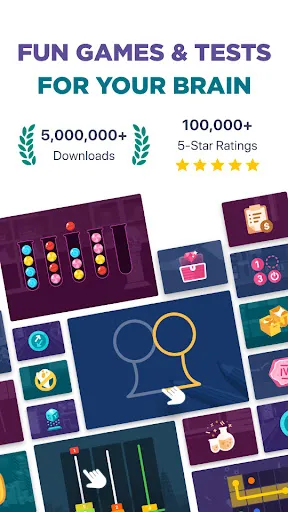
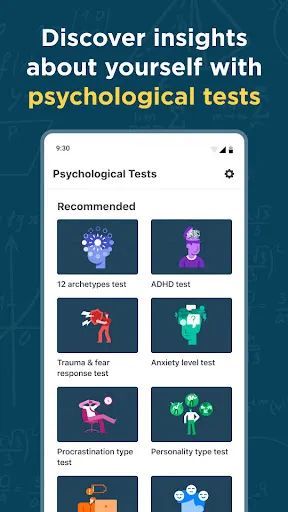
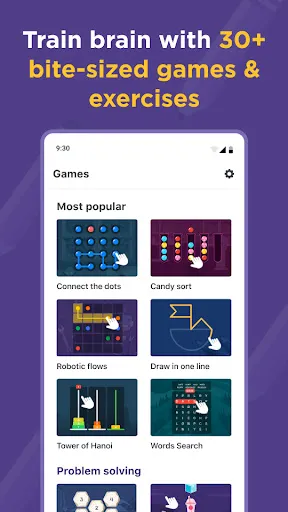
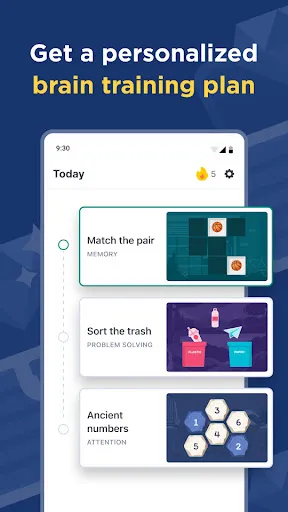
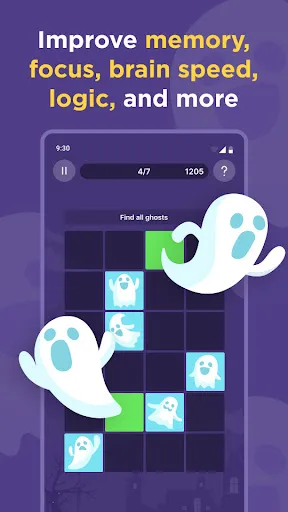
Impulse - Brain Training Games offers a variety of engaging features designed to enhance cognitive abilities and keep users entertained. One of the standout features is its diverse range of mini-games, each targeting different mental skills such as memory, attention, problem-solving, and processing speed. This variety ensures that users can enjoy a well-rounded training experience, preventing monotony and promoting consistent engagement. Additionally, the app provides personalized training programs based on users' individual performance. By analyzing user data, Impulse tailors the difficulty and type of games to suit specific needs, allowing for a more effective training regimen. This personalization enhances the user experience, making it more relevant and motivating. Another notable feature is the progress tracking system, which allows users to monitor their improvements over time. This feature includes detailed statistics and insights, helping users understand their strengths and areas that require more focus. Social features, such as challenges and leaderboards, further foster a sense of community and competition among users. Lastly, the app is designed with a user-friendly interface, making it accessible for people of all ages. The vibrant graphics and intuitive controls enhance the enjoyment of the training process, making brain training feel like a fun activity rather than a chore. Using Impulse - Brain Training Games is a straightforward process that allows users to easily integrate cognitive training into their daily routines. To get started, users need to download the app from their respective app stores and create an account. This initial setup involves providing some basic information, which helps the app tailor the experience to individual needs. Once registered, users can explore the various mini-games available. It's recommended to start with the introductory games that assess current cognitive abilities. This assessment helps the app to understand the user's baseline performance and customize future training sessions accordingly. After the initial assessment, users are guided to engage in a variety of games that target specific mental skills. To maximize the benefits, users should aim to train regularly, ideally dedicating a few minutes each day to the games. The app's progress tracking feature allows users to monitor improvements and adjust their training routine based on performance. Additionally, users can participate in community challenges to add a competitive element, making the training experience more enjoyable. For those who wish to delve deeper, the app offers tips and suggestions based on user performance, helping to create a more effective training strategy. Overall, consistency and engagement are key to making the most out of Impulse's brain training offerings. Impulse - Brain Training Games come with a variety of advantages that make it an appealing choice for those looking to enhance their cognitive skills. One of the major pros is its diverse range of games, which cater to different mental faculties, ensuring that users can enjoy a comprehensive training experience. The personalized training programs are another strong point, as they adapt to individual performance and needs, making the training more effective. The app also features a user-friendly interface, making it easy for users of all ages to navigate and enjoy the games. Progress tracking is another significant advantage, allowing users to see their improvements over time and stay motivated. Additionally, the social features foster a sense of community among users, encouraging friendly competition and engagement. Moreover, while the app is designed for cognitive training, the effectiveness of these games can vary from person to person, and some users might not experience significant improvements. Lastly, as with any app, there may be occasional technical issues or bugs that can disrupt the user experience. Balancing these pros and cons is essential for anyone considering using Impulse for brain training.Features of Impulse - Brain Training Games
How to Use Impulse - Brain Training Games
Pros & Cons of Impulse - Brain Training Games

 Enhances cognitive skills through engaging and fun gameplay Improves memory retention and recall abilities effectively Boosts focus and attention span for better performance Offers personalized training tailored to individual needs Encourages consistent mental exercise for lifelong brain health
 Limited variety may lead to repetitive gameplay experiences Some users may find the tasks too simplistic Potential reliance on games could overshadow real-world problem-solving skills
  Google Play
  App Store
 Yes, users are encouraged to submit suggestions or feedback through the app’s support feature or directly via the app’s website to help improve their experience.
The app has a privacy policy in place that outlines the collection and use of personal data, and it aims to ensure user privacy and data security.
Yes, Impulse - Brain Training Games allows users to access certain features and games offline, enabling them to train their brains without needing an internet connection.
Users can cancel their subscription through their account settings within the app or through the app store where they purchased the subscription, following the provided instructions.
Subscription costs may vary based on the plan selected, but users can typically choose from monthly or yearly options for full access to all features.
Unfortunately, customer numbers cannot be changed. If you have concerns, please reach out to customer service for further assistance.
Yes, you can log in using your social media accounts if you linked them during registration. If issues arise, contact customer service for support.
You can reach our customer service team via the support section in the app or by emailing support
To activate your account, click the link sent to your email upon registration. If you didn't receive it, please check your spam folder or contact customer service.
For activation issues, you can reach customer service through the app or email support