


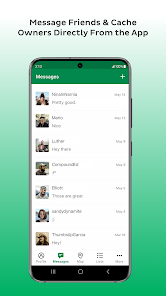
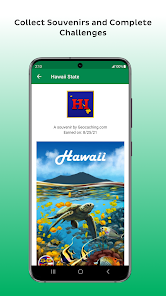
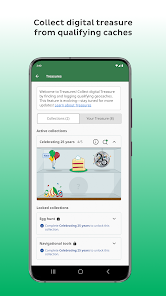
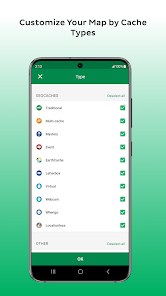
Geocaching® is an outdoor recreational activity, in which participants use a GPS-enabled device to hide and seek containers, called "geocaches" or "caches", at specific locations marked by coordinates all over the world. The Geocaching® app is a mobile app that allows users to find and log geocaches, as well as track their progress and share their experiences with other geocachers.
The Geocaching® app is a free, easy-to-use tool for geocaching. It's packed with features to make your geocaching experience better. Assuming you have the Geocaching® app downloaded on your iOS or Android device, open the app and sign in. If you don't have an account, create one. It's free! There are many geocaching apps available, each with different features. Here we will discuss the pros and cons of the Geocaching® app.Features and Functions
Some of the features of the Geocaching® app include:
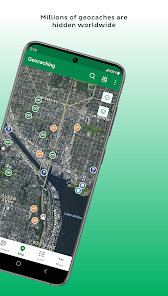
-A map that shows you where geocaches are hidden near you
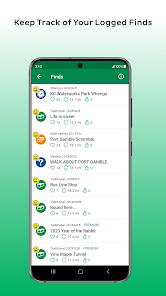
-The ability to log your finds and hides
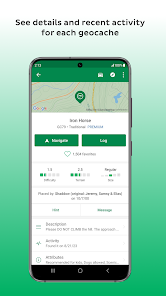
-Detailed information about each cache, including difficulty and terrain ratings
-Hints and spoilers to help you find the cache
-A built-in compass to help you navigate to the cache
-Offline maps so you can continue geocaching even when there's no cell serviceHow to Use Geocaching®
Once you're signed in, use the map to find geocaches near you. Tap on a geocache on the map to see more information about it. When you're ready to go find the geocache, tap “Navigate.” The Geocaching® app will show you the way!
To log your find, open the geocache details and tap “Log Your Visit.” You can choose from several types of logs, including “Found it!”, “Didn't find it” and “Write note.”Pros & Cons
PROS:
-The Geocaching® app is the official app from Groundspeak, the company behind Geocaching.com.
-The app is free to download and use, with optional in-app purchases for premium features.
-The app has a clean, user-friendly interface that is easy to navigate.
-The app includes all of the basic features you need to get started with geocaching, including GPS location tracking, cache descriptions and hints, and the ability to log your finds.
-The app also includes some unique features, such as the ability to view cached images and trackable items (travel bugs) without logging in.
-The premium version of the app includes additional features such as offline maps, advanced search filters, and more.
CONS:
-Some users have reported crashes and other bugs with the Geocaching® app.
-While the basic version of the app is free, many of the more advanced features are only available with a premium subscription (starting at $9.99/year).
-If you want to use another geocaching app (such as c:geo or GeoBeagle), you will need to create a separate account on that platform – you cannot login with your Ge

 Encourages outdoor activity and exploration Promotes problem-solving and critical thinking skills Fosters community connections and friendships Enhances appreciation for nature and local history Offers a fun, family-friendly adventure for all ages
 Environmental impact from foot traffic increases Difficulty finding caches can lead to frustration Some caches may be hidden in unsafe areas Inconsistent quality of caches can affect enjoyment
 Yes, Geocaching® collects personal data in accordance with its privacy policy, which may include information such as your username, email address, and location data to enhance your experience.
Yes, Geocaching® offers a free version with basic features, and users can also opt for a premium membership that provides additional benefits and features.
While you can browse some features offline after caching them, a stable internet connection is generally required for full functionality, including loading maps and accessing cache details.
You can contact Geocaching® support through the help section of the app or website, where you can submit a support ticket or provide feedback directly to the team.
You can manage or cancel your Geocaching® subscription through your account settings in the app or website, where you will find options to modify your subscription plan.
Yes, log in, go to your profile settings, and you can edit your account information there.
You can reach Customer Service through the support section in the app or visit the official Geocaching website for assistance.
Your customer number is typically linked to your account email; check your account settings or contact support for assistance.
Open the app, tap on 'Log In,' enter your username and password, then tap 'Sign In' to access your account.
Use the 'Forgot Password?' link on the login page, follow the instructions sent to your email to reset your password.







 Google Play
  App Store