


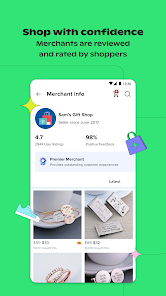
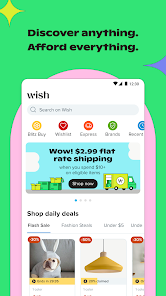
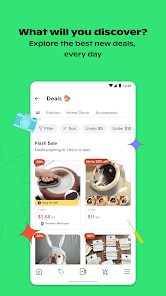
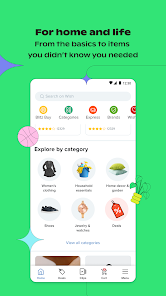
Wish is a shopping app that allows users to browse and purchase products from a wide range of categories, including clothing, accessories, electronics, and home goods. The app features a curated selection of items at heavily discounted prices, and offers users the ability to track their orders and communicate with sellers. Wish was launched in 2010 and is available for download on both the Apple App Store and Google Play Store. It is free to download and use, but please note that the app may offer in-app purchases.
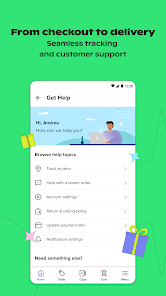
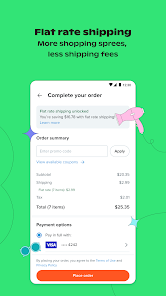
To use the Wish app, you'll need to first download it on your device from the Apple App Store or Google Play Store. Once it is installed, you can open the app and browse through the available categories to find products that you're interested in. When you find an item that you want to purchase, you can add it to your cart and proceed to checkout. During the checkout process, you'll need to enter your payment information and shipping address, and then confirm your order. Once your order is confirmed, you can track its progress and communicate with the seller through the app. The Wish app offers a range of features to help users find and purchase products at discounted prices. Some of these features include: 1. A wide range of categories: The app offers a curated selection of products in categories such as clothing, accessories, electronics, and home goods. 2. Heavy discounts: Wish offers heavily discounted prices on many of its products, allowing users to save money on their purchases. 3. Order tracking: Users can track their orders and view their delivery status through the app. 4. Seller communication: The app allows users to communicate with sellers, making it easy to ask questions or resolve any issues with their orders. 5. Personalized recommendations: The app uses machine learning to make personalized product recommendations based on the user's browsing and purchase history. 6. Wish Cash: The app offers a rewards program called Wish Cash, which allows users to earn cash back on their purchases. 7. Customer support: Wish offers customer support through the app, making it easy for users to get help with their orders or any other issues. Yes, the Wish app is free to download and use. It is available for download on the Apple App Store and Google Play Store. Once you've downloaded the app, you can browse and purchase products at no cost. However, please note that the app may offer in-app purchases for certain items or features. Additionally, the products that you purchase through the app may have their own associated costs, and you will be responsible for paying for those items at the time of checkout. How to use wish app
Features of wish app
Is wish app free?

 Discover unbeatable prices on millions of products worldwide Enjoy personalized shopping recommendations based on your preferences Access exclusive deals and discounts for even greater savings Shop from a wide variety of categories, all in one app Experience a user-friendly interface that makes shopping effortless
 Long shipping times can delay receiving your orders. Product quality may not always meet expectations. Customer service responses can be slow and unhelpful.
  Google Play
  App Store
 Yes, users can submit suggestions or feedback through the app's customer support section or via their official website.
Yes, the app collects personal data to enhance user experience, process transactions, and provide tailored recommendations, but it adheres to privacy policies to protect user information.
No, the Wish: Shop and Save app requires an internet connection to browse products, make purchases, and access features.
Since there is no subscription fee, users do not need to cancel; however, they can uninstall the app at any time if they choose to stop using it.
Wish: Shop and Save does not have a subscription model; users can shop for free while paying only for the products they choose to purchase.
Unfortunately, customer numbers can't be changed. If you have issues, please contact customer service.
You can reach customer service through the app or website by going to the Help section.
Log in to your account, go to Settings, and you can update your customer information there.
Simply open the app or website, enter your email and password, then click "Log In."
Click on "Forgot Password?" on the login page, then follow the instructions sent to your email.