


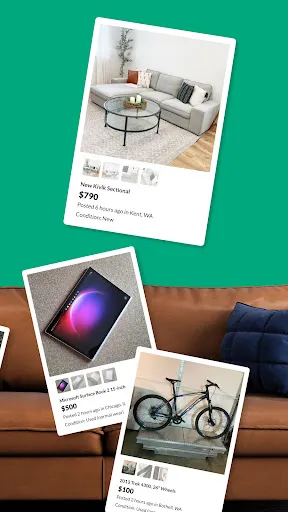
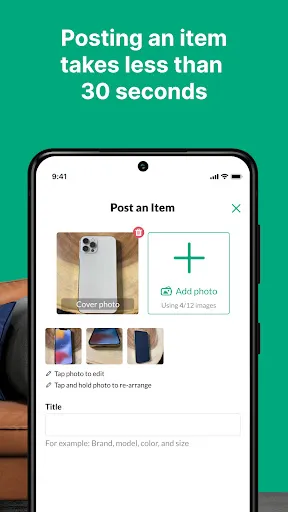
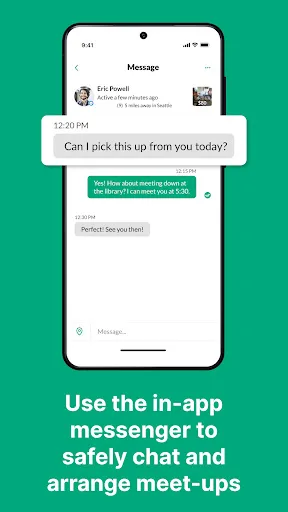
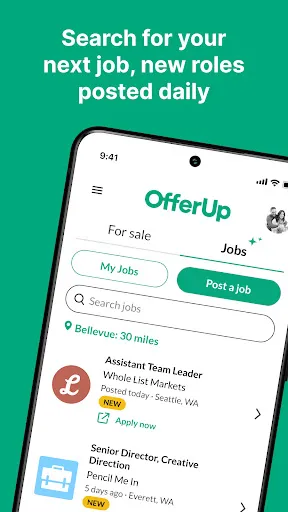
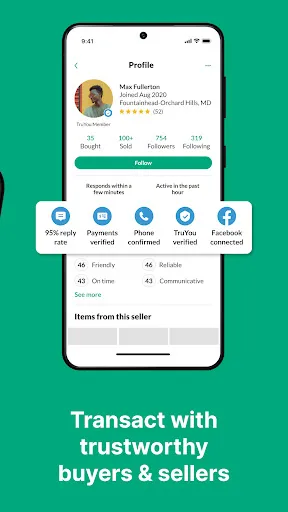
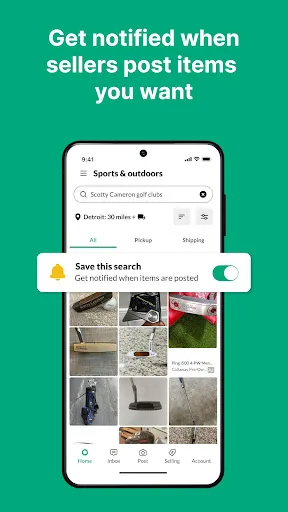

OfferUp is a user-friendly mobile application that facilitates buying and selling items locally. One of its standout features is the ability to create listings quickly, allowing users to upload photos, set prices, and provide descriptions with ease. The platform supports a wide range of categories, from electronics to home goods, making it versatile for various needs. Another significant feature is the built-in messaging system that allows buyers and sellers to communicate directly, fostering negotiation and inquiry about items. Users can also view profiles and ratings of other users, enhancing trust and safety in transactions. OfferUp has a rating system where completed transactions can be reviewed, which helps maintain a positive community environment. Additionally, OfferUp offers a "Buy Now" option alongside local pickup, which can facilitate quicker sales for users who prefer instant transactions. The app also includes a search function with filters, making it easier for users to find specific items. Overall, OfferUp provides a comprehensive platform for local commerce, emphasizing simplicity and user engagement. Using OfferUp is straightforward and begins with downloading the app from the App Store or Google Play. After installation, users can create an account using their email or social media accounts. Once logged in, users can browse through various categories or use the search bar to find specific items they are interested in. To sell an item, users simply click on the "Sell" button, upload clear photos, write a detailed description, and set a price. It’s essential to be honest in descriptions to attract potential buyers effectively. After posting, sellers can communicate with interested buyers through the app's messaging feature, negotiating prices if necessary. For buyers, once they find an item they like, they can ask questions, request more photos, or arrange a meeting for pickup. It’s advisable to meet in public places for safety. After completing a transaction, both parties can rate each other, which helps build a trustworthy community. Overall, using OfferUp is designed to be intuitive, making local buying and selling accessible to everyone. OfferUp has several advantages that make it appealing to users. One of the primary pros is its simplicity; the app is designed for ease of use, making it accessible even for those who are not tech-savvy. The ability to communicate directly through the app promotes transparency and facilitates negotiations. Additionally, the local focus allows users to find items nearby, which can save on shipping costs and time. However, there are some downsides to consider. One of the main cons is that while the platform encourages local transactions, it may limit the variety of items available compared to larger online marketplaces. There can also be safety concerns, as meeting strangers for transactions carries risks. Moreover, users may encounter scams or fraudulent listings, so it’s crucial to exercise caution and perform due diligence. In summary, OfferUp provides a convenient platform for local buying and selling, but users should be aware of the potential risks involved. Balancing the pros and cons can help individuals make informed decisions when using the app.Features of OfferUp: Buy. Sell. Simple.
How to Use OfferUp: Buy. Sell. Simple.
Pros & Cons of OfferUp: Buy. Sell. Simple.

 Easy to use interface for seamless buying and selling. Local listings promote quick and convenient transactions. Strong community feedback helps ensure buyer and seller trust. In-app messaging facilitates smooth communication between users. Wide variety of items available, catering to diverse needs.
 Limited buyer protection can lead to disputes over transactions. Shipping options can be inconsistent and unreliable for buyers. User interface may be confusing for new users, hindering their experience.
  Google Play
  App Store
 Yes, OfferUp encourages users to submit suggestions and feedback through the app's support or feedback sections, allowing the team to consider user input for future updates and improvements.
Yes, OfferUp collects personal data such as your name, email address, location, and user activity within the app to enhance user experience and improve services.
OfferUp primarily requires an internet connection to access its features, so offline use is limited. Users can view previously loaded listings without internet access, but they cannot interact with the app fully until they reconnect.
You can cancel your OfferUp subscription by going into the app settings, navigating to your subscription options, and selecting the option to cancel your subscription. Make sure to follow the prompts to complete the cancellation.
OfferUp offers a subscription service called "OfferUp Pro," which typically costs a monthly fee, but specific pricing may vary based on promotions or changes in the service.
Yes, you can browse listings without an account, but to buy or sell items, you need to create an account.
Go to your profile, tap on "Settings," and update your preferences, including notifications and account details.
You can contact OfferUp customer service through the app by navigating to the "Help" section, or by visiting their website for support options.
After signing up, check your email for a verification link. Click the link to activate your account.
OfferUp does not provide a direct customer service number; instead, use the in-app support or online help center for assistance.