

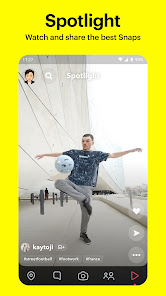
Snapchat is a messaging app with a twist: it erases messages after a set period of time. This makes it perfect for sharing quick, raw thoughts and ideas without the pressure of them being permanent. While Snapchat may seem like a passing fad, it's actually hugely popular, especially with younger demographics. As of May 2019, Snapchat has 190 million daily active users worldwide. If you're not using Snapchat for your business yet, you may be missing out on a big opportunity to connect with your target audience. In this blog post, we'll go over some of the reasons why your business should be on Snapchat, as well as some tips for getting started.
Features of Snapchat App
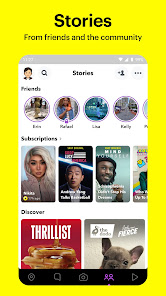
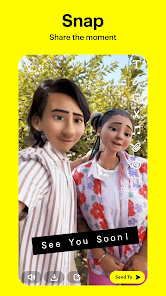
Snapchat is a multimedia messaging app that offers a variety of unique features, making it popular among users, especially younger audiences. One of its standout features is the ephemeral nature of messages, where photos and videos, known as "Snaps," disappear after being viewed. Users can also create "Stories," which are compilations of Snaps that remain visible for 24 hours, allowing friends to catch up on each other's daily lives.
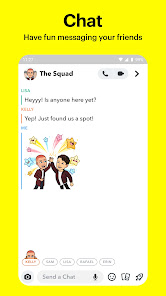
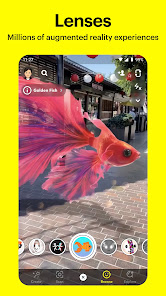
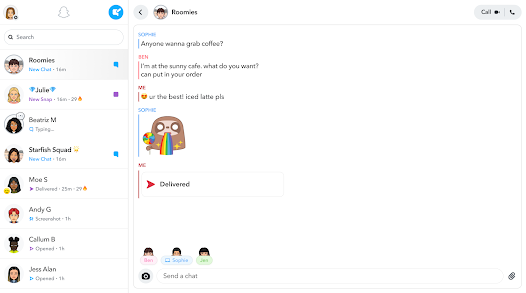
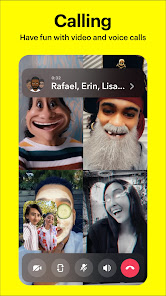
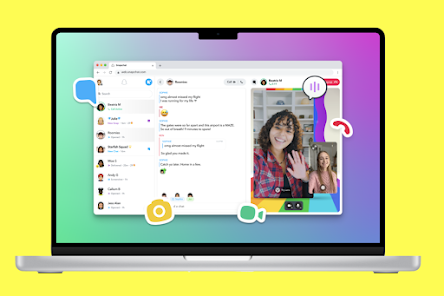
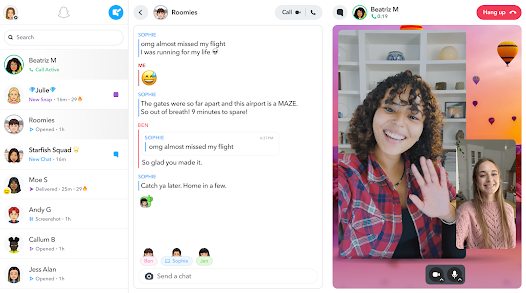
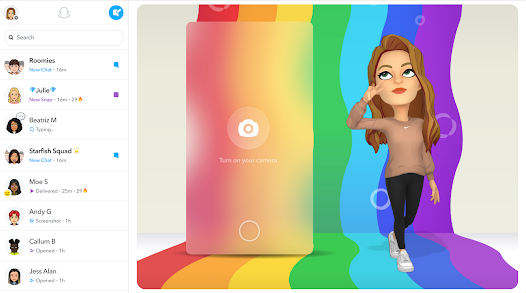
Another interesting feature is the use of augmented reality (AR) through filters and lenses. These allow users to overlay fun graphics and animations onto their photos and videos. Snapchat also includes a chat function, where users can send text messages, voice notes, or video calls, providing a more interactive experience. Additionally, the app offers Discover content, showcasing curated stories from publishers, influencers, and other creators.
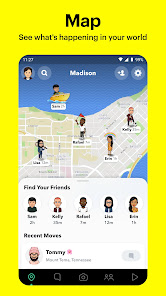
Snap Map is another feature that lets users share their location with friends or explore what others are posting around the world. Furthermore, Snapchat has integrated games and mini-apps, enhancing engagement beyond messaging. Overall, the combination of these features creates a dynamic and engaging platform for communication and creative expression.
How to Use Snapchat App
Using Snapchat is simple and intuitive. First, download the app from your device's app store and create an account by providing your email address and phone number. Once registered, you can customize your profile with a username and Bitmoji, which is a fun way to represent yourself in the app.
After setting up your profile, you can start taking Snaps by tapping the camera icon. You can capture photos or videos by pressing the circular button. To add fun elements, swipe left or right to explore various filters and lenses. Once you're satisfied with your Snap, you can either send it directly to a friend by selecting their name or add it to your Story for all your friends to see.
In addition to sending Snaps, you can engage in chat by swiping right on a friend's name in your contact list. This opens a chat window where you can send text messages, photos, or videos. Keep in mind that messages disappear after being read, unless saved manually. Finally, explore the Discover section for engaging content from publishers and influencers, enhancing your overall Snapchat experience.
Pros & Cons of Snapchat App
Snapchat has its own set of advantages and disadvantages that users should consider. One of the major pros is its unique ephemeral messaging system, which allows users to share moments without the worry of them being permanently stored. This can lead to more authentic and spontaneous interactions. The app’s innovative filters and lenses provide a fun way to be creative with photos and videos, making content sharing more engaging.
Moreover, Snapchat fosters a sense of connection through its Stories feature, allowing friends to stay updated on each other’s lives. The integration of games and Discover content also adds variety and keeps users entertained. However, there are some cons to consider. The app’s interface can be confusing for new users, as it differs significantly from traditional social media platforms.
Additionally, privacy concerns have been raised regarding the data collected by the app. Users may also face pressures related to social media engagement, as the platform encourages users to constantly create and share content. Lastly, some may find the temporary nature of messages frustrating, as it limits the ability to revisit shared moments. Balancing these pros and cons can help users decide if Snapchat is the right app for them.

 Ephemeral messaging promotes genuine, spontaneous interactions. Creative tools enhance self-expression through filters and lenses. Discover engaging content from friends and brands easily. Privacy features empower users to control their visibility. Strong community-building through shared experiences and stories.
 Content disappears quickly, limiting engagement. Privacy concerns over user data and snaps. Addictive nature can disrupt daily life. Limited audience reach compared to other platforms.
 Yes, Snapchat collects personal data such as location, usage information, and device details to provide and improve its services. Users can review the app's privacy policy for more information on data collection and usage.
Snapchat is free to download and use, offering a variety of features without any cost. However, certain premium features may require a subscription to Snapchat+.
Yes, Snapchat requires an internet connection, either through Wi-Fi or mobile data, to send and receive snaps, messages, and access various features within the app.
You can contact Snapchat support through the app's "Support" section or by visiting the Snapchat Support website, where you can find help articles and submit feedback or inquiries.
You can manage or cancel your Snapchat subscription through the app's settings under the "Subscriptions" section or by visiting your app store account settings, depending on how you subscribed.
You can contact Snapchat customer service through the app by tapping on your profile, selecting 'Support,' and then 'I Need Help.' You can also visit their official website for further assistance.
Snapchat accounts are automatically activated when you sign up. Just download the app, create an account, and start using it right away.
To log in, open the Snapchat app, enter your username or email and password, and tap 'Log In.' If you've forgotten your password, use the 'Forgot Password?' option.
Snapchat does not provide a direct customer service number. You can reach out to them via the app or their support website for help.










 Google Play
  App Store