


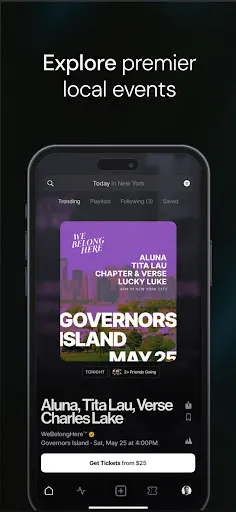
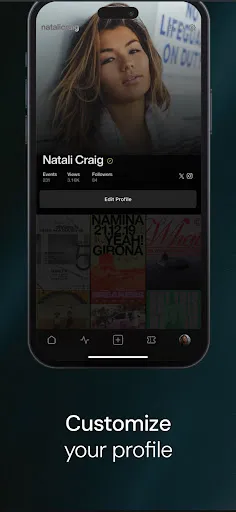
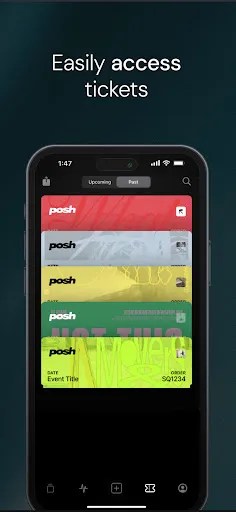
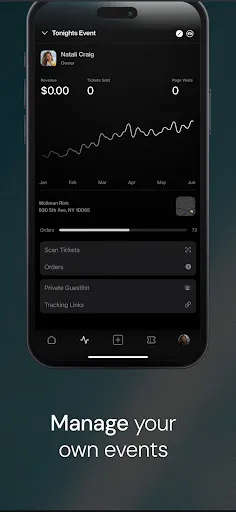
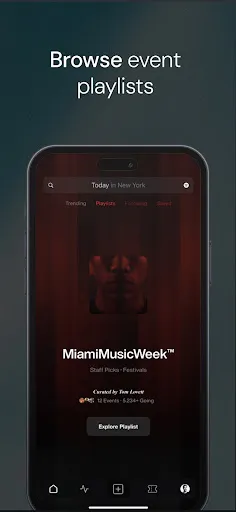
Posh – Social Experiences offers a variety of engaging features designed to enhance social interaction and community building. One of the key features is its user-friendly interface, which allows users to easily navigate through different social experiences, events, and activities. The platform promotes user participation by enabling individuals to create and host their own events, fostering a sense of ownership and community. Another notable feature is the integration of multimedia tools, allowing users to share photos, videos, and live streams during events. This enhances the experience by making interactions more dynamic and memorable. Additionally, Posh includes a robust messaging system, enabling users to communicate seamlessly with each other before, during, and after events. Furthermore, Posh provides a personalized experience through tailored recommendations based on user interests and past participation. This ensures that users are always informed about relevant events and experiences that align with their preferences. Finally, the platform encourages feedback and reviews, which helps in continually improving the quality of social experiences offered. Using Posh – Social Experiences is a straightforward process aimed at connecting individuals through shared interests. To begin, users need to create an account on the platform. This is a simple step that requires basic information such as an email address and a password. After signing up, users can complete their profiles by adding details about their interests, which will help in personalizing their experience. Once the profile is set up, users can explore the various social experiences available on the platform. They can browse through upcoming events, workshops, and community gatherings tailored to their preferences. By clicking on an event, users can find detailed information, including date, time, location, and a description of what to expect. To participate in an event, users can RSVP directly through the platform. After confirming their attendance, they can also invite friends, enhancing the social aspect of the experience. During the event, users can interact with others through the messaging feature, share media, and leave feedback afterward. This helps in creating a vibrant community and encourages ongoing engagement with future events. Posh – Social Experiences comes with its own set of advantages and disadvantages that potential users should consider. One of the main pros is its ability to connect like-minded individuals, fostering a sense of community and shared interests. The platform's user-friendly interface makes it accessible for people of all ages, ensuring that everyone can participate easily. Another advantage is the variety of events available, which cater to diverse interests and hobbies. Users can discover new activities, expand their social circles, and engage in unique experiences that they might not have encountered otherwise. Additionally, the multimedia sharing features enhance the overall experience, making it more interactive and enjoyable. On the downside, some users may find that the platform has a limited number of events in certain areas, which could restrict participation. Moreover, as with any online platform, there is a potential for privacy concerns, especially related to sharing personal information. Lastly, the quality of events can vary, as they are often user-generated, leading to inconsistencies in experience. Overall, while Posh offers many benefits, users should weigh these pros and cons carefully.Features of Posh – Social Experiences
How to Use Posh – Social Experiences
Pros & Cons of Posh – Social Experiences

 Connect with like-minded individuals in engaging social settings Discover unique experiences tailored to your interests and preferences Enhance your social skills through interactive and fun activities Build lasting friendships and networks in a supportive environment Enjoy curated events that foster creativity and personal growth
 Limited user base restricts diverse social interactions and experiences High subscription costs may deter potential users Complex navigation can frustrate new users, hindering engagement
  Google Play
  App Store
 Yes, users can submit suggestions or feedback through the app's feedback feature or by contacting customer support directly.
Yes, Posh – Social Experiences collects personal data to enhance user experience, but it is committed to protecting user privacy and complying with data protection regulations.
Posh – Social Experiences primarily requires an internet connection to access its features, so offline use is limited. However, some content may be viewable without a connection.
You can cancel your subscription through the app store settings on your device or by following the cancellation instructions provided within the app.
Subscription costs for Posh – Social Experiences may vary based on the plan selected, with options for monthly or annual subscriptions available. Please check the app for the most current pricing.
Yes, you can log in using your social media accounts like Facebook or Google. Just select the option on the login page.
To activate your account, check your email for an activation link and follow the instructions provided. If you didn't receive it, contact customer service.
You can reach our customer service via the support section on our website or directly through the app. We're here to help!
Please contact customer service to update your customer number. They will assist you with the necessary changes.
To log in, enter your email and password on the login page of the app or website. If you have issues, use the "Forgot Password" option.