

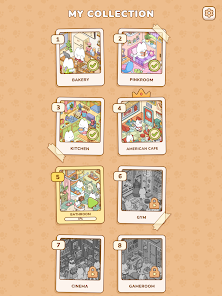
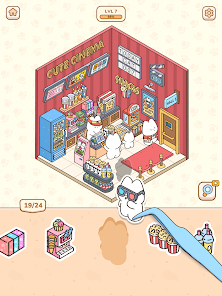
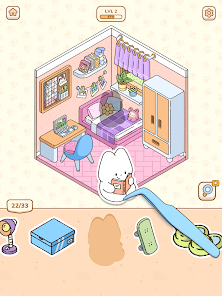
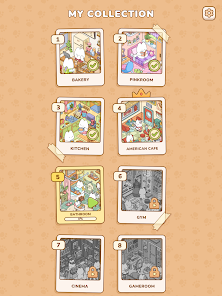
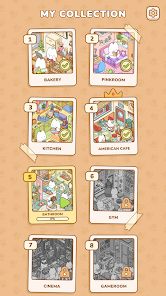
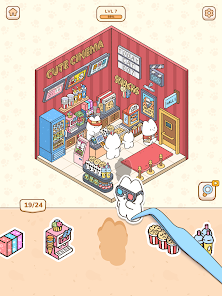
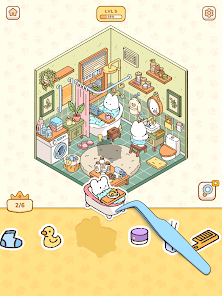
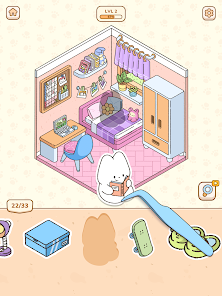
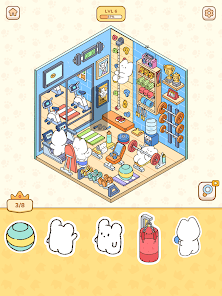
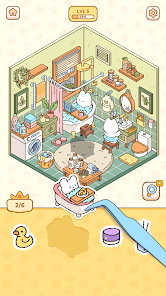
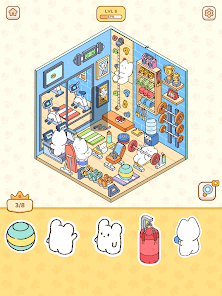
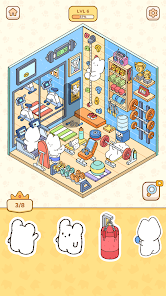
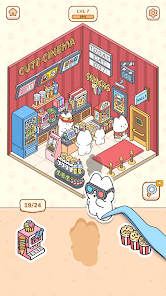
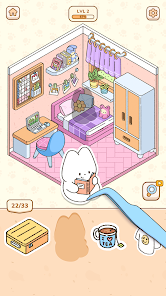
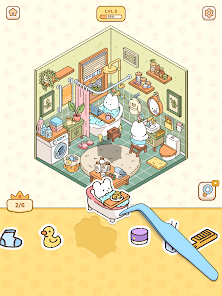
"My Sticker Room - Decor Game" offers a delightful and interactive experience for users who enjoy decorating and personalizing their virtual spaces. One of the standout features is the extensive library of stickers and decorative items, allowing players to choose from a wide variety of themes and styles. This enables users to express their creativity and design unique rooms that reflect their personal tastes.
Additionally, the game includes a user-friendly interface that makes navigation simple and enjoyable. Players can easily drag and drop items into their rooms, rearranging them as they see fit. The game also features seasonal updates, introducing new stickers and decorations to keep the experience fresh and engaging. Furthermore, users can share their creations with friends, fostering a sense of community and encouraging collaboration. Overall, "My Sticker Room - Decor Game" combines creativity, fun, and social interaction, making it a popular choice among decoration enthusiasts.
Using "My Sticker Room - Decor Game" is straightforward and enjoyable, making it accessible for players of all ages. To get started, users need to download the app from their preferred app store and create an account. Once logged in, players can select a room template to begin their decorating journey. The game provides a variety of room layouts, allowing users to choose one that suits their style.
After selecting a room, players can browse through the extensive library of stickers and decorative items. By tapping on an item, users can view it in detail and decide whether to add it to their room. The drag-and-drop functionality allows for easy placement and rearrangement of items, enabling users to experiment with different designs. Players can also save their creations and share them with friends or on social media platforms, enhancing the interactive experience. Overall, the game encourages creativity and provides a platform for users to showcase their unique decorating skills.
"My Sticker Room - Decor Game" comes with several advantages that make it appealing to users. One of the primary pros is its vast selection of stickers and decorative items, which allows for endless creativity and personalization. The user-friendly interface enhances the overall experience, making it easy for players to navigate and design their rooms. Additionally, the social sharing feature fosters a sense of community, enabling users to showcase their designs and gain inspiration from others.
However, there are some drawbacks to consider. Some users may find that certain features or items require in-app purchases, which can limit access to the full range of content. Additionally, while the game is engaging, it may lack depth for those seeking more complex gameplay mechanics. Overall, while "My Sticker Room - Decor Game" offers a fun and creative outlet, potential users should weigh these pros and cons to determine if it aligns with their preferences.

 Unleash your creativity today! Endless sticker collections await! Design your dream room easily! Share your creations with friends! Enjoy fun challenges and rewards!
 Limited sticker variety In-app purchases required User interface can be cluttered Performance issues on older devices
  Google Play
  App Store
 Yes, My Sticker Room may offer in-app purchases for additional items, stickers, or special features. These purchases can enhance your decorating experience but are not mandatory to enjoy the game.
While you can arrange and place stickers and items however you like, the customization options for altering the appearance of stickers themselves are generally limited. However, you can choose from a variety of designs and themes.
My Sticker Room may require an internet connection for some features, such as accessing new items or sharing creations. However, you might be able to play in offline mode for basic decorating functions.
Yes, you can share your decorated rooms with friends through social media or within the app's community features. There may also be options to participate in challenges and showcase your designs to a broader audience.
To start decorating your room, simply download the app and create an account. Once you're in, you can choose a room layout and begin adding stickers, furniture, and decor items from the available catalog. Use your finger to drag and drop items into your space.
You can reach customer service via the in-app support option or by emailing support
Your customer number can be found in the account settings under "Profile."
Open the app and select "Log In" on the main screen, then enter your credentials.
No activation process is required; simply download the app and start playing.