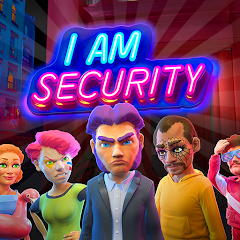











"I Am Security" is a comprehensive mobile application designed to enhance personal safety and security. One of its standout features is the real-time location tracking, which allows users to share their location with trusted contacts during emergencies. This feature ensures that help can be dispatched quickly if needed. Additionally, the app includes an SOS button that sends an immediate alert to pre-selected contacts, providing them with the user's location and a distress message.
Another notable feature is the safety check-in option, which prompts users to confirm their safety at regular intervals. If a user fails to check in, the app automatically notifies their emergency contacts. The app also offers a community alert system, where users can report suspicious activities or incidents in their vicinity, fostering a sense of community vigilance. Furthermore, "I Am Security" provides educational resources on personal safety, including tips and best practices for various situations. Overall, the app combines technology and community support to create a safer environment for its users.
Using "I Am Security" is straightforward and user-friendly. After downloading the app from your device's app store, you will need to create an account by providing basic information such as your name, phone number, and emergency contacts. Once your account is set up, you can customize your profile by adding additional contacts and setting preferences for alerts and notifications.
To utilize the real-time location tracking feature, simply enable location services on your device and select the contacts you wish to share your location with. In case of an emergency, pressing the SOS button will instantly notify your chosen contacts with your location and a distress message. The safety check-in feature can be activated by setting specific intervals for check-ins, ensuring that your contacts are aware of your safety status. Lastly, take advantage of the educational resources available within the app to enhance your personal safety knowledge. Regularly updating your emergency contacts and preferences will ensure that the app remains effective in times of need.
"I Am Security" offers several advantages that make it a valuable tool for personal safety. One of the primary benefits is its user-friendly interface, which makes it accessible for individuals of all ages. The real-time location tracking and SOS features provide peace of mind, allowing users to feel secure when they are out alone. Additionally, the community alert system fosters a sense of collective responsibility, encouraging users to look out for one another. The educational resources included in the app also empower users with knowledge on how to handle various safety situations effectively.
However, there are some drawbacks to consider. The app relies heavily on mobile data and GPS, which may not be accessible in all areas, particularly in remote locations. Privacy concerns may also arise, as sharing location data with contacts could lead to unwanted attention or misuse. Furthermore, the effectiveness of the community alert system depends on user participation, which may vary. Lastly, while the app is designed to enhance safety, it cannot guarantee complete protection, and users should still remain vigilant in their surroundings. Balancing these pros and cons is essential for users to make informed decisions about utilizing the app.

 Protect your personal data Real-time threat alerts User-friendly interface Advanced encryption methods Regular security updates
 Limited device compatibility High battery consumption Complex user interface Frequent update issues
  Google Play
  App Store
 The I Am Security app is generally suitable for users of all ages; however, parental guidance is recommended for younger users to ensure they understand how to use the app safely and effectively.
The I Am Security app offers a free version with essential features, while a premium subscription may provide additional functionalities and enhanced services. Users can choose to upgrade based on their needs.
Yes, users can customize the contacts for emergency alerts within the app settings. You can add, remove, or change contacts to ensure that the right people are notified in case of an emergency.
While the I Am Security app does not allow direct crime reporting, it provides users with information on how to contact local authorities and emergency services, ensuring that users can get help when needed.
Absolutely, users have the option to turn off location sharing whenever they choose. You can manage this setting in the app, ensuring your privacy is maintained when you don't need to share your location.
You can reach customer service through the app's support section or by calling the dedicated customer service number provided in the app.
Activation is typically done by entering a verification code sent to your registered email or phone number after initial installation.
The customer number is available in the app under the "Help" or "Contact Us" section.
To log in, you need your registered email address and password. If you forgot your password, use the 'Forgot Password' feature.