

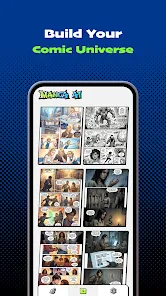
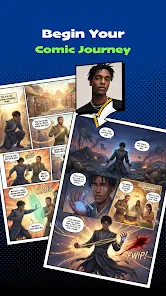
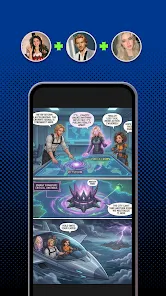
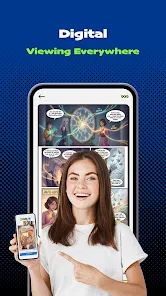
"Manga AI - AI Comic Generator" is a cutting-edge tool designed for both aspiring and seasoned comic creators. One of its standout features is the ability to generate unique manga-style artwork based on user prompts. This allows creators to visualize their stories without needing advanced artistic skills. The app also offers customizable character designs, enabling users to tweak appearances, outfits, and expressions to fit their narrative needs.
Another notable feature is the integrated storytelling assistant, which helps users craft engaging plots and dialogues. This tool can suggest story arcs, character development paths, and even pacing tips, making it easier for writers to structure their comics effectively. Additionally, the app supports multiple panel layouts, allowing for flexible comic page designs. Users can also export their creations in various formats, making it simple to share their work on social media or print. Overall, "Manga AI" combines artistic generation with storytelling support, making it a comprehensive solution for comic enthusiasts.
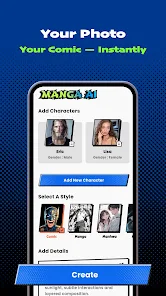
Using "Manga AI - AI Comic Generator" is a straightforward process that caters to users of all skill levels. To get started, download the app from your preferred platform and create an account. Once logged in, you can begin by selecting the type of comic you want to create, whether it’s a short story or a full-length manga. The user-friendly interface guides you through the initial steps, prompting you to input your story ideas and character descriptions.
After entering your prompts, the AI will generate illustrations and layouts based on your specifications. You can then customize these elements further, adjusting character features, backgrounds, and dialogue. The app also allows you to rearrange panels and modify text to enhance the storytelling experience. Once satisfied with your comic, you can save your work and export it in various formats for sharing or printing. With its intuitive design, "Manga AI" makes comic creation accessible and enjoyable for everyone.
"Manga AI - AI Comic Generator" comes with several advantages that make it appealing to users. One of the primary benefits is its ability to generate high-quality artwork quickly, which is especially useful for those who may not have strong drawing skills. The app's storytelling features also help users develop their narratives, making it easier to create cohesive and engaging comics. Additionally, the customizable options allow for a personalized touch, ensuring that each comic reflects the creator's unique vision.
However, there are some drawbacks to consider. The reliance on AI-generated content may limit the creative process for some users, as they might feel constrained by the app's suggestions. Furthermore, while the app is user-friendly, there may be a learning curve for those unfamiliar with comic creation software. Lastly, the quality of the generated artwork can vary, and some users may find it lacks the depth and nuance of hand-drawn illustrations. Balancing these pros and cons is essential for anyone considering using "Manga AI" for their comic projects.

 Manga AI brings your ideas to life! Effortlessly create unique comics! Customize characters with ease! Explore endless story possibilities! Share your creations instantly!
 Limited customization options Artwork may lack depth Potential for repetitive styles Requires internet access always
  Google Play
  App Store
 Yes, the app may include in-app purchases for additional features, premium content, or character packs. Users can choose to enhance their experience by purchasing these extras as needed.
The developers of the Manga AI app often release updates to improve functionality, fix bugs, and introduce new features based on user feedback. Keeping the app updated ensures access to the latest tools and improvements.
Collaboration features may vary by version, but some editions of the Manga AI app allow users to work together on comic projects. This can include sharing drafts and editing collaboratively. Check the app for specific collaboration tools.
Yes, the Manga AI app allows users to create original characters. You can customize various aspects such as appearance, personality traits, and backstory, making it easier to develop unique characters for your manga.
Yes, once you create your comic, you can go back and edit various elements, including characters, dialogue, and scenes, allowing for revisions and improvements before finalizing your work.
You can reach customer service through the app's support section or by emailing support
Simply open the app and follow the on-screen instructions to create or log into your account for activation.
Your customer number can be found in the account settings under "Profile Information."
Use the "Forgot Password" option on the login page to reset your credentials.