







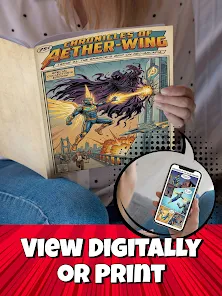




"KAI: Comic Maker Manga, Manhwa" is a versatile application designed for aspiring comic artists and storytellers. One of its standout features is the user-friendly interface, which allows users to easily navigate through various tools and options. The app provides a wide range of customizable templates, enabling creators to start their projects quickly without needing extensive design skills. Additionally, KAI offers a rich library of characters, backgrounds, and props, which can be easily dragged and dropped into the comic panels.
Another notable feature is the ability to add text bubbles and captions, allowing users to convey dialogue and narration effectively. The app supports multiple layers, giving artists the flexibility to work on different elements of their comics independently. Furthermore, KAI includes various drawing tools, such as brushes and pens, which cater to different artistic styles. Users can also export their finished comics in various formats, making it easy to share their creations on social media or print them out. Overall, KAI is a comprehensive tool for anyone looking to create engaging manga or manhwa.
Using "KAI: Comic Maker Manga, Manhwa" is straightforward, making it accessible for both beginners and experienced artists. To get started, download the app from your device's app store and create an account. Once logged in, you can choose to start a new project or explore existing templates. The app's dashboard provides easy access to various tools, including character creation, background selection, and text options.
To create your comic, select a template or start from a blank canvas. You can then add characters and backgrounds from the library, customizing them to fit your story. Use the drawing tools to illustrate scenes or modify existing images. Text bubbles can be added to convey dialogue, and you can adjust their size and position for optimal readability. Once your comic is complete, preview it to ensure everything looks perfect. Finally, export your work in your desired format, and share it with friends or on social media platforms. With practice, you'll be able to create stunning comics that showcase your unique storytelling style.
However, there are some drawbacks to consider. Some users may find that the app lacks advanced features found in professional-grade software, which could limit more experienced artists. Additionally, while the library is extensive, it may not always have the specific elements that a creator is looking for, necessitating additional customization. Lastly, occasional bugs or performance issues can disrupt the creative flow, which can be frustrating. Overall, while "KAI" is a powerful tool for comic creation, it may not fully meet the needs of every artist.

 Create stunning manga easily Explore a vast library of templates Customize characters and scenes Share your creations with friends Intuitive interface for all ages
 Limited customization options Slow loading times for large files Occasional bugs and glitches Lacks advanced drawing tools
  Google Play
  App Store
 Yes, KAI provides tutorials and guides within the app to help beginners learn how to use its features effectively. These resources make it easier for new users to get started with comic creation.
Yes, KAI allows users to collaborate with friends or other creators. You can share your projects and work together to create comics, making it a social platform for comic creation.
Yes, once you create your comic, you can publish it on the KAI platform for others to read. This allows you to share your work with a wider audience and gain recognition as a creator.
Yes, KAI: Comic Maker Manga, Manhwa is free to download and use, although it may offer in-app purchases for additional features or content. Users can access a variety of tools and resources without any cost.
Yes, KAI has a community where users can share their comics, provide feedback, and connect with other creators. This helps foster a supportive environment for learning and sharing comic-making skills.
You can contact customer service through the app's settings or visit the official website for support. Look for the "Contact Us" section for assistance.
Typically, you can activate the app by logging in with your account. If activation is required, follow the prompts provided after installation.
Open the app, tap on "Log In," and enter your credentials. If you don't have an account, you can create one easily.
The customer number may vary; check the app's support section or website for specific contact information.