


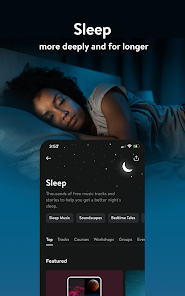
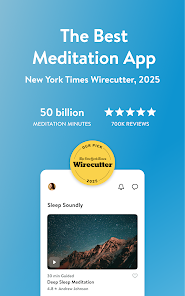
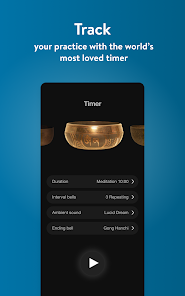
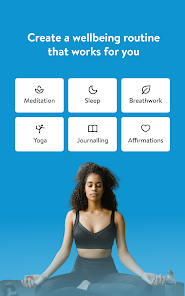
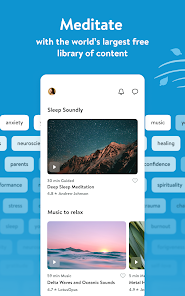
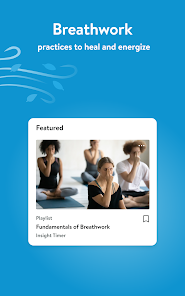
A health and fitness app created by Insight Network Inc. is called Insight Timer - Free Meditation App or just Insight Timer. Free meditation is the main focus of this software for its users. It offers more than 40,000 guided meditations taught by meditation and mindfulness specialists, neuroscientists, psychologists, and university professors, and has been hailed by Time magazine and Women's Health as the app of the year. The program also provides tens of thousands of songs by well-known musicians. With the use of the meditation software Insight Timer, users may access a variety of talks, music, and guided meditations to promote awareness and relaxation. A timer, stats tracker, and community forum are other elements of the app that can keep users engaged and connected to other people who are also practicing meditation. On both iOS and Android smartphones, Insight Timer is free to download.
The following are some of the features of the Insight Timer - Meditation App: 1. A variety of guided talks, music, and meditations to promote relaxation and mindfulness 2. A timer and statistics recorder to aid users in keeping track of their meditation routine 3. A social network where users can communicate with people who practice meditation 4.The capacity to save and keep track of favorite speeches and meditations 5. A tool for setting goals and serving as a daily reminder to keep users motivated and on track 6. The capability of personalizing the app with a unique profile and profile image 7. English, Spanish, French, German, Portuguese, and more languages are all supported. 8. The capacity to view speeches and meditations without an internet connection. Many people agree that Insight Timer is a good meditation software. It includes a variety of features to help users stay inspired and track their progress, and it has a huge selection of guided meditations, talks, and music. Numerous users also value the app's emphasis on community and its capability to establish connections with other people who practice meditation. The app is additionally free to use and accessible on both iOS and Android smartphones. It's challenging to choose between Insight Timer and Headspace as the best meditation software because both have a sizable user base and provide a variety of tools for users to practice mindfulness and relaxation. Headspace has a great layout and is more concentrated. Fewer selections allow you to get started right away. It's perfect for novices, in my opinion. More classes, free content, and a timer that can be used for various tasks are all available on Insight Timer. Both apps are well-received by users, who generally feel them to be beneficial and successful in reducing stress and fostering wellbeing. In the end, a person's particular preferences and needs will determine which meditation app is ideal for them. It would be beneficial to test both Insight Timer and Headspace to see which one suits your needs the best. You must have Insight Timer installed on your device and be signed into your account in order to create a meditation. You can create a meditation by following these steps after signing in to the app: 1. On the home screen, click the "Meditate" icon. 2. Click the "Create" button after navigating to the "Your Meditations" section. 3. You can give your meditation a name, a brief description, a duration, and background music on the following screen. 4. Tap the "Record" button to begin recording your meditation after entering this information. 5. Tap "Stop" when you're ready to end the recording. Then you can go back and make any required revisions to your meditation. 6. When you are finished, tap the "Save" button to add your meditation to your account. After that, you may access your meditation under the app's "Your Meditations" section.Features of Insight Timer - Meditation App
Is Insight Timer a good meditation app?
How does Insight Timer compare to headspace?
How do you use Insight Timer to create a meditation?

 Access thousands of free guided meditations Community support fosters connection and motivation Customizable timers enhance personal meditation practice Wide variety of topics caters to diverse needs Regular updates introduce new content and features
 Limited offline access to content Cluttered user interface can confuse users Premium features require a subscription Lack of personalized meditation recommendations
 Insight Timer may collect personal data such as your email address and usage statistics, but it emphasizes user privacy and data protection in its policies.
Insight Timer offers a free version with a vast library of content, and users can also opt for a premium subscription that unlocks additional features and content.
While an internet connection is required to access guided meditations and courses, you can download certain content for offline use.
You can contact Insight Timer support through the app's help section or by visiting their website, where you can find contact options and a feedback form.
You can manage or cancel your subscription through your app store account settings or by visiting the subscription management section within the app.
You can reach Insight Timer's customer service through the app's help section or by emailing support
To activate your subscription, go to the app settings, select "Upgrade," choose your plan, and follow the prompts to complete your purchase.
To log in, open the app and enter your email and password, then tap "Log In." If you signed up with Facebook or Google, select the corresponding option.
Insight Timer primarily provides support via email and does not have a customer service phone number. Use the support email for inquiries.













 Google Play
  App Store