


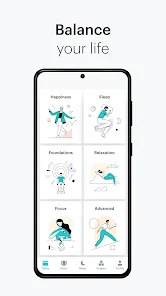
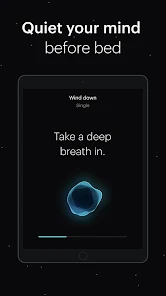


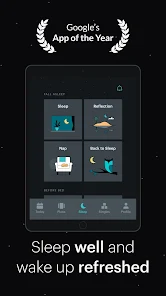

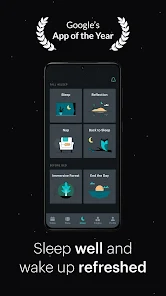

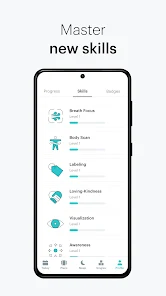

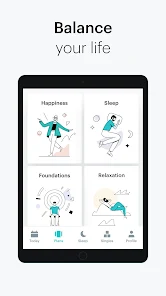
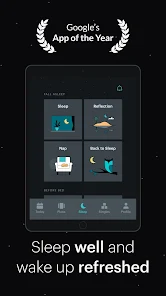

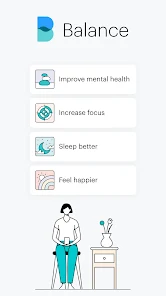
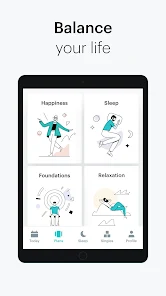
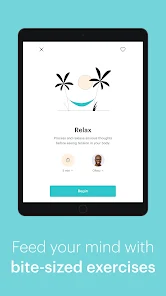

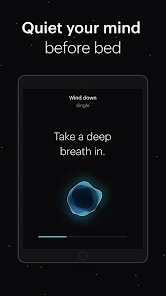
Balance: Meditation & Sleep is a mobile app designed to help users reduce stress, improve focus, and get better sleep through guided meditations and sleep exercises. The app offers a wide range of content, including guided meditations, breathing exercises, and sleep stories, led by experienced meditation teachers.
The Balance: Meditation & Sleep App is a comprehensive tool that can help you improve your sleep and meditation habits. The app features a range of guided meditation and sleep stories, as well as a selection of soothing music to help you relax. The app also includes a tracker to help you monitor your progress, and a journal to record your thoughts and feelings. The Balance: Meditation & Sleep App is a great tool for those who want to improve their sleep and meditation habits. The app provides users with a variety of guided meditations and sleep sounds to choose from, as well as a customizable timer so that they can tailor their experience to their needs. Balance: Meditation & Sleep is a mobile app that offers guided meditations and sleep exercises to help users reduce stress, improve focus, and get better sleep. Here are some pros and cons of using the Balance app: Pros: Wide range of content: The app offers a wide range of guided meditations and sleep exercises for users to choose from, making it easy to find content that fits their needs. User-friendly interface: The app has a user-friendly interface that is easy to navigate, even for people who are new to meditation. Customizable experience: Users can customize their experience by setting reminders, adjusting the duration of their sessions, and selecting the background noise. High-quality content: The app offers high-quality content, with guided meditations led by experienced meditation teachers. Progress tracking: Users can track their progress and see how their meditation practice is improving over time. Cons: Cost: The app is not free, and users may have to pay a monthly or yearly subscription fee to access all content. Limited free content: The app offers a limited amount of free content, which may not be enough for some users. May not be effective for everyone: While many people find meditation and sleep exercises helpful, they may not work for everyone. Requires regular practice: Like any form of meditation or exercise, the benefits of using the app require regular practice and commitment. Overall, the Balance: Meditation & Sleep app is a helpful tool for people looking to reduce stress, improve focus, and get better sleep, but it may not be suitable for everyone, and some users may find the subscription cost prohibitive.Features
How do I Use Balance: Meditation & Sleep App?
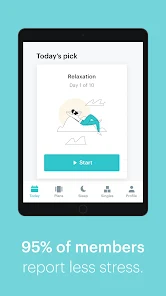
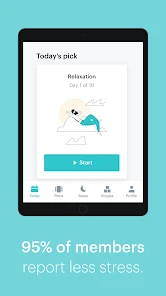
To get started, simply download the app and create an account. Then, you can browse through the various meditation and sleep programs that are available. Once you find one that you think will be helpful, select it and hit "play." The app will then guide you through the program, providing instructions and guidance along the way.
There are also a few other features that can be helpful in using the Balance: Meditation & Sleep App. For example, the "stats" section allows you to track your progress over time so that you can see how well you're doing. Additionally, the "community" section connects you with other users of the app so that you can share tips and support each other in your journey to better sleep and meditation habits.Pros & Cons

 Enhances relaxation through guided meditations tailored for stress relief. Promotes better sleep quality with soothing soundscapes and sleep stories. Offers personalized meditation plans to suit individual needs and preferences. Tracks mindfulness progress to help users stay motivated and accountable. Provides a user-friendly interface for easy navigation and access to resources.
 Limited content variety may not cater to all meditation preferences Some features require a paid subscription for full access User interface can be confusing for beginners
 Yes, users can submit suggestions or feedback through the app's support section or contact customer service directly for assistance.
Balance: Meditation & Sleep may collect personal data as outlined in their privacy policy, primarily to enhance user experience and personalize content.
Yes, users can download certain content for offline use, allowing them to access meditations and sleep aids without an internet connection.
Users can cancel their subscription through the app settings or the app store where they initially subscribed, following the provided cancellation instructions.
Subscription costs may vary, but typically, users can choose between monthly and annual plans to fit their budget.
Unfortunately, customer numbers cannot be changed once assigned. If you need further assistance, please contact Customer Service.
You can reach our Customer Service team via the support section in the app or by emailing support
If you’re facing technical issues, try clearing your app cache or reinstalling the app. If problems persist, contact Customer Service.
Check your email for an activation link, then click it to activate your account.
For billing inquiries, please contact Customer Service through the app or email us at billing













 Google Play
  App Store