


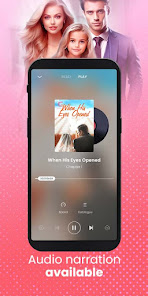
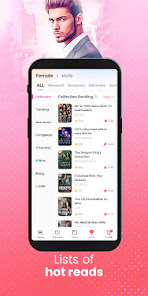
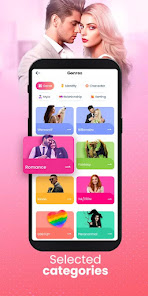
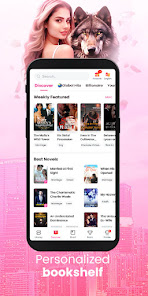
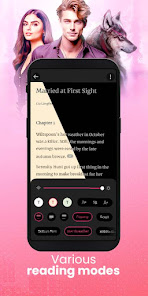
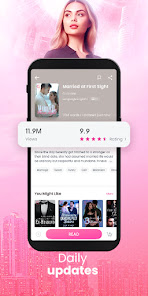
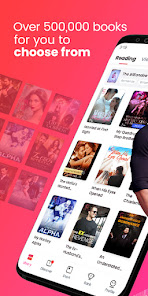
GoodNovel is a social platform to read the best book and web novel for story lovers. With thousands of books and web novels from popular authors from all over the world.
-A GoodNovel account is required to read or write stories on the app. If you're reading this, then you're probably wondering how to use GoodNovel. Here's a quick guide on how to get started with the app: There are many reasons to read novels online, but there are also a few drawbacks. Let's explore the pros and cons of reading novels on GoodNovel.Features and Functions
-GoodNovel offers a wide variety of stories in many different genres, including romance, fantasy, mystery, and more.
-Users can write their own stories and post them on the app for others to read.
-Stories can be published as ebooks on the GoodNovel website.
-The app has a built-in dictionary and thesaurus to help with writing.
-Users can comment on stories and connect with other writers on the app.How to Use GoodNovel - Web Novel, Fiction
First, download GoodNovel onto your device. You can find it in the App Store or on Google Play. Once it's installed, open up the app and sign up for an account. You can use your email address or connect with Facebook.
Once you're logged in, you can start reading any of the novels that are available on the app. To do this, simply tap on a novel that interests you from the homepage. This will take you to the book's page where you can start reading from the beginning or pick up from where you left off.
You can also add books to your library so that you can easily access them later. To do this, tap on the heart icon next to a book's title on the homepage. This will add the book to your library which you can access by tapping on the "Library" tab at the bottom of the screen.
If you come across any words that you don't know while reading, simply long press on the word and a dictionary definition will pop up.
GoodNovel also has a built-in night mode so that you can read in low light without hurting your eyes. To activate this, tap on the "Settings" tab at the bottom of the screen and toggle "Night Mode" on.Pros & Cons
Pros:
-You can read novels for free on GoodNovel. There are many public domain and original works of fiction available to read without spending a dime.
-You can read novels offline. Once you've downloaded a novel onto the app, you can read it even if you don't have an internet connection. Perfect for long plane rides or commutes!
-GoodNovel has a built-in dictionary, so you can quickly look up words you don't know as you're reading. No more flipping back and forth between the novel and a separate dictionary app.
Cons:
-The selection of novels on GoodNovel is somewhat limited compared to other similar sites. If you're looking for a specific title, you might not find it on GoodNovel.
-Because GoodNovel is an app, it can be challenging to navigate if you're used to reading novels on a website. The interface takes some getting used to.

 Discover thousands of original stories across various genres for every reader's taste. Enjoy an engaging community where readers and writers connect and share ideas. Experience a user-friendly interface that makes reading and writing seamless. Access exclusive content and updates from popular authors directly on the platform. Participate in exciting challenges to showcase your writing skills and gain recognition.
 Limited free content may restrict reading choices for users. Inconsistent story quality can lead to reader dissatisfaction. User interface can be confusing for new users to navigate.
  Google Play
  App Store
 Yes, users can submit suggestions or feedback through the app's customer support or feedback channels, allowing the team to consider user input for future updates.
GoodNovel - Booktok, Stories may collect personal data in accordance with its privacy policy, primarily for account management and improving user experience.
Yes, GoodNovel - Booktok, Stories allows users to download stories for offline reading, making it convenient for users to read without an internet connection.
To cancel your subscription to GoodNovel - Booktok, Stories, you can do so through your account settings within the app or by following the cancellation instructions provided by your app store.
Subscription pricing for GoodNovel - Booktok, Stories may vary based on the plan selected, so it is best to check the app for the most current pricing information.
Unfortunately, customer numbers cannot be changed. If you have issues, please contact customer service for help.
You can reach customer service through the app's help section or by emailing support
After logging in, go to "Account Settings" and edit your details as needed. Don't forget to save changes.
After registering, check your email for the activation link and click it to activate your account.
Open the app, tap on "Log In," enter your email and password, and then tap "Submit."