






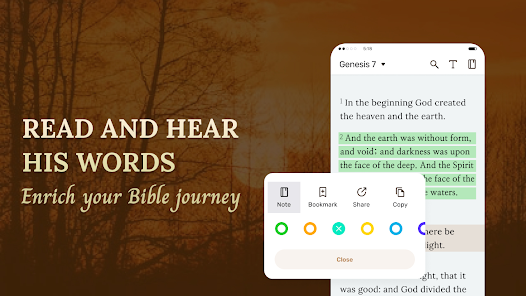
"Daily Bible - Verse+Audio" is a comprehensive application designed for individuals seeking to deepen their understanding of the Bible. One of its standout features is the daily verse notifications, which provide users with a new scripture each day, encouraging regular engagement with the text. The app also includes audio readings, allowing users to listen to verses, making it convenient for those who prefer auditory learning or are on the go.
Additionally, the app offers various translations of the Bible, catering to different preferences and enhancing accessibility. Users can highlight and bookmark their favorite verses, creating a personalized collection of meaningful passages. The app also includes a search function, enabling users to quickly find specific verses or topics. Furthermore, the user-friendly interface ensures that navigating through the app is intuitive, making it suitable for users of all ages. Overall, "Daily Bible - Verse+Audio" combines functionality with a rich array of features to support daily spiritual growth.
Using "Daily Bible - Verse+Audio" is straightforward and user-friendly. Upon downloading the app, users can create an account or log in to access personalized features. The home screen typically displays the daily verse, which users can tap to read more about its context and meaning. To listen to the audio version, simply click the play button next to the verse, allowing for an immersive experience.
Users can explore different Bible translations by navigating to the settings or options menu, where they can select their preferred version. Highlighting and bookmarking verses is easy; just tap and hold on a verse to save it for future reference. The search function is accessible from the main menu, enabling users to find specific passages or themes quickly. Regular notifications can be enabled to remind users to engage with their daily verse, fostering a consistent reading habit. Overall, the app is designed to enhance the user’s spiritual journey with minimal effort.
Like any application, "Daily Bible - Verse+Audio" has its advantages and disadvantages. One of the primary pros is its accessibility; the app is available on various devices, allowing users to engage with the Bible anytime and anywhere. The audio feature is particularly beneficial for auditory learners or those who prefer listening while multitasking. Additionally, the daily verse notifications help users maintain a consistent reading habit, which can be crucial for spiritual growth.
On the downside, some users may find the app's interface a bit cluttered, especially if they are not tech-savvy. Additionally, while the app offers multiple translations, it may not include every version that some users prefer. There may also be occasional technical glitches or bugs that can disrupt the user experience. Lastly, while the app is free, certain features may require in-app purchases, which could deter some users. Balancing these pros and cons can help potential users decide if this app aligns with their spiritual needs.

 Experience daily inspiration Enjoy audio readings for ease Share verses with friends easily Save favorites for quick access Engage with insightful commentary
 Limited version options available Audio quality may vary User interface can be cluttered Occasional ads disrupt experience
  Google Play
  App Store
 The app offers several translations of the Bible to cater to different preferences and reading styles. Users can typically select their preferred version from the settings menu. The available translations may include popular versions like the NIV, ESV, KJV, and more, depending on the app's offerings.
Yes, users have the option to customize their daily verse notifications in the app. You can typically set the time you wish to receive notifications and choose whether to enable or disable them altogether. This feature helps you to receive daily encouragement at a time that works best for you.
Yes, the Daily Bible - Verse+Audio app allows users to download audio readings for offline listening. This feature is beneficial for users who may want to engage with the material without needing an internet connection. Check the app's settings to manage your downloads and storage options.
Yes, the app usually provides options to share verses directly to social media platforms. You can typically find a share button next to each verse, allowing you to easily post your favorite scriptures on platforms like Facebook, Twitter, or Instagram. This feature helps spread encouragement and inspiration to others.
You can download the Daily Bible - Verse+Audio app from the Apple App Store for iOS devices or the Google Play Store for Android devices. Simply search for the app by name, and follow the prompts to install it on your device. Make sure to check for any specific device requirements before downloading.
You can reach customer service through the app's settings or the official website for assistance.
To activate, enter the activation code sent to your email during the purchase in the app's settings under the activation section.
Open the app and enter your registered email and password on the login screen to access your account.
Yes, activation may be required for premium features; follow the instructions provided upon purchase to activate your account.
The customer number is typically provided in the app's settings or the help section; please check there for the most current information.